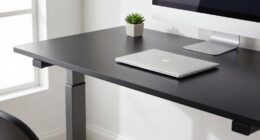
If you’re adjusting your office chair incorrectly, you might be causing discomfort or long-term health issues. Instead, start by setting your seat height so your feet are flat on the ground and your knees are at about 90°. Adjust the backrest to support your lower back, and fine-tune your armrests for relaxed shoulders. Proper seat depth and lumbar support also matter. Switch up your setup now to avoid future problems—you’ll discover exactly how to do it right.
Key Takeaways
- Ensure your feet are flat on the ground or a footrest, with knees at a 90° angle for proper support.
- Adjust the backrest to support the natural curve of your lower back, using lumbar support if needed.
- Set armrests so shoulders are relaxed, with elbows at roughly 90°, avoiding raised or compressed arms.
- Fine-tune seat height so there’s a 2-3 inch gap between the seat front and your knees for optimal circulation.
- Regularly check and re-adjust your chair throughout the day to maintain ergonomic posture and prevent discomfort.
Why Proper Office Chair Adjustment Is Key to Your Comfort and Health
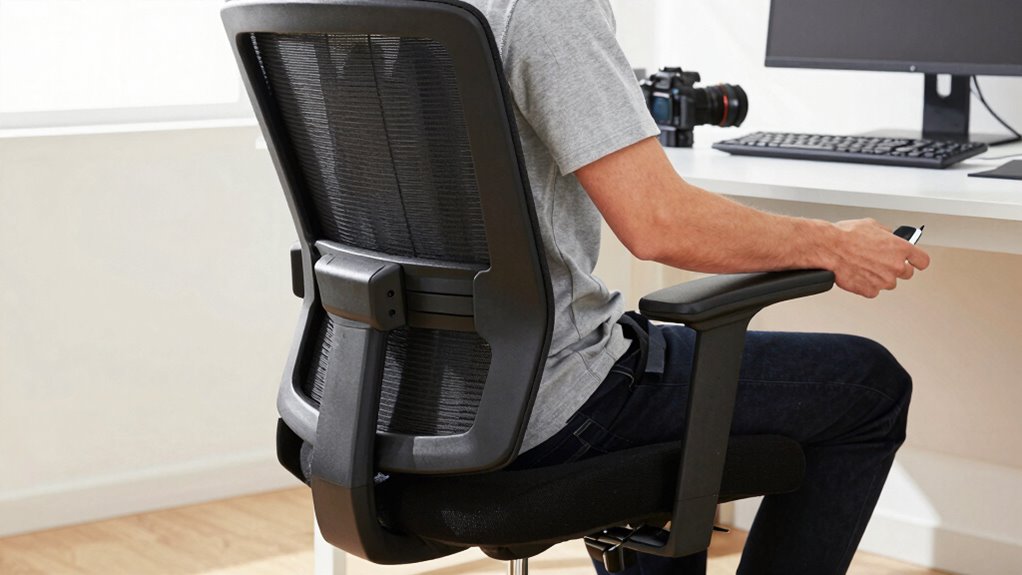
Properly adjusting your office chair is essential because it directly impacts your comfort and overall health. When you choose ergonomic accessories like lumbar supports or adjustable armrests, you enhance your posture and reduce strain. Additionally, your chair material choices matter; breathable fabrics or mesh help prevent overheating and discomfort during long hours. Proper adjustment ensures your feet are flat on the ground, knees are at a 90-degree angle, and your back is well-supported. Neglecting these details can lead to muscle fatigue, poor circulation, and long-term musculoskeletal issues. Incorporating ergonomic accessories into your setup can further optimize comfort and support. Paying attention to posture and making small adjustments can significantly improve your daily well-being. Furthermore, understanding the importance of adjustable features in your chair allows you to customize your setup for maximum comfort. By taking the time to fine-tune your setup, you can prevent discomfort and promote better health throughout your workday. Investing time in chair ergonomics and selecting suitable materials allows you to work more comfortably and stay healthier throughout your day.
How to Adjust Your Seat Height for Maximum Support

When adjusting your seat height, make sure your feet are flat on the ground for proper support. Your thighs should be be positioned so they are parallel to the floor, avoiding pressure on the backs of your knees. Correct foot placement and thigh alignment help you stay comfortable and reduce strain during long hours at your desk. Additionally, practicing mindful posture can promote better comfort and resilience throughout the day. Ensuring your workspace features appropriate ergonomic accessories can further optimize your overall comfort and support. Incorporating proper ergonomic setup principles can prevent discomfort and improve your overall workspace health. Being aware of correct chair adjustments can make a significant difference in maintaining comfort and preventing musculoskeletal issues. Regularly checking your seat height and making small adjustments as needed can help maintain optimal posture over time.
Proper Foot Placement
Have you ever noticed how your feet feel when your chair isn’t adjusted correctly? Proper foot placement is essential for comfort and support. Your feet should rest flat on the ground, with your ankles positioned comfortably without strain. To achieve this, ensure your seat height allows your feet to be fully supported, avoiding dangling or excessive pressure. Proper ankle positioning helps reduce fatigue and promotes good circulation. If your feet don’t reach the ground, use a footrest or adjust your seat height slightly higher. Keep your legs relaxed, and avoid crossing your ankles or pressing your feet too far forward. Correct foot placement keeps your entire posture aligned, reducing stress on your lower back and hips. Always double-check that your feet are supported and your ankles remain in a natural, relaxed position.
Aligning Thighs Correctly
To make certain your thighs are aligned correctly, start by adjusting your seat height so that your hips are level or slightly higher than your knees. Proper hip alignment ensures your pelvis is in a neutral position, reducing strain on your lower back. Focus on thigh positioning; your thighs should rest comfortably on the seat without excessive pressure or slipping. When your seat height is correct, your knees will be slightly lower than or at the same level as your hips, promoting better circulation. Avoid sitting too low, which can cause your thighs to bear too much weight, or too high, which can lead to inadequate support. Adjust until your thighs are supported evenly, and your hips remain in a natural, relaxed position for maximum comfort and support. Ensuring your seat height supports ergonomic posture can help prevent discomfort and long-term musculoskeletal issues. Additionally, paying attention to proper seat adjustment can further enhance your overall comfort and prevent strain during long work hours. Maintaining correct seat height also helps you distribute weight evenly, reducing pressure points and improving overall comfort during extended periods of sitting. Being mindful of body alignment during adjustments can contribute significantly to maintaining comfort and preventing fatigue over time. A well-adjusted seat also encourages better spinal alignment, which is essential for overall ergonomic health.
Correctly Positioning Your Backrest to Promote Good Posture
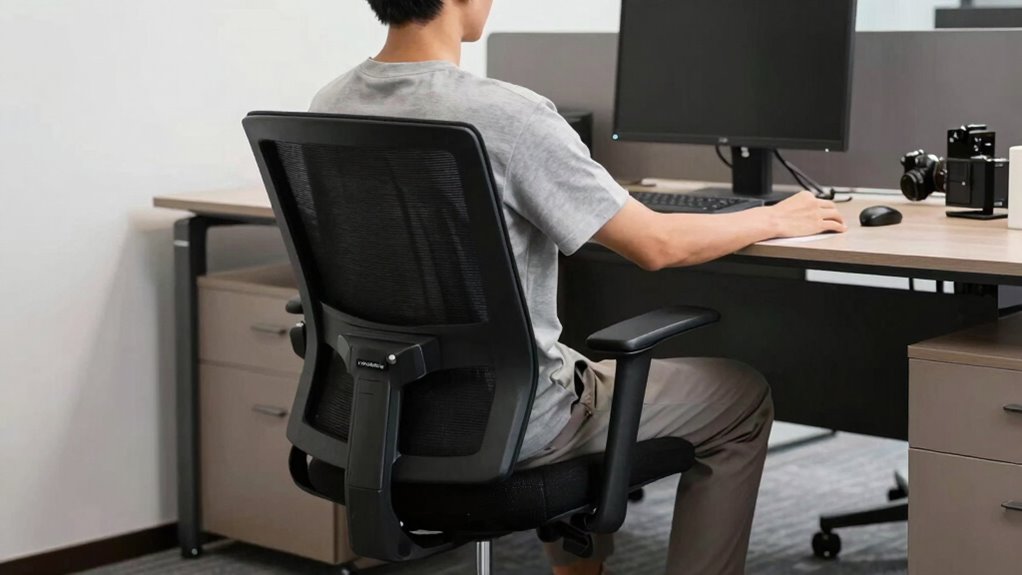
To promote good posture, start by adjusting your backrest for comfort and proper support. Make sure it’s aligned correctly so your lower back feels supported without strain. Keep lumbar support in place to maintain the natural curve of your spine throughout the day. Incorporating proper soundproofing can also create a quieter environment that reduces distractions and helps you focus on maintaining good posture. Additionally, understanding the future economy can encourage you to develop ergonomic habits that support long-term comfort and productivity. Recognizing how golf heritage influences design and innovation can inspire ergonomic improvements that benefit your workspace, especially as natural light and wellness touches become more integral to healthy home office setups. Paying attention to architectural details can also enhance overall comfort and functionality in your workspace environment.
Adjust Height for Comfort
Ever wondered how proper backrest positioning can boost your comfort and posture? Adjusting your chair height correctly is essential. Start by setting the seat height so your feet rest flat on the floor, with knees at a 90-degree angle. This prevents strain and encourages proper spinal alignment. Use ergonomic accessories like footrests if needed. Once your height feels right, check that the backrest supports your lower back comfortably. Regularly clean your chair with simple chair cleaning tips to maintain its functionality and hygiene, ensuring smooth adjustments. Proper height adjustment reduces fatigue and promotes a healthy sitting posture. Additionally, ergonomic principles can help you find the most supportive seating position. Remember, a well-positioned backrest combined with the right height makes sitting for long periods more comfortable and less tiring. Maintaining your chair’s cleanliness can also extend its lifespan and improve your overall comfort. Incorporating posture awareness into your routine can further enhance your sitting habits and prevent discomfort.
A well-adjusted chair also helps in preventing musculoskeletal issues, making your workspace safer and more comfortable over time.
Align Backrest Properly
Properly aligning your backrest is essential for maintaining good posture and reducing strain during long hours of sitting. Start by adjusting the backrest so it supports your lower and mid-back comfortably, preventing slouching. Use ergonomic accessories like lumbar cushions if needed, to enhance support. When choosing your chair, consider material options that promote breathability and comfort, such as mesh or padded upholstery. Ensure the backrest is upright but not rigid, allowing slight recline for relaxed support. Position it to keep your spine aligned and your shoulders relaxed. Proper backrest alignment helps distribute your weight evenly and minimizes pressure points, reducing fatigue. Regularly check and readjust your backrest during the day to maintain ideal support and promote good posture.
Maintain Lumbar Support
Are you ensuring your lumbar support is correctly positioned? Proper lumbar support helps maintain good posture and reduces back strain. Use ergonomic cushions or lumbar pillows to fill the gap between your lower back and the chair’s backrest. Adjust the backrest height so it supports the natural curve of your spine, keeping your lower back aligned. When seated, your hips should be slightly higher than your knees, ensuring the lumbar area is well-supported. If your chair lacks built-in lumbar support, adding ergonomic cushions or lumbar pillows can make a significant difference. Regularly check that your lumbar support remains in the right spot as you shift positions. Maintaining proper lumbar support prevents discomfort and promotes a healthier sitting posture throughout the day.
Setting Your Armrests for Shoulder Comfort and Reduced Strain
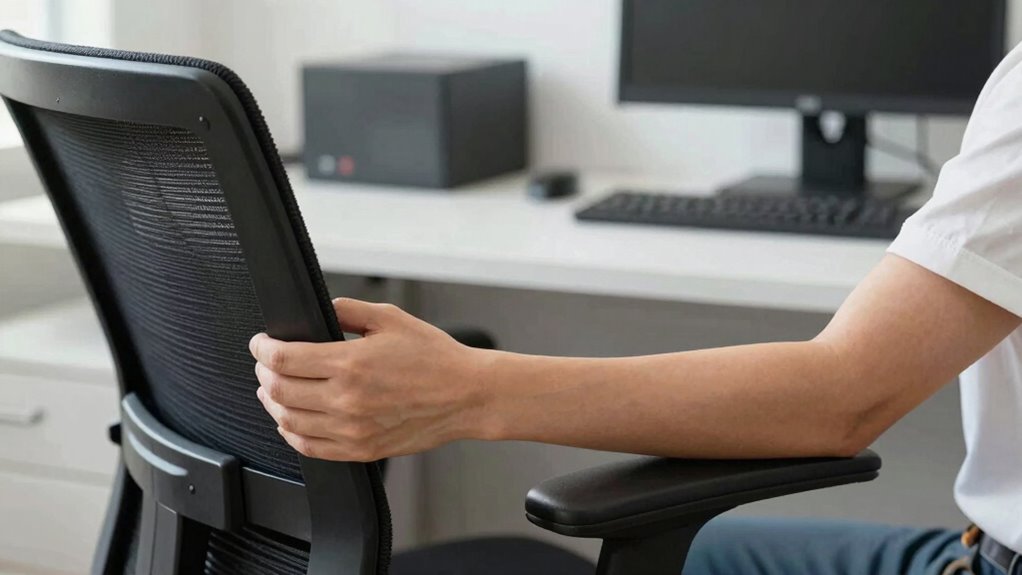
Adjusting your armrests correctly can considerably improve shoulder comfort and reduce strain during long hours at your desk. First, set the armrest height so your shoulders stay relaxed and your elbows form roughly a 90-degree angle. If the armrests are too high, your shoulders may lift, causing tension; too low, and your arms lack support. Ensure the armrests support your forearms without pushing your shoulders upward or downward. Properly adjusted armrests help distribute your weight evenly and keep your shoulders in a neutral, relaxed position. Avoid letting your shoulders hunch or your arms hang unsupported. Fine-tuning the armrest height is a simple yet effective way to prevent fatigue and discomfort, promoting better posture and comfort throughout your workday.
Adjusting Seat Depth and Lumbar Support for Proper Alignment
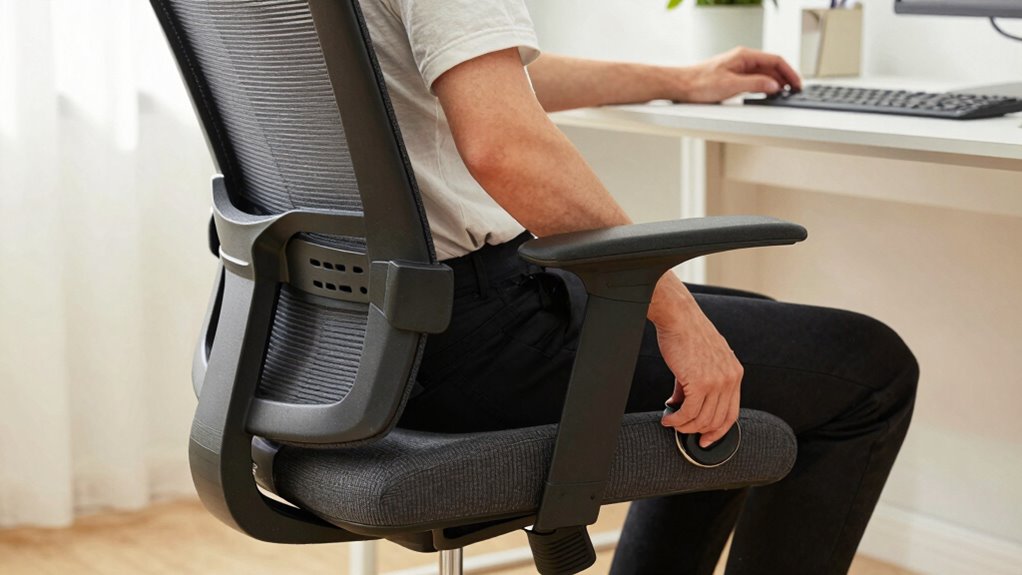
Once your armrests are set for shoulder comfort, focus on optimizing seat depth and lumbar support to maintain proper spinal alignment. Adjust the seat depth so that you have about two to three inches of space between the front edge of the chair and the back of your knees. This prevents pressure on your thighs and promotes circulation. Next, fine-tune the lumbar support so it fits the natural curve of your lower back. It should gently push inward, supporting your lumbar spine without causing discomfort. Proper lumbar support encourages an upright posture and reduces strain on your lower back. Regularly check and adjust these settings to ensure your spine stays aligned and comfortable throughout the workday.
Daily Tips to Keep Your Office Chair Ergonomically Set
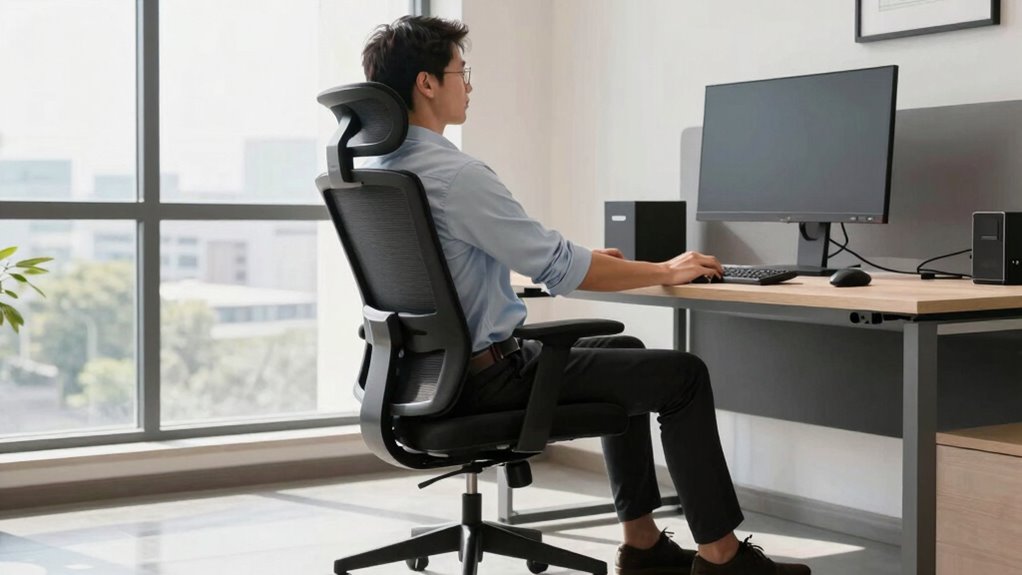
To keep your office chair ergonomically set throughout the day, develop a habit of regularly checking and fine-tuning your adjustments. Use ergonomic accessories, like lumbar pillows or seat cushions, to support proper posture and comfort. Incorporate quick office chair maintenance into your routine, such as tightening screws or lubricating moving parts, to guarantee smooth operation. Set reminders to adjust your chair height and armrests if they shift during the day. Keep your workspace organized so you can easily reach and adjust these components as needed. Consistent attention prevents discomfort and promotes good posture, reducing strain. Small daily tweaks make a big difference in maintaining ergonomic alignment, helping you stay comfortable and focused throughout your workday.
Signs You Need to Re-Adjust Your Office Chair
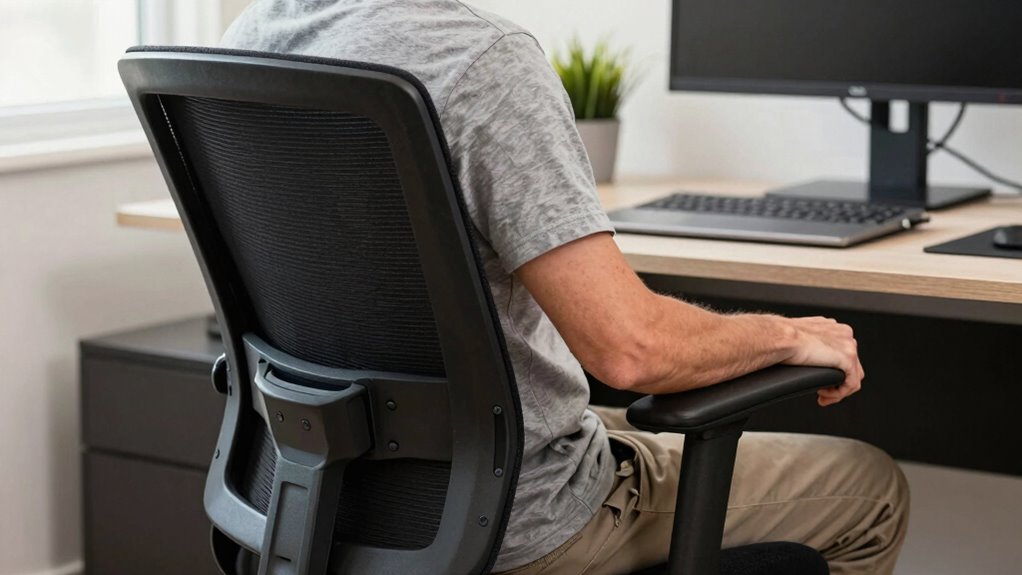
If you start experiencing persistent discomfort or pain while sitting, it’s a clear sign your office chair needs re-adjusting. Ignoring these signals can lead to long-term issues. Watch for these signs:
- Your back aches after hours, indicating your lumbar support needs adjustment.
- You’re constantly shifting or fidgeting, suggesting your seat height or tilt isn’t right.
- You feel pressure points or numbness in your legs, which may mean your chair isn’t aligned properly.
- Your posture seems off despite using ergonomic accessories, meaning your chair might need maintenance or realignment.
Regularly check your chair’s settings and perform chair maintenance tips to stay comfortable. Proper re-adjustment can prevent pain and improve productivity, making your workspace truly ergonomic.
When to Upgrade or Replace Your Office Chair for Better Support

Your office chair should provide proper support and comfort, but over time, even the best models can wear out or become less effective. If you notice persistent discomfort, decreased support, or difficulty adjusting features, it’s time to contemplate upgrading or replacing. Look for ergonomic accessories like lumbar supports or seat cushions to enhance your current chair, but if these don’t resolve issues, a new chair might be necessary. Also, evaluate the chair material options—mesh offers breathability, while leather provides durability. Worn-out padding, unstable casters, or damaged mechanisms are clear signs it’s time for a change. Investing in a supportive, ergonomic chair ensures better posture and reduces discomfort, making it worth upgrading when your current setup no longer meets your needs.
Frequently Asked Questions
How Often Should I Recheck My Office Chair Adjustments?
You should recheck your office chair adjustments every month to guarantee proper chair maintenance and comfort. Regularly inspecting your chair helps catch any loosened parts or misalignments early, preventing discomfort or injury. Adjustment frequency depends on how often you change your position or if you notice discomfort. Make it a habit to review your chair settings periodically, especially if you experience back pain or if your work setup changes.
Can Improper Chair Adjustments Cause Long-Term Health Issues?
Improper chair adjustments can cause long-term health issues like postural misalignment and muscle strain. When your chair isn’t set correctly, you may develop neck, back, or shoulder pain over time. Consistently poor posture can lead to chronic problems, affecting your overall well-being. To prevent this, guarantee your chair supports proper postural alignment, and recheck your adjustments regularly to stay comfortable and healthy during long work hours.
What Tools Can Help Me Adjust My Office Chair Correctly?
You can use ergonomic tools like lumbar support cushions and adjustable footrests to fine-tune your chair setup. Adjustment guides, available online or as printable diagrams, help you understand the proper height, tilt, and lumbar position. These tools make it easier to customize your chair for comfort and health, reducing strain and preventing long-term issues. Keep these handy to guarantee you’re always sitting correctly and comfortably.
How Do I Know if My Chair Fits My Body Size?
If your chair fits your body size, you’ll feel comfortable and supported. Check if the chair size allows your feet to rest flat on the floor and your knees form a 90-degree angle. The backrest should support your lower back naturally, and your elbows should rest comfortably on armrests. If it’s a tight squeeze or you’re stretching to reach, your body fit isn’t right—time to adjust or find a better fit.
Are There Ergonomic Accessories That Enhance Chair Support?
Yes, ergonomic accessories can substantially enhance your chair support. Consider adding lumbar cushions to improve lower back support, adjustable footrests for better leg positioning, or seat pads to increase comfort. These accessories help maintain proper posture, reduce strain, and prevent discomfort during long hours at your desk. Investing in ergonomic accessories tailored to your needs ensures your chair provides ideal support and promotes healthier sitting habits.
Conclusion
When you finally get your office chair just right, you’ll notice your days feel smoother—like finding that perfect spot in a cozy café. It’s no coincidence that good posture and comfort often go hand in hand. Keep tweaking your setup, and you’ll find yourself more energized and less achy, making each workday feel a little easier. After all, a well-adjusted chair isn’t just about comfort—it’s your secret to staying focused and feeling your best.