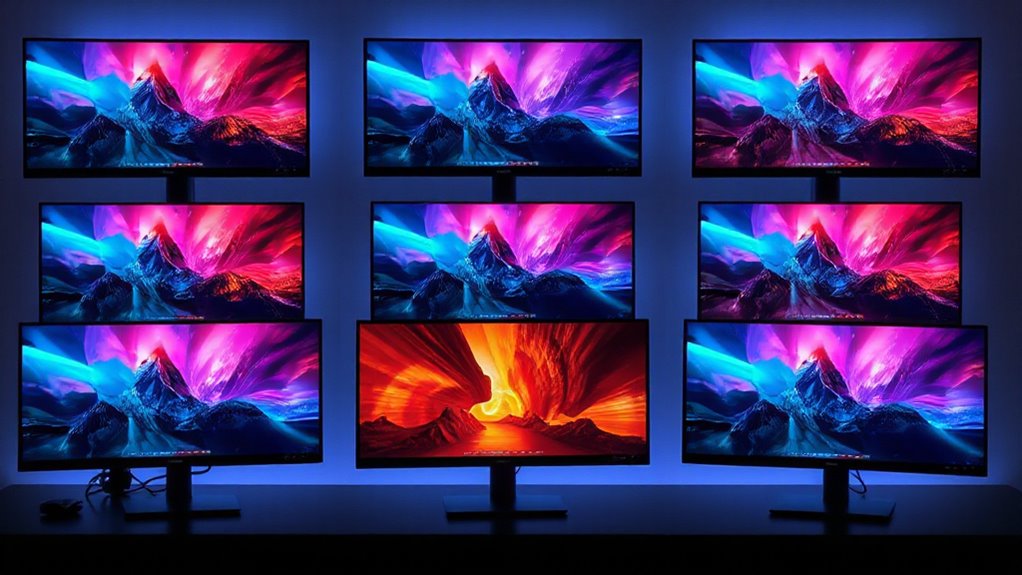

Searching for the best 5k monitors in 2026? The top pick, the ASUS ProArt PA27JCV, offers superb color accuracy for creative professionals, while the LG 27GM950B-B combines high refresh rates with stunning visuals for gamers. The main challenge in this category is balancing resolution with features like refresh rate, color accuracy, and connectivity—often, the more advanced gaming or ultrawide options come with compromises on color fidelity or price. Conversely, professional-grade displays tend to be costly but excel in color precision. Keep reading for a detailed breakdown of these options to find the best fit for your needs.
Open a free Amazon Business account
Business pricing, bulk buying and tax-exempt orders.
Create a free accountAs an affiliate, we earn on qualifying purchases.
Key Takeaways
- High refresh rate 5k monitors are increasingly available but often come with tradeoffs in color accuracy or price.
- Ultrawide 5k options deliver immersive experiences but may lack the color fidelity needed for professional work.
- Connectivity options like Thunderbolt 4 and USB-C are crucial for seamless integration with modern workflows.
- Premium features such as HDR and Mini-LED backlights significantly boost display quality, but at a higher cost.
- Size and ergonomics vary widely; larger screens and adjustable stands enhance comfort but can increase desk space requirements.


| 5k monitor | Resolution | Connectivity | Refresh Rate | Panel Type |
|---|---|---|---|---|
| ASUS ProArt PA27JCV 27 Inch 5K | 5120 x 2880 (5K) | USB-C with DisplayPort, data transfer, 96W power | — | IPS |
| INNOCN 40 Inch 5K Ultrawide Mo | 5120 x 2160p (5K) | HDMI 2.1 x2, DisplayPort 1.4, USB-C 3.1 (65W) | 100Hz | IPS |
| BenQ MA270S 27” 5K Nano Gloss | 5120×2880 (5K) | Dual Thunderbolt 4, HDMI, USB-C | — | Nano Gloss |
| LG 27GM950B-B 27-inch Ultragea | 5120 x 2880 (5K) | HDMI 2.1, DisplayPort 2.1, USB-C (90W) | 165Hz | — |
| INNOCN 34-Inch 5K Ultrawide Mo | 5120 x 2160p (5K) | HDMI 2.1, DisplayPort 1.4, USB-C 3.1 | 120Hz | — |
| INNOCN 49-Inch Curved Ultrawid | 5120 x 1440 (5K2K) | USB Type C, DisplayPort 1.4, HDMI 2.1, USB A, USB-B, RJ45, 3.5mm Audio Jack | 120Hz | VA |
| KTC 27 Inch 5K Monitor with HD | 5120 x 2880 (5K2K) | Type-C 65W, HDMI 2.0, DisplayPort 1.4 | 60Hz or 120Hz | — |
| LG 45GX950A-B 45-inch Ultragea | 5120 x 2160 (5K2K WUHD) | — | 165Hz | OLED |
| Samsung 27" ViewFinity S8 | 5120 x 2880 (5K) | USB-C 90W, HDMI, DisplayPort | — | — |
More Details on Our Top Picks
ASUS ProArt PA27JCV 27 Inch 5K USB-C Professional Monitor for Mac
The ASUS ProArt PA27JCV stands out for its exceptional color accuracy and factory calibration, making it ideal for professional creatives who need precise visuals. Compared with the BenQ MA270S, it offers slightly broader color coverage and a more extensive 5-year warranty, but at a higher price. Its versatile USB-C with 96W power delivery simplifies workspace setup, while auto KVM adds convenience for users switching between devices. However, its premium cost might be prohibitive for casual users or those with less demanding needs. This monitor is best suited for creative workflows that prioritize color fidelity and reliability over affordability.
Pros:- High-resolution 5K display with outstanding color accuracy
- Factory calibrated and Calman verified for professional-grade visuals
- Versatile USB-C with 96W power delivery simplifies desk setup
Cons:- Premium price may be out of reach for casual or budget-conscious buyers
- Limited to professional and creative workflows, less suited for gaming or general use
Best for: Professional artists, designers, and photographers who require factory-calibrated 5K precision
Not ideal for: Casual users or gamers seeking high refresh rates and entertainment features at a lower price point
- Display Size:27 inches
- Resolution:5120 x 2880 (5K)
- Panel Type:IPS
- Color Gamut:99% DCI-P3, 100% sRGB, 95% Adobe RGB
- Connectivity:USB-C with DisplayPort, data transfer, 96W power
- Calibration:Calman Verified, Delta E<2
Our verdict“This monitor makes the most sense for creative professionals needing precise color performance and reliable calibration.”
INNOCN 40 Inch 5K Ultrawide Monitor for Laptop, 21:9, 100Hz, IPS, HDMI, DP, FreeSync, HDR400, USB-C, Built-in Speakers, Height Adjustable, Black
The INNOCN 40 Inch 5K Ultrawide offers a sweeping 21:9 aspect ratio with 5120 x 2160 resolution, making it perfect for multitasking and immersive viewing. Unlike the smaller ASUS ProArt, it provides more screen real estate, which is advantageous for video editing, coding, or large spreadsheets. Its multiple connectivity options, including USB-C with 65W power delivery, support flexible device setups. The height, swivel, and tilt adjustments enhance ergonomic comfort during long work sessions. However, its substantial weight and size may require a sturdy mount, and the absence of detailed speaker quality or specific color calibration might make it less appealing for highly color-critical tasks. This monitor suits users needing expansive screens and multimedia versatility without sacrificing resolution.
Pros:- Expansive 40-inch ultrawide screen with high-resolution 5K clarity
- Multiple connectivity options including USB-C with 65W power
- Ergonomic adjustments for long-term comfort
Cons:- Heavy and large, requiring sturdy mounting solutions
- Price and size may be overwhelming for smaller desks or budgets
Best for: Creative professionals, remote workers, and gamers who need wide workspace and multimedia features
Not ideal for: Desk spaces with limited room or users seeking a standard aspect ratio for traditional workflows
- Size:40 inches
- Resolution:5120 x 2160p (5K)
- Refresh Rate:100Hz
- Panel Type:IPS
- Brightness:350 nits
- Connectivity:HDMI 2.1 x2, DisplayPort 1.4, USB-C 3.1 (65W)
Our verdict“This ultrawide 5K monitor is ideal for users who work across multiple windows or enjoy immersive multimedia experiences.”
BenQ MA270S 27” 5K Nano Gloss Monitor for Mac Creators with Dual Thunderbolt 4, KVM, and Adjustable Stand
The BenQ MA270S shines for Mac users needing a 5K display with vibrant P3 color and seamless system integration. Its Nano Gloss panel enhances image vibrancy, and dual Thunderbolt 4 ports support daisy chaining, reducing desk clutter. The smart KVM switch allows effortless toggling between two Macs, making it highly suited for multi-system workflows. The ergonomic stand with height, tilt, swivel, and pivot adjustments ensures comfort during extended use. Compared with the LG Ultragear, it prioritizes color accuracy and system integration over gaming features. The main tradeoff is its higher price and Mac-specific tuning, which may limit versatility for non-Mac users or those needing broader color customization. Ideal for Mac creatives who value system efficiency and color fidelity.
Pros:- Vivid P3 color accuracy with Nano Gloss panel
- Dual Thunderbolt 4 ports with daisy chaining for streamlined workflows
- Smart KVM switch for easy switching between two Macs
Cons:- Higher price point may be prohibitive for some buyers
- Less suited for users on Windows or non-Mac systems
Best for: Mac-based creative professionals who need system integration and vibrant P3 color
Not ideal for: Non-Mac users or casual users seeking gaming features or lower-cost options
- Display Size:27 inches
- Resolution:5120×2880 (5K)
- Panel Type:Nano Gloss
- Color Gamut:P3
- Connectivity:Dual Thunderbolt 4, HDMI, USB-C
- Power Delivery:96W/15W
Our verdict“This monitor excels for Mac creatives seeking system integration and vibrant visuals in a professional workspace.”
LG 27GM950B-B 27-inch Ultragear evo 5K IPS Mini-LED Gaming Monitor, 165Hz, 1ms, G-Sync, FreeSync Premium, HDR1000, HDMI, DP, USB-C, Adjustable Stand
The LG 27GM950B-B combines a 5K resolution with a 165Hz refresh rate and HDR1000 support, making it a strong choice for gamers who want sharp visuals and smooth gameplay. Its Hyper Mini LED technology offers deep contrast and high brightness, rivaling some professional monitors like the ASUS ProArt, but with added gaming features. Unlike the ultrawide INNOCN, it focuses on traditional 16:9 aspect ratio, ideal for gaming and media consumption. The broad connectivity including HDMI 2.1, DisplayPort 2.1, and USB-C with 90W power delivery supports diverse setups. The main tradeoff involves its size—less suitable for multitasking or creative workflows that benefit from ultrawide displays. This monitor is tailored for gamers who demand high resolution and fast response times.
Pros:- Exceptional 5K resolution with smooth 165Hz refresh rate
- High peak brightness and HDR support for vivid images
- Versatile connectivity including HDMI 2.1 and USB-C with 90W power
Cons:- Large size and gaming focus make it less suitable for multitasking
- Premium price and complex features may overwhelm casual gamers
Best for: Gamers and streamers seeking high-resolution, fast refresh rate, and HDR in a 5K format
Not ideal for: Creative professionals needing wide aspect ratios or color-critical workflows
- Display Size:27 inches
- Resolution:5120 x 2880 (5K)
- Refresh Rate:165Hz
- Response Time:1ms
- Brightness:1250 nits
- Connectivity:HDMI 2.1, DisplayPort 2.1, USB-C (90W)
Our verdict“This gaming monitor is ideal for high-end players wanting top-tier visuals and fast response times at 5K resolution.”
INNOCN 34-Inch 5K Ultrawide Monitor with 120Hz Refresh Rate for Laptop and MacBook
The INNOCN 34-Inch Ultrawide offers a compelling balance of size, resolution, and refresh rate, making it suitable for creative professionals and multitaskers who prefer an ultrawide workspace. Its 5120 x 2160 resolution provides sharp visuals, though the aspect ratio differs from traditional 16:9 monitors like the LG Ultragear, making it better suited for wide applications. The 120Hz refresh rate supports smooth visuals in creative workflows and light gaming. Connectivity options are broad, including HDMI, DisplayPort, and USB-C, with ergonomic adjustments for comfort. The main tradeoff is its weight and size, which demand sturdy mounting, and its slightly lower contrast ratio compared to some high-end gaming screens. This monitor targets users who want an expansive ultrawide display with excellent color and versatility.
Pros:- Expansive 34-inch ultrawide display with 5K clarity
- Good color reproduction with HDR400 support
- Flexible connectivity and ergonomic adjustments
Cons:- Heavy and large, requiring a sturdy mount
- Price may be high for budget-conscious buyers
Best for: Creative professionals, remote workers, and multitaskers who need wide, high-resolution visuals
Not ideal for: Users with limited desk space or those who prefer standard aspect ratios for gaming or traditional tasks
- Size:34 inches
- Resolution:5120 x 2160p (5K)
- Refresh Rate:120Hz
- Brightness:350 nits
- Contrast Ratio:3000:1
- Connectivity:HDMI 2.1, DisplayPort 1.4, USB-C 3.1
Our verdict“This ultrawide 5K monitor offers a balanced mix of size, resolution, and versatility for creative and multitasking needs.”
INNOCN 49-Inch Curved Ultrawide Gaming Monitor 5K2K 120Hz 32:9 QHD with HDR400, USB-C, DisplayPort, HDMI, Built-in Speakers, Adjustable Height/Tilt
This monitor stands out for its enormous 49-inch curved ultrawide display, which significantly enhances multitasking and immersive gaming experiences. The 5120×1440 resolution combined with a 120Hz refresh rate delivers smooth visuals that outperform many standard 4K or smaller ultrawide options, making it ideal for those who need a broad workspace or enjoy gaming without compromise. Compared to the smaller LG 45GX950A, the INNOCN offers a more expansive field of view, but its size requires a substantial desk setup and may be impractical in limited spaces. The multiple connectivity options, including USB-C with power delivery and HDMI 2.1, ensure compatibility with modern hardware, though setting up to fully utilize the 5K2K 120Hz may demand high-end graphics cards. It’s a strong pick for users craving maximum screen real estate and versatility, but it’s less suited for smaller desks or budget-conscious buyers.Pros:- Massive 49-inch curved display enhances multitasking and immersion
- High resolution (5120×1440) with 120Hz refresh rate delivers smooth, detailed visuals
- Multiple ports including USB-C with power delivery for versatile connectivity
Cons:- Requires a large desk and significant space for comfortable use
- High-end features lead to a premium price point
Best for: Professionals or gamers who need an expansive, immersive display for multitasking or gaming in a spacious setup.
Not ideal for: Users with limited desk space or those on a tight budget, as its size and features come with a higher cost and spatial requirements.
- Screen Size:49 inches
- Resolution:5120 x 1440 (5K2K)
- Refresh Rate:120Hz
- Aspect Ratio:32:9
- Panel Type:VA
- Connectivity:USB Type C, DisplayPort 1.4, HDMI 2.1, USB A, USB-B, RJ45, 3.5mm Audio Jack
Our verdict“This monitor is best suited for users who prioritize an ultrawide, immersive experience over compact size or budget constraints.”
KTC 27 Inch 5K Monitor with HDR 400, IPS Panel, and Multiple Connectivity Options
The KTC 27-inch 5K monitor earns its spot for delivering a crisp 5120×2880 resolution within a manageable size, making it ideal for photo editing, design, and detailed content creation. Its IPS panel ensures vibrant colors and wide viewing angles, which surpass the typically narrower color gamuts of smaller or lower-resolution screens. Unlike the LG 45GX950A, which excels in gaming with high refresh rates and deep blacks, the KTC prioritizes color fidelity and accuracy, but it’s limited to 60Hz or 120Hz modes, making it less suited for fast-paced gaming. The inclusion of HDR 400 support and multiple connectivity options—including Type-C with 65W charging—adds to its versatility, though its price might be steep for casual users. This model makes the most sense for professionals needing high resolution and color precision, but it’s less ideal for gamers seeking ultra-fast response times.Pros:- High-resolution 5K display with vibrant, accurate colors
- Multiple connectivity options including Type-C with power delivery
- HDR 400 support enhances contrast and color depth
Cons:- Limited to 60Hz or 120Hz, less ideal for fast-paced gaming
- Requires VESA mount for ergonomic adjustments
Best for: Creative professionals and content creators who need high resolution and accurate colors in a desktop-friendly size.
Not ideal for: Gamers who require ultra-fast refresh rates or users with limited workspace, as the monitor is best suited for static, detailed work.
- Size:27 inches
- Resolution:5120 x 2880 (5K2K)
- Refresh Rate:60Hz or 120Hz
- Connectivity:Type-C 65W, HDMI 2.0, DisplayPort 1.4
- Color Gamut:135% sRGB
- HDR:HDR 400
Our verdict“This monitor is perfect for professionals demanding detailed, color-accurate visuals in a compact, desktop-oriented design.”
LG 45GX950A-B 45-inch Ultragear 5K2K WUHD OLED Curved Gaming Monitor
The LG 45GX950A-B offers a unique blend of size, resolution, and OLED technology that appeals to gamers and cinephiles alike. Its 45-inch curved OLED panel provides astounding contrast ratios, deep blacks, and vibrant colors—surpassing traditional LCD screens for cinematic quality. The 5120×2160 resolution with a 165Hz refresh rate and 0.03ms response time ensures ultra-smooth gameplay, especially when paired with adaptive sync technologies like FreeSync Premium Pro and G-SYNC compatibility. Compared with the INNOCN 49-inch, this model emphasizes visual quality and response times over sheer size, but its high price and large footprint make it less accessible. It’s best for high-end gaming setups with ample space and a focus on visual fidelity, though the premium cost may deter casual users.Pros:- Exceptional OLED visuals with deep blacks and vibrant colors
- Fast 0.03ms response time and 165Hz refresh rate for smooth gaming
- Supports multiple adaptive sync technologies for tear-free gameplay
Cons:- Premium price point limits accessibility for casual users
- Large size demands significant desk space
Best for: Avid gamers or home theater enthusiasts seeking flagship visual quality and fast response times in a large, curved OLED display.
Not ideal for: Users with limited space or those seeking a more budget-friendly monitor, as the OLED panel and high specs come with a steep price.
- Display Size:45 inches
- Resolution:5120 x 2160 (5K2K WUHD)
- Refresh Rate:165Hz
- Response Time:0.03ms
- Panel Type:OLED
- HDR:DisplayHDR True Black 400
Our verdict“This monitor is best for high-end gamers or cinephiles who prioritize visual quality and response speed over price and space considerations.”
Samsung 27″ ViewFinity S8 (S80HF) Series High-Resolution Monitor
The Samsung ViewFinity S8 stands out for its 5K resolution within a 27-inch form factor, delivering extremely sharp and detailed images ideal for professional editing and precise tasks. Its HDR10+ support enhances contrast and vibrancy beyond standard SDR displays, making it suitable for color-sensitive work. The inclusion of a USB-C port with 90W charging simplifies cable management, and features like the built-in KVM switch and PIP/PBP modes offer enhanced multitasking—though these extras may be less relevant for casual users. Compared to the KTC 27-inch, the Samsung provides a more feature-rich experience tailored to productivity and color accuracy, but its premium price and limited size may be less appealing for general entertainment or gaming. This monitor suits professionals who need pixel-perfect detail in a compact desktop footprint.Pros:- High pixel density with 5K resolution for sharp visuals
- HDR10+ support enhances contrast and color vibrancy
- USB-C with 90W charging streamlines connectivity
Cons:- Premium price may be a barrier for some users
- Limited to 27 inches, less suitable for large multitasking setups
Best for: Creative professionals and digital artists who need a high-resolution, color-accurate display in a space-efficient size.
Not ideal for: Gamers or casual users who prefer larger screens or higher refresh rates for fast-paced content, as the focus is on precise image quality.
- Size:27 inches
- Resolution:5120 x 2880 (5K)
- Pixel Density:218 PPI
- HDR:HDR10+
- Connectivity:USB-C 90W, HDMI, DisplayPort
Our verdict“This monitor is ideal for professionals requiring detailed, color-accurate visuals in a compact package, but less suitable for gaming or entertainment enthusiasts.”

How We Picked
The monitors included in this roundup were selected based on a combination of performance, build quality, connectivity, and suitability for different buyer needs. Priority was given to displays offering true 5k resolution (5120×2880), with particular attention to color accuracy for creative professionals, high refresh rates for gamers, and versatile connectivity options for mixed workflows. We also evaluated design quality, user adjustability, and value for money. Rankings reflect a balance between these factors, ensuring options cater to various priorities—from budget-conscious buyers to premium users seeking top-tier features.Factors to Consider When Choosing 5k Monitors
Choosing the right 5k monitor involves more than just pixel count. Consider how you’ll use the display: if color accuracy is vital, prioritize professional-grade panels; for gaming, high refresh rates and low response times matter more. Size and ergonomics can impact comfort during long work sessions or gaming marathons. Connectivity options like Thunderbolt or USB-C are essential for seamless device integration. Lastly, evaluate your budget against features—sometimes investing more yields substantial gains in display quality and longevity.Resolution and Screen Size
While 5k resolution provides sharp detail, the physical size of the monitor influences how effectively you can utilize that resolution. Larger screens, such as ultrawides or 32-inch and above displays, make the most of the high pixel density, especially for detailed creative work or immersive gaming. Smaller 27-inch models are more space-efficient but may require scaling to fully appreciate the resolution. Consider your workspace and eyesight comfort when choosing size; bigger isn’t always better if your desk space is limited.
Color Accuracy and Panel Type
For professional tasks like photo editing, color fidelity is non-negotiable. Look for IPS panels with high coverage of AdobeRGB or DCI-P3 standards. The panel type also impacts viewing angles and contrast; IPS offers consistent color and wide angles, while VA panels can deliver better contrast but may sacrifice some color accuracy. Be wary of cheaper, lower-quality panels that promise 5k resolution but fall short on color or uniformity. Investing in a calibrated display can further enhance your workflow efficiency.
Refresh Rate and Response Time
High refresh rates (above 60Hz) are standard in gaming monitors, with some models offering 120Hz or higher at 5k resolution. These provide smoother motion, reducing blur during fast-paced gameplay. However, achieving high refresh rates at 5k resolution often involves tradeoffs like higher cost or specialized hardware. For creative or professional use, the emphasis should be on color accuracy and resolution rather than refresh rate. Be clear about your primary use case to avoid overpaying for features you won’t utilize.
Connectivity and Ergonomics
Modern monitors should support versatile connectivity options like USB-C, Thunderbolt 4, HDMI, and DisplayPort. These facilitate easy connection to laptops, desktops, or docking stations, reducing clutter. Ergonomics—height adjustment, tilt, and swivel—are equally important for long-term comfort. Some models include built-in stands or VESA compatibility, which can help optimize desk space and viewing angles. Compatibility with your existing setup is a key factor to avoid future upgrades or adapters.
Additional Features and Budget
Features like HDR support, Mini-LED backlighting, and built-in speakers can elevate display quality but often come at a premium. Determine which extras truly matter for your use case. Budget constraints should guide your choices—sometimes a mid-range 5k monitor with excellent color accuracy and connectivity offers better value than a feature-rich but overly expensive model. Remember, a higher price doesn’t always guarantee better performance in your specific tasks.
Frequently Asked Questions
Is 5k resolution necessary for professional work?
While 5k resolution isn’t strictly necessary for all professionals, it provides exceptional detail and workspace real estate, especially for photo and video editing. It allows for more precise editing and easier multitasking with multiple windows open simultaneously. However, some users may find 4k sufficient if their workflow doesn’t require ultra-fine detail. Consider your software needs and whether your hardware can support the higher resolution without sacrificing performance.
Can my existing graphics card handle a 5k monitor?
Not all graphics cards are equipped to drive a 5k display effectively, especially at high refresh rates or with color-accurate profiles. For smooth performance, look for a GPU with at least a DisplayPort 1.4 or HDMI 2.1 output, and verify its support for 5k resolutions. High-end gaming or professional cards like NVIDIA’s RTX series are better suited for these displays, ensuring sharp visuals and fluid motion. Upgrading your GPU may be necessary if you plan to use a demanding 5k monitor.
Are ultrawide 5k monitors worth it?
Ultrawide 5k monitors offer an expansive workspace ideal for video editing, 3D modeling, or immersive gaming. They eliminate the need for multiple monitors and can improve productivity by reducing window switching. However, they tend to be more expensive and often lack the color accuracy needed for detail-oriented creative work. Also, not all applications are optimized for ultrawide aspect ratios, which can lead to compatibility issues. Assess your workflow to determine if the increased width justifies the investment.
What is the best way to calibrate a 5k monitor?
Proper calibration ensures your display shows accurate colors and optimal contrast. Use a hardware calibration tool like a colorimeter paired with calibration software for best results. Regular calibration sessions—every few months—help maintain color fidelity, especially if you work in professional creative fields. Many high-end monitors come with built-in calibration options, but external tools provide more precise control. Keep your monitor’s firmware updated to benefit from any calibration-related improvements.
Is it worth paying more for a 5k monitor with HDR support?
HDR support can significantly enhance visual quality by providing brighter highlights and better contrast, especially on HDR-compatible content. For creative professionals working with HDR footage or photos, this feature adds considerable value. However, HDR implementation varies widely, and some displays offer only modest improvements despite the higher price. If HDR is a priority, ensure the monitor’s HDR standard (such as HDR1000 or Dolby Vision) aligns with your content needs, and consider whether your workflow benefits enough to justify the extra cost.
Conclusion
For creative professionals and those who prioritize color accuracy, the ASUS ProArt PA27JCV stands out as the best overall choice, offering precise color calibration and solid connectivity. Gamers and users seeking high refresh rates at 5k will find the LG 27GM950B-B a compelling premium option, blending performance with visual quality. Budget-conscious buyers should consider mid-range models like the KTC 27 Inch 5K for reliable performance without overspending. For ultrawide enthusiasts, the INNOCN 34-Inch 5K Ultrawide provides immersive experience, while those needing an ultra-large display might opt for the LG 45GX950A-B OLED. Ultimately, your choice hinges on your specific needs—professional work, gaming, or general use—so prioritize features accordingly.
As an affiliate, we earn on qualifying purchases.Fall Picks
fall essentials