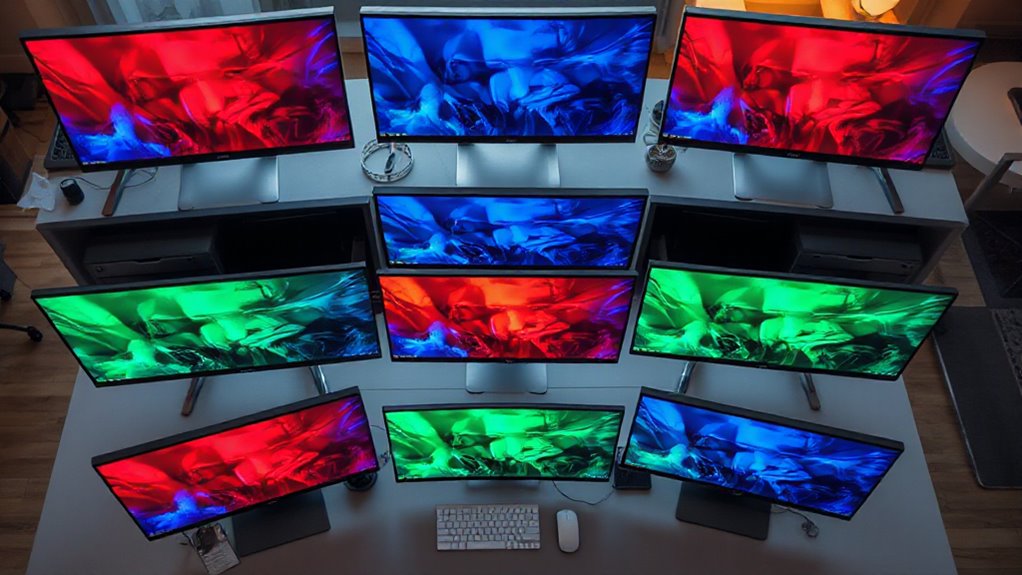

For anyone working with color-critical tasks, choosing a monitor with accurate color reproduction is essential. The ASUS ProArt 27″ QHD Monitor stands out as the best overall, offering a superb balance of color precision and usability. The BenQ SW272Q excels for photographers with its Adobe RGB coverage, while the Samsung ViewFinity S7 provides stunning 4K resolution for high-end visual work. These options reflect the main tradeoffs in this category: higher accuracy and features often come with a higher price, while more affordable models may sacrifice some precision. Continue reading for a detailed breakdown of each monitor’s strengths and weaknesses.

Get your next haul delivered free with Prime
- Fast, free delivery on millions of items
- Prime Video, Amazon Music and more included
- Member-only deals all year
Key Takeaways
- Top-tier monitors like the ASUS ProArt 27″ deliver near-perfect color accuracy suitable for professional workflows.
- Coverage of color spaces like Adobe RGB and DCI-P3 is a key differentiator for photographers and video editors.
- USB-C connectivity and HDR support add significant versatility for modern creative setups.
- Price varies widely; the most accurate monitors tend to be premium-priced, but some budget options still provide excellent color fidelity.
- Built-in calibration tools and factory calibration ensure consistent color performance over time.
| ASUS ProArt 27″ QHD Monitor with IPS Display and Color Accuracy |  | Best Overall for Creative Professionals | Display Size: 27 inches | Resolution: 2560 x 1440 (QHD) | Panel Type: IPS | VIEW ON AMAZON | See Our Full Breakdown |
| ViewSonic VP2766-2K 27 Inch ColorPro QHD IPS Monitor with USB-C and 120Hz |  | Best for Video Editing and Design with High Refresh Rate | Size: 27 inches | Resolution: 2560 x 1440 (QHD) | Refresh Rate: 120Hz | VIEW ON AMAZON | See Our Full Breakdown |
| ViewSonic VP2756A 27 Inch 2K IPS Monitor with ColorPro and USB-C Docking |  | Best for Professional Photo Editing and Docking Convenience | Size: 27 inches | Resolution: 2560 x 1440 (QHD) | Refresh Rate: 120Hz | VIEW ON AMAZON | See Our Full Breakdown |
| ASUS 27″ ProArt Display Monitor, WQHD (2560 x 1440), 100% sRGB/Rec. 709, Calman Verified |  | Best for Long-Term Professional Use | Display Size: 27 inches | Resolution: 2560 x 1440 (WQHD) | Panel Type: IPS | VIEW ON AMAZON | See Our Full Breakdown |
| ASUS ProArt PA248QV 24 Inch WUXGA Professional Monitor |  | Best Compact Choice for Professional Accuracy | Display Size: 24 inches | Resolution: 1920 x 1200 WUXGA | Color Coverage: 100% sRGB/Rec. 709 | VIEW ON AMAZON | See Our Full Breakdown |
| ASUS ProArt Display 32” 4K HDR Mini-LED Professional Monitor (PA32UCXR) |  | Best Overall for High-End Color Precision and HDR | Display Size: 32 inches | Resolution: 3840 x 2160 (4K UHD) | Backlight Technology: Mini-LED | VIEW ON AMAZON | See Our Full Breakdown |
| BenQ SW272Q 27-inch 2K USB-C Photographer Monitor, 99% Adobe RGB, DCI-P3, Nano Matte Panel |  | Best for Photographers and Creative Professionals | Screen Size: 27 inches | Resolution: 2K QHD | Color Gamut: 99% Adobe RGB, 98% DCI-P3 | VIEW ON AMAZON | See Our Full Breakdown |
| ASUS ProArt PA279CRV 27 Inch 4K UHD USB-C HDR Professional Monitor for Mac |  | Best for Mac-Centric Creative Work | Display Size: 27 inches | Resolution: 3840 x 2160 (4K UHD) | Color Coverage: 99% DCI-P3, 99% Adobe RGB | VIEW ON AMAZON | See Our Full Breakdown |
| ASUS ProArt PA278QV 27-Inch 1440p QHD Professional Monitor |  | Best for Budget-Conscious Creatives | Display Size: 27 inches | Resolution: 2560 x 1440 (QHD) | Color Gamut: 100% sRGB & Rec. 709 | VIEW ON AMAZON | See Our Full Breakdown |
| ASUS ProArt PA278QGV 27-Inch QHD Professional Monitor |  | Best for Content Creators Needing Wide Gamut and Calibration | Display Size: 27 inches | Resolution: 2560 x 1440 (QHD) | Color Gamut: 95% DCI-P3, 100% sRGB | VIEW ON AMAZON | See Our Full Breakdown |
| Samsung 32″ ViewFinity S7 (S71H) 4K UHD IPS HDR10 High Resolution Monitor |  | Best for High-Resolution, Color-Accurate Work | Size: 32 inches | Resolution: 3840 x 2160 (4K UHD) | Panel Type: IPS | VIEW ON AMAZON | See Our Full Breakdown |
| color accurate monitor | Resolution | Display Size | Connectivity |
|---|---|---|---|
| ASUS ProArt 27" QHD Monitor wi | 2560 x 1440 (QHD) | 27 inches | DisplayPort 1.2, Mini DisplayPort, HDMI v1.4, USB hub |
| ViewSonic VP2766-2K 27 Inch Co | 2560 x 1440 (QHD) | — | — |
| ViewSonic VP2756A 27 Inch 2K I | 2560 x 1440 (QHD) | — | — |
| ASUS 27" ProArt Display Monito | 2560 x 1440 (WQHD) | 27 inches | DisplayPort, HDMI, DVI |
| ASUS ProArt PA248QV 24 Inch WU | 1920 x 1200 WUXGA | 24 inches | DisplayPort, HDMI, D-Sub |
| ASUS ProArt Display 32” 4K HDR | 3840 x 2160 (4K UHD) | 32 inches | Dual Thunderbolt 4 USB-C, DisplayPort, HDMI |
| BenQ SW272Q 27-inch 2K USB-C P | 2K QHD | — | — |
| ASUS ProArt PA279CRV 27 Inch 4 | 3840 x 2160 (4K UHD) | 27 inches | USB-C with 96W Power Delivery |
| ASUS ProArt PA278QV 27-Inch 14 | 2560 x 1440 (QHD) | 27 inches | DisplayPort, HDMI, DVI-D, Mini DP, USB |
| ASUS ProArt PA278QGV 27-Inch Q | 2560 x 1440 (QHD) | 27 inches | — |
| Samsung 32" ViewFinity S7 | 3840 x 2160 (4K UHD) | — | HDMI, DisplayPort |
More Details on Our Top Picks
ASUS ProArt 27″ QHD Monitor with IPS Display and Color Accuracy
This ASUS ProArt monitor stands out for its exceptional color accuracy, with factory calibration and Delta E < 2, making it ideal for professional editors who need precise color reproduction. Compared to the ViewSonic VP2766-2K, it offers a more adjustable ergonomic stand, which can be a game-changer during long editing sessions. The 1440p resolution, however, limits it from competing with 4K options, and its higher price may deter casual users. Still, for those prioritizing true color fidelity and extensive connectivity, this model delivers professional-grade results.
Pros:- Exceptional color accuracy with Delta E < 2 and factory calibration
- Highly adjustable ergonomic stand for comfortable long-term use
- Multiple connectivity options including USB hub and VESA support
- Calman Verified for professional-grade color precision
Cons:- No built-in speakers, requiring external audio solutions
- Higher price point may be prohibitive for budget-conscious buyers
- Limited to 1440p resolution, not 4K
Best for: Creative professionals seeking reliable color accuracy and flexible ergonomics in a mid-range monitor
Not ideal for: Gamers or casual users who prefer higher resolutions or lower budgets, as it lacks 4K and is pricier
- Display Size:27 inches
- Resolution:2560 x 1440 (QHD)
- Panel Type:IPS
- Color Coverage:100% sRGB, 100% Rec. 709
- Color Accuracy:Delta E < 2
- Connectivity:DisplayPort 1.2, Mini DisplayPort, HDMI v1.4, USB hub
Our verdict“This monitor is best for professionals who need precise color reproduction and flexible ergonomics, despite its higher cost and resolution limits.”
ViewSonic VP2766-2K 27 Inch ColorPro QHD IPS Monitor with USB-C and 120Hz
This ViewSonic model makes the most sense for professionals who require not only accurate color, with Pantone validation and factory calibration, but also a smoother workflow thanks to its 120Hz refresh rate. Unlike the ASUS ProArt, it offers a higher 2K resolution and USB-C charging up to 90W, making it more versatile for multimedia workflows. The main tradeoff is its premium price, which might not be justified for casual use. It’s a solid choice for creative work that benefits from fast refresh rates and portable connectivity.
Pros:- High-resolution 2K QHD display with accurate color calibration
- Versatile USB-C port supporting 90W power delivery and data transfer
- High refresh rate of 120Hz for smoother visual performance
- Pantone Validation ensures professional-level color fidelity
Cons:- Premium price may be too high for some users
- Limited to professional use, not optimized for gaming
Best for: Video editors, graphic designers, and photographers seeking high color accuracy combined with a fast refresh rate and USB-C charging
Not ideal for: Casual users or gamers who can do without professional calibration or 120Hz refresh rates at a lower price point
- Size:27 inches
- Resolution:2560 x 1440 (QHD)
- Refresh Rate:120Hz
- Response Time:5ms
- Color Coverage:100% sRGB
- Calibration:Factory calibrated, Pantone Validated
Our verdict“This monitor suits professionals who need both color precision and smoother workflows, despite its higher cost and gaming limitations.”
ViewSonic VP2756A 27 Inch 2K IPS Monitor with ColorPro and USB-C Docking
The ViewSonic VP2756A stands out for its combination of high color accuracy with Pantone validation and a built-in USB-C dock, streamlining professional workflows. Compared to the ASUS ProArt, its integrated docking station reduces cable clutter and facilitates a cleaner setup. The 120Hz refresh rate is a bonus for smoother editing, though it doesn’t match higher-end gaming monitors. This model is best suited for photographers and designers who want accurate colors and a versatile workspace but don’t need ultra-high refresh rates.
Pros:- High color accuracy with Pantone validation and ΔE<2
- Integrated 90W USB-C port simplifies connectivity
- Ergonomic stand for comfortable viewing angles
- Versatile input options including HDMI and DisplayPort
Cons:- Premium pricing may limit accessibility for some
- Limited to 120Hz, not suitable for high-end gaming
Best for: Photo editors and creative professionals who value color precision and integrated connectivity in a professional-grade monitor
Not ideal for: Casual users or gamers needing high refresh rates or 4K resolution at a lower price point
- Size:27 inches
- Resolution:2560 x 1440 (QHD)
- Refresh Rate:120Hz
- Color Coverage:100% sRGB, Rec.709
- Calibration:Delta E<2, Pantone Validated
- Ports:USB-C, HDMI, DisplayPort
Our verdict“Ideal for professionals seeking color accuracy combined with docking convenience, though at a premium price.”
ASUS 27″ ProArt Display Monitor, WQHD (2560 x 1440), 100% sRGB/Rec. 709, Calman Verified
This ASUS ProArt WQHD monitor emphasizes long-term color accuracy with Calman verification and factory calibration. Compared with the ViewSonic VP2756A, it offers extensive connectivity options and an ergonomic stand, but its slightly higher price makes it more suitable for users committed to professional-grade performance. The 1440p resolution strikes a balance between clarity and affordability, though it doesn’t match 4K’s detail level. It’s a strong pick for creative professionals who prioritize consistent color fidelity over resolution extremes.
Pros:- Calman Verified for consistent color accuracy
- Multiple connectivity options including DVI and HDMI
- Ergonomic stand with full adjustments for comfort
- Extensive port selection for versatile setups
Cons:- Higher price compared to non-Calman verified models
- Limited to 1440p resolution, not 4K
Best for: Designers and video editors seeking reliable, calibrated color with durable build quality for extended use
Not ideal for: Budget-conscious amateurs or casual users who can settle for less precise or lower-cost monitors
- Display Size:27 inches
- Resolution:2560 x 1440 (WQHD)
- Panel Type:IPS
- Color Accuracy:Calman Verified, ΔE<2
- Connectivity:DisplayPort, HDMI, DVI
- Features:Flicker-free, low blue light
Our verdict“This monitor is perfect for professionals prioritizing calibrated, reliable colors over ultra-high resolution or budget constraints.”
ASUS ProArt PA248QV 24 Inch WUXGA Professional Monitor
The ASUS ProArt PA248QV offers a compact, reliable solution for professionals who need accurate, vivid colors in a smaller footprint. While it doesn’t match the higher resolutions of larger monitors like the ViewSonic VP2756A, its 1920 x 1200 WUXGA resolution is sufficient for most creative tasks. Compared to larger models, its affordability and portability make it appealing, though it lacks built-in speakers and some advanced features. It’s a practical option for those with limited space but demanding color fidelity.
Pros:- Accurate and vivid color reproduction with sRGB/Rec. 709 coverage
- Ergonomic stand with tilt, swivel, pivot, and height adjustments
- Compact form factor ideal for small workspaces
- Calman verified for reliable color performance
Cons:- Lower resolution than larger or 4K monitors
- No built-in speakers, requiring external audio solutions
- Higher price for a 24-inch monitor with professional features
Best for: Photographers and designers with limited desk space who need high color accuracy and ergonomic flexibility
Not ideal for: High-end video editors or gamers seeking 4K resolution or ultra-fast refresh rates
- Display Size:24 inches
- Resolution:1920 x 1200 WUXGA
- Color Coverage:100% sRGB/Rec. 709
- Calibration:Calman Verified
- Connectivity:DisplayPort, HDMI, D-Sub
- Features:Anti-glare, ergonomic stand
Our verdict“This monitor suits space-constrained professionals who need dependable, calibrated color in a smaller size, despite resolution limitations.”
ASUS ProArt Display 32” 4K HDR Mini-LED Professional Monitor (PA32UCXR)
The ASUS ProArt PA32UCXR stands out for its exceptional brightness, contrast, and color accuracy, thanks to its Mini-LED technology and extensive calibration features. Compared with the BenQ SW272Q, it offers a wider color gamut and HDR support, making it ideal for high-end color grading and professional workflows. However, its premium price and large size can be prohibitive, especially for those with limited space or budget. Its built-in colorimeter and multiple HDR formats provide a level of control and versatility that few monitors in this class can match, ensuring precise, consistent color reproduction across a wide range of formats and lighting conditions.
Pros:- Exceptional brightness and contrast with Mini-LED backlighting
- Outstanding color accuracy supporting wide gamuts and calibration
- Supports multiple HDR formats for versatile content production
- Extensive connectivity including Thunderbolt 4
Cons:- High price point limiting accessibility for some users
- Large physical size requiring ample desk space
- Complex calibration features may be unnecessary for occasional use
Best for: Creative professionals needing top-tier color accuracy, HDR support, and extensive calibration tools.
Not ideal for: Casual users or those with limited desk space who do not require such advanced features.
- Display Size:32 inches
- Resolution:3840 x 2160 (4K UHD)
- Backlight Technology:Mini-LED
- Local Dimming Zones:2,304
- Peak Brightness:1600 nits
- Color Gamut:99% Adobe RGB, 97% DCI-P3
- Color Depth:True 10-bit
- HDR Support:Dolby Vision, HDR-10, HLG
- Connectivity:Dual Thunderbolt 4 USB-C, DisplayPort, HDMI
Our verdict“This monitor is best suited for high-end professional workflows demanding absolute color precision and HDR performance.”
BenQ SW272Q 27-inch 2K USB-C Photographer Monitor, 99% Adobe RGB, DCI-P3, Nano Matte Panel
The BenQ SW272Q excels for photographers and creatives needing accurate colors with minimal glare, thanks to its Nano Matte anti-reflection panel and wide gamut coverage. Compared with the ASUS PA279CRV, it offers a slightly larger color gamut and a matte finish that reduces reflections, making it more suitable for long editing sessions in brightly lit environments. Its hardware calibration and screen-to-print matching are tailored for professional workflows, but its reliance on USB-C for full features can be limiting for users without compatible ports. This monitor prioritizes color fidelity and glare reduction, making it ideal for detailed photo editing where screen clarity and color precision are paramount.
Pros:- Wide color coverage with 99% Adobe RGB and DCI-P3
- Nano Matte anti-reflection panel reduces glare effectively
- Hardware calibration ensures consistent color accuracy
- Screen-to-print color matching enhances workflow precision
Cons:- Premium cost may be prohibitive for some professionals
- Full feature set depends on USB-C connection, limiting flexibility
- Primarily designed for professional use, overkill for casual editing
Best for: Photographers and visual artists seeking accurate, glare-free color reproduction in bright environments.
Not ideal for: Casual users or video editors who require broader HDR support or higher resolution for detailed content.
- Screen Size:27 inches
- Resolution:2K QHD
- Color Gamut:99% Adobe RGB, 98% DCI-P3
- Panel Type:Nano Matte
- Calibration Software:Palette Master Ultimate
- HDR:Supported
Our verdict“This monitor is tailored for professionals who need reliable, glare-free color accuracy for photography and print matching.”
ASUS ProArt PA279CRV 27 Inch 4K UHD USB-C HDR Professional Monitor for Mac
The ASUS ProArt PA279CRV offers a crisp 4K resolution combined with factory calibration that ensures accurate colors straight out of the box, making it ideal for Mac users and creative professionals. Compared with the BenQ SW272Q, it provides a higher resolution and versatile connectivity, including USB-C with Power Delivery, which streamlines workflows for MacBook users. Its ergonomic stand and 5-year warranty add to its appeal, but its premium price and focus on professional features may be excessive for casual or non-creative users. This monitor balances resolution, color fidelity, and compatibility, making it a strong choice for demanding workflows on Mac systems.
Pros:- High-resolution 4K display with excellent color accuracy
- Factory calibrated with Delta E < 2 for precise colors
- USB-C with 96W Power Delivery simplifies connectivity
- Ergonomic stand and extended 5-year warranty
Cons:- Premium price may be limiting for some users
- Designed mainly for professional use, overkill for casual tasks
Best for: Mac users and creative professionals needing high-resolution, color-accurate monitors with versatile connectivity.
Not ideal for: Budget-conscious users or those who do not need 4K resolution or extensive calibration features.
- Display Size:27 inches
- Resolution:3840 x 2160 (4K UHD)
- Color Coverage:99% DCI-P3, 99% Adobe RGB
- Color Accuracy:Delta E < 2
- Connectivity:USB-C with 96W Power Delivery
- Warranty:5 years
Our verdict“This monitor is well-suited for Mac-based creatives seeking high-res, calibrated display with flexible connectivity.”
ASUS ProArt PA278QV 27-Inch 1440p QHD Professional Monitor
The ASUS ProArt PA278QV offers a dependable, color-accurate display at a more accessible price, making it suitable for professionals in need of consistent color without the premium price tag. Its factory calibration and Delta E < 2 ensure reliable performance, similar to higher-end models like the PA279CRV. While it doesn't boast 4K resolution or HDR support, its 1440p resolution and extensive connectivity, including an ergonomic stand, make it versatile for various creative tasks. Compared with the PA278QGV, it is a more cost-effective option, but calibration may require some adjustment for optimal accuracy out of the box.
Pros:- Reliable color accuracy with Calman verification
- Extensive connectivity including USB hub
- Ergonomic stand with full adjustments
- Flicker-free and blue light filter for extended use
Cons:- Limited to 1440p resolution, less sharp than 4K options
- Requires calibration to achieve optimal color precision
Best for: Budget-conscious professionals requiring reliable color accuracy for design and editing tasks.
Not ideal for: Users needing 4K resolution or HDR support for more demanding or future-proof workflows.
- Display Size:27 inches
- Resolution:2560 x 1440 (QHD)
- Color Gamut:100% sRGB & Rec. 709
- Color Accuracy:Delta E < 2
- Connectivity:DisplayPort, HDMI, DVI-D, Mini DP, USB
- Warranty:5 years
Our verdict“This monitor provides dependable color accuracy at a more affordable price, ideal for budget-conscious creative professionals.”
ASUS ProArt PA278QGV 27-Inch QHD Professional Monitor
The ASUS ProArt PA278QGV combines a 27-inch QHD display with factory calibration and a wide color gamut, supporting 95% DCI-P3 and 100% sRGB. It’s designed for creators who need accurate, vibrant colors and a high refresh rate of 120Hz for smooth content viewing. Compared with the PA278QV, it offers a broader color range, making it preferable for color-critical tasks that benefit from wider gamuts. Its HDR-10 support and VESA compatibility add useful flexibility, though the price remains high and few additional features are included beyond core professional specs. This monitor balances precise color reproduction with performance for demanding visual projects.
Pros:- High-quality 27-inch display with 95% DCI-P3 coverage
- Factory calibrated with Delta E < 2
- VESA compatible with ergonomic adjustments
- High refresh rate (120Hz) for smooth performance
Cons:- Higher price may be a barrier for some users
- Limited HDR features compared to higher-tier models
Best for: Content creators and designers requiring wide color gamuts and smooth performance for detailed editing.
Not ideal for: Casual users or those seeking 4K resolution or advanced HDR features.
- Display Size:27 inches
- Resolution:2560 x 1440 (QHD)
- Color Gamut:95% DCI-P3, 100% sRGB
- Refresh Rate:120Hz
- Calibration:Calman Verified
- HDR:HDR-10
Our verdict“This monitor offers a compelling mix of wide color gamut and smooth performance for serious content creators.”
Samsung 32″ ViewFinity S7 (S71H) 4K UHD IPS HDR10 High Resolution Monitor
The Samsung 32″ ViewFinity S7 (S71H) stands out for its vibrant 4K UHD resolution paired with an IPS panel that delivers remarkably consistent and accurate colors, making it a strong competitor to the ASUS ProArt 27″ for those needing detailed, true-to-life visuals. Its HDR10 support boosts contrast and color depth, which is ideal for HDR workflows, though it doesn’t offer the same level of color calibration as professional-grade options like the BenQ SW272Q. The inclusion of Eye Saver Mode is a thoughtful feature that reduces eye strain during long editing sessions. However, the lack of built-in speakers and limited stand adjustability could be drawbacks for users seeking a more ergonomic, all-in-one setup. Compared with other 32-inch options, it provides excellent resolution and color fidelity but at a potentially higher price point, which may not appeal to everyone. This monitor makes the most sense for creative professionals who need detailed visuals and accurate colors without requiring extensive calibration features.
Pros:- Stunning 4K UHD resolution with high pixel density
- Accurate color reproduction with IPS panel technology
- HDR10 support for richer contrast and color depth
- Eye Saver Mode reduces eye fatigue during extended use
Cons:- No built-in speakers, requiring external audio solutions
- Limited stand adjustability, potentially affecting ergonomic comfort
- Higher price point compared to some competitors
Best for: Creative professionals and photographers who prioritize high resolution and color accuracy in a larger display
Not ideal for: Budget-conscious users or those needing extensive ergonomic adjustments, as it lacks advanced stand flexibility and built-in audio
- Size:32 inches
- Resolution:3840 x 2160 (4K UHD)
- Panel Type:IPS
- HDR:HDR10
- Connectivity:HDMI, DisplayPort
- Features:Eye Saver Mode, Game Mode
Our verdict“This monitor is best suited for creative professionals who need detailed, color-accurate visuals on a larger screen and are willing to invest in quality.”

How We Picked
The monitors in this roundup were selected based on their color accuracy, calibration capabilities, and color space coverage. We prioritized products with factory calibration, high ΔE ratings, and support for professional color standards like Adobe RGB and DCI-P3. Usability factors such as connectivity options, screen size, and ergonomic features also played a role. The ranking reflects a combination of performance, value, and suitability for different professional needs, ensuring each pick offers a clear advantage in color fidelity or overall usability for color-critical work.Factors to Consider When Choosing Color Accurate Monitors
Choosing a color accurate monitor involves evaluating several key factors that affect your workflow quality and efficiency. Beyond just specifications, understanding how features translate into real-world benefits can prevent costly mistakes. Considering your primary tasks, budget, and workspace setup will help narrow down the options to those that offer the best balance of color precision and usability.Color Coverage and Accuracy
Look for monitors that cover wide color gamuts like Adobe RGB and DCI-P3, especially if your work involves photography or video editing. Calibrated factory settings and low ΔE values indicate better initial accuracy. Keep in mind, higher-end displays often support hardware calibration to maintain precision over time, which is crucial for professional workflows.
Connectivity and Compatibility
Modern creative setups benefit from USB-C, HDMI, and DisplayPort options that support high bandwidth and power delivery. Monitors with USB-C docking features simplify cable management and can connect directly to laptops or desktops, streamlining your workspace. Compatibility with color calibration tools is also an important consideration for maintaining accuracy.
Screen Size and Resolution
Higher resolution screens, such as 4K, provide more screen real estate and sharper details, which can improve editing precision. Smaller monitors might be more budget-friendly but could limit your workspace. Balance size and resolution with your desk space and workflow needs to avoid strain or workflow bottlenecks.
Ergonomics and Build Quality
Adjustable stands, VESA compatibility, and glare reduction features improve comfort during long editing sessions. A sturdy build quality ensures your monitor remains stable and aligned over time. These features might seem minor but contribute significantly to reducing fatigue and maintaining consistent accuracy.
Price and Value
Expect to pay a premium for monitors with the highest color accuracy and extensive color space coverage. However, some mid-range models offer impressive calibration and coverage at a more accessible price point. Evaluate your budget against your professional needs—investing in a higher-quality display can save time and improve output quality in the long run.
Frequently Asked Questions
Can I trust factory calibration for color accuracy?
Factory calibration provides a solid baseline for color accuracy, especially in professional-grade monitors. However, for critical work, regular calibration with hardware tools is recommended to maintain precision over time. Factory calibration is a good starting point, but ongoing calibration ensures your display remains within the desired color tolerances, especially if you work in high-demand environments.
Is a wider color gamut always better for editing?
While a wider color gamut like Adobe RGB or DCI-P3 expands your color palette, it’s most beneficial if your workflow involves printing, color grading, or high-end video production. For general photo editing or web work, coverage of sRGB might suffice. Consider your target output and workflow before prioritizing very wide gamuts, as they often come with higher costs and calibration complexity.
How important is HDR support in a color accurate monitor?
HDR support can enhance visual accuracy and dynamic range, especially for video editing and high-end content creation. However, HDR alone does not guarantee color accuracy; it depends on the monitor’s calibration and color processing. For tasks requiring precise color matching, HDR is a bonus feature but not a substitute for good color fidelity and calibration tools.
Should I prioritize resolution or color accuracy?
Both are important, but if your work is highly color-dependent, prioritizing color accuracy and wide color space coverage makes more sense. Resolution impacts the clarity and detail of your images, but without accurate colors, those details might be misleading. Ideally, choose a monitor that balances both, like a 4K display with high color fidelity.
Is OLED better than IPS for color accuracy?
OLED displays often provide excellent contrast and deep blacks, which can enhance visual perception. However, for color accuracy, high-quality IPS panels are typically more consistent and offer more reliable color reproduction across viewing angles. For professional color work, a high-end IPS monitor with good calibration capabilities generally remains the preferred choice over OLED, which may suffer from burn-in or less consistent color performance over time.
Conclusion
For professional photographers or videographers, the BenQ SW272Q offers exceptional Adobe RGB coverage at a reasonable price, making it the best value for detailed color work. The ASUS ProArt 27″ remains the top overall choice, balancing accuracy, features, and usability for most professionals. Beginners or casual users should consider more affordable options like the ViewSonic VP2766-2K, which still delivers solid color fidelity. High-end creative studios seeking ultimate precision will find the ASUS ProArt PA32UCX or Samsung ViewFinity S7 best suited for their demanding workflows. Your selection depends on your specific needs, workspace, and budget, but understanding these key differences helps ensure you make an informed decision.
Halloween Picks

Halloween Pumpkin Fog Machine with 12-Color LEDs, Bluetooth Speaker, and Remote

12-Foot Inflatable Pumpkin Halloween Archway with LED Lights

Spirit Halloween Scary Sitting Scarecrow Animatronic, 4 ft 6 in
As an affiliate, we earn on qualifying purchases.