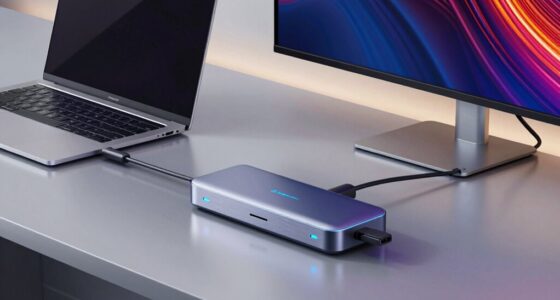
Choosing the right multiport USB-C hubs means balancing port variety, data speed, and power delivery without overheating your laptop. The Acer 10 Gbps USB C Hub stands out as the best overall pick for its exceptional 10Gbps data throughput and robust 100W Power Delivery, making it ideal for data-heavy workflows. For those prioritizing video output, the UGREEN USB C Hub 5 in 1 offers reliable 4K HDMI support at a competitive price point, while the Belkin 100W Multiport Hub serves as the premium choice for users demanding build quality and brand consistency. The main tradeoff in this category often lies between having more ports and maintaining high transfer speeds; many budget hubs sacrifice bandwidth to include extra USB-A slots. Continue reading to see which of these twelve options aligns with your specific connectivity needs and device ecosystem.

Get your next haul delivered free with Prime
- Fast, free delivery on millions of items
- Prime Video, Amazon Music and more included
- Member-only deals all year
Key Takeaways
- Power Delivery passthrough is not guaranteed to be full speed on all hubs; the Acer models consistently delivered 100W, while some budget options throttled charging speed when multiple ports were active.
- HDMI 4K@60Hz support is becoming standard on mid-range hubs, but many lower-cost alternatives still limit output to 4K@30Hz or 1080p, which is noticeable for creative professionals.
- Data transfer speeds vary wildly; only the Acer 10 Gbps Hub and select Anker models maintained full 10Gbps throughput, whereas most 5-in-1 hubs capped out at 5Gbps for USB-A ports.
- Form factor impacts heat dissipation; compact 5-in-1 hubs ran hotter under load than the slightly larger 7-in-1 and 10-in-1 designs, which had more surface area to dissipate thermal energy.
- Cable length matters for desk setup ergonomics; most hubs in this roundup feature short integrated cables, which can strain laptop ports if the hub is placed far from the device.
| Acer 10 Gbps USB C Hub, USBC Splitter with 4*USB C 3.2 and 100W PD Port |  | Best for Data-Intensive Workflows | Ports: 4x USB-C 3.2 Gen 2, 1x USB-C PD | Data Transfer Rate: 10 Gbps (Shared) | Power Delivery: Up to 100W | VIEW ON AMAZON | See Our Full Breakdown |
| UGREEN USB C Hub 5 in 1 Multiport USB Adapter 4K HDMI, 100W Power Delivery | 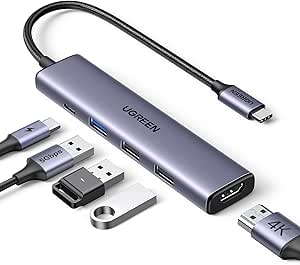 | Best Balanced Everyday Adapter | Ports: 1x HDMI, 1x USB-C PD, 1x USB-A 3.0, 2x USB-A 2.0 | Video Output: 4K @ 30Hz (HDMI) | Power Delivery: Up to 100W Pass-through | VIEW ON AMAZON | See Our Full Breakdown |
| 7-Port USB-C Hub with 4 USB-A and 3 USB-C Ports |  | Best for Maximum Port Count | Ports: 4x USB-A, 3x USB-C | Data Transfer Rate: Up to 5 Gbps | Power Delivery: Not Supported | VIEW ON AMAZON | See Our Full Breakdown |
| Acer 5-in-1 USB-C Hub with 4K@60Hz HDMI, 100W PD, and USB 3.0 Ports |  | Best for Smooth 4K Video | Ports: 1x HDMI, 1x USB-C, 2x USB-A, 1x USB-C PD | Video Output: 4K @ 60Hz | Power Delivery: 100W Input / 90W Output | VIEW ON AMAZON | See Our Full Breakdown |
| Belkin 100W 10Gbps Multiport USB-C Hub Adapter |  | Best for Eco-Conscious Users | Ports: 4x USB-C 3.2 Gen 2 | Data Transfer Rate: 10 Gbps | Power Delivery: 100W Input / 85W Output | VIEW ON AMAZON | See Our Full Breakdown |
| Acer 6-in-1 USB-C Hub with 4K@60Hz HDMI, 10Gbps Data Transfer, and 100W Power Delivery |  | Best for High-Speed Data & 60Hz Displays | Brand: Acer | Total Ports: 6 | HDMI Resolution: 4K@60Hz | VIEW ON AMAZON | See Our Full Breakdown |
| USB C Hub Multiport Adapter for MacBook Pro/Air, 10-in-1 USB C Dongle with HDMI, SD/TF Card Reader, 6 USB Ports, 100W Power Delivery |  | Best for Maximum Port Variety | Number of Ports: 10 | Total USB Ports: 6 | Data Transfer Rate: 5.02 Gbps | VIEW ON AMAZON | See Our Full Breakdown |
| UANTIN USB C Hub, 7 in 1 Multiport Adapter for Laptop/Mac Type C Devices |  | Best Balance of Features and Simplicity | Number of Ports: 7 | HDMI Resolution: 4K@30Hz / 1080p@120Hz | Data Transfer Rate: 5 Gbps | VIEW ON AMAZON | See Our Full Breakdown |
| Anker USB C Hub, 7-in-1 Multi-Port USB Adapter, 4K@60Hz USBC to HDMI Splitter |  | Best Premium Compact Design | Number of Ports: 7 | HDMI Resolution: 4K@60Hz | Power Delivery: Up to 85W | VIEW ON AMAZON | See Our Full Breakdown |
| Anker 5-in-1 USB-C Hub with 4K HDMI |  | Best Minimalist Starter Hub | Brand: Anker | Total Ports: 5 | HDMI Output: Up to 4K at 30Hz | VIEW ON AMAZON | See Our Full Breakdown |
| Acer 7-in-1 USB-C Hub with 4K HDMI, 100W PD Charging, and SD/TF Card Readers |  | Best for Photographers & Creators | Ports: 1x HDMI 4K@30Hz, 2x USB-A 3.1, 1x USB-C Data, 1x USB-C PD, 1x MicroSD, 1x SD | Data Transfer Rate: 5 Gbps | Power Delivery: Up to 100W | VIEW ON AMAZON | See Our Full Breakdown |
| Anker USB C Hub, 5-in-1 USBC to HDMI Splitter with 4K Display | 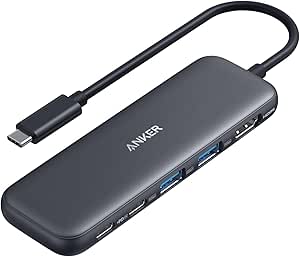 | Best Compact for MacBook Users | Ports: 1x HDMI 4K@30Hz, 2x USB-A 5Gbps, 1x USB-C Data 5Gbps, 1x USB-C PD-IN (85W pass-through) | Data Transfer Rate: 5 Gbps | Power Delivery: 100W input, 85W pass-through | VIEW ON AMAZON | See Our Full Breakdown |
| multiport usbc hub | Power Delivery | Data Transfer Rate | Weight | Ports |
|---|---|---|---|---|
| Acer 10 Gbps USB C Hub | Up to 100W | 10 Gbps (Shared) | 60 g | 4x USB-C 3.2 Gen 2, 1x USB-C PD |
| UGREEN USB C Hub 5 in 1 Multip | Up to 100W Pass-through | — | 91 g | 1x HDMI, 1x USB-C PD, 1x USB-A 3.0, 2x USB-A 2.0 |
| 7-Port USB-C Hub with 4 USB-A | Not Supported | Up to 5 Gbps | 92 g | 4x USB-A, 3x USB-C |
| Acer 5-in-1 USB-C Hub with 4K@ | 100W Input / 90W Output | — | — | 1x HDMI, 1x USB-C, 2x USB-A, 1x USB-C PD |
| Belkin 100W 10Gbps Multiport U | 100W Input / 85W Output | 10 Gbps | 50 g | 4x USB-C 3.2 Gen 2 |
| Acer 6-in-1 USB-C Hub with 4K@ | 100W Input / 90W Charging | 10 Gbps | — | — |
| USB C Hub Multiport Adapter fo | Up to 100W | 5.02 Gbps | — | — |
| UANTIN USB C Hub | 100W Pass-Through | 5 Gbps | 1.9 ounces | — |
| Anker USB C Hub | Up to 85W | 5 Gbps | — | — |
| Anker 5-in-1 USB-C Hub with 4K | — | — | 0.06 kg | — |
| Acer 7-in-1 USB-C Hub with 4K | Up to 100W | 5 Gbps | 68 g | 1x HDMI 4K@30Hz, 2x USB-A 3.1, 1x USB-C Data, 1x USB-C PD, 1x MicroSD, 1x SD |
| Anker USB C Hub | 100W input, 85W pass-through | 5 Gbps | 1.44 oz (approx. 40.8 g) | 1x HDMI 4K@30Hz, 2x USB-A 5Gbps, 1x USB-C Data 5Gbps, 1x USB-C PD-IN (85W pass-through) |
More Details on Our Top Picks
Acer 10 Gbps USB C Hub, USBC Splitter with 4*USB C 3.2 and 100W PD Port
This hub distinguishes itself by prioritizing high-speed data throughput over video output, making it a specialized tool rather than a general-purpose adapter. Unlike the UGREEN USB C Hub, which includes an HDMI port for presentations, the Acer model dedicates its bandwidth entirely to four USB-C 3.2 Gen 2 ports. This design choice means that while you cannot connect an external monitor, you can move massive video files or back up entire drives at significantly faster rates. The 10Gbps shared bandwidth is a critical tradeoff: while impressive for single-device transfers, splitting this speed across four active ports will reduce per-port performance, so it is best used with one or two high-performance SSDs at a time. The aluminum enclosure helps manage the heat generated by these high speeds, a necessary feature given the compact form factor.
Pros:- Delivers true 10Gbps data transfer speeds for rapid file movement
- Supports 100W Power Delivery to keep laptops charged during heavy use
- All-USB-C port layout simplifies cable management for modern peripherals
- Aluminum body provides effective passive cooling for sustained transfers
Cons:- No HDMI or video output ports for external displays
- 10Gbps bandwidth is shared, reducing speed if all ports are active
- Requires a specific 65W+ charger for optimal charging performance
Best for: Video editors and data scientists who need to connect multiple high-speed SSDs and do not require external display connectivity.
Not ideal for: Users who need to connect an HDMI monitor or projector, as this hub lacks any video output capabilities.
- Ports:4x USB-C 3.2 Gen 2, 1x USB-C PD
- Data Transfer Rate:10 Gbps (Shared)
- Power Delivery:Up to 100W
- Video Output:None
- Material:Aluminum Alloy
- Weight:60 g
- Compatibility:Windows, macOS, Linux, iPadOS, Android
Our verdict“This is the right choice if your primary bottleneck is data transfer speed and you have no need for video output.”
UGREEN USB C Hub 5 in 1 Multiport USB Adapter 4K HDMI, 100W Power Delivery
The UGREEN USB C Hub strikes a practical balance for most laptop users by combining video, charging, and legacy port support into a compact frame. It stands in direct contrast to the Acer 10 Gbps Hub, which lacks video output; here, the inclusion of a 4K HDMI port makes it suitable for presentations and dual-monitor setups. However, the data ports are limited to USB-A, with one at 5Gbps and two at the slower 480Mbps. This means it is not ideal for connecting multiple high-speed NVMe drives, unlike the all-USB-C alternatives. The 100W Power Delivery pass-through is robust, ensuring your laptop stays powered while you drive an external display. Its small footprint makes it easy to slip into a bag, though the reliance on USB-A ports may feel dated if your peripherals are all USB-C.
Pros:- Includes 4K HDMI output for presentations and dual-monitor setups
- Supports 100W Power Delivery pass-through to charge the host laptop
- Compact aluminum design fits easily in small laptop bags
- Provides three USB-A ports for legacy device compatibility
Cons:- Only one USB-A port supports 5Gbps speeds; others are 480Mbps
- Lacks native USB-C data ports for modern high-speed drives
- HDMI resolution may be limited to 30Hz on some non-Apple devices
Best for: Office workers and students who need to connect HDMI monitors and standard USB-A accessories like mice and keyboards.
Not ideal for: Professionals needing multiple high-speed USB-C connections or those with exclusively USB-C peripherals.
- Ports:1x HDMI, 1x USB-C PD, 1x USB-A 3.0, 2x USB-A 2.0
- Video Output:4K @ 30Hz (HDMI)
- Power Delivery:Up to 100W Pass-through
- Data Transfer:5 Gbps (USB-A 3.0) / 480 Mbps (USB-A 2.0)
- Dimensions:4.79″ x 1.09″ x 0.47″
- Weight:91 g
- Material:Aluminum
Our verdict“A solid, no-nonsense adapter for users who still rely heavily on HDMI displays and USB-A accessories.”
7-Port USB-C Hub with 4 USB-A and 3 USB-C Ports
This hub is defined by its sheer port density, offering seven total ports (four USB-A and three USB-C) for users who need to connect numerous devices simultaneously. While the Belkin 100W Hub focuses on speed and eco-friendly materials, this model prioritizes connectivity breadth. It is strictly a data transmission hub, meaning it does not support charging for connected devices or power delivery to the host laptop. This is a significant limitation for travelers who want to charge while working. The 5Gbps transfer speed is adequate for keyboards, mice, and standard hard drives but will bottleneck high-speed SSDs. The aluminum casing provides durability, but the lack of power management features means you must rely entirely on your laptop’s battery or a separate power source for peripherals.
Pros:- Offers seven ports for extensive device connectivity
- Mix of USB-A and USB-C accommodates both old and new peripherals
- Aluminum construction provides durability and heat dissipation
- Plug-and-play functionality across Windows, macOS, and Linux
Cons:- Does not support Power Delivery for charging the laptop
- No video output ports for external monitors
- 5Gbps speed limits performance for high-end storage devices
Best for: Users with many low-power legacy devices (keyboards, mice, printers) who do not need charging or video output.
Not ideal for: Travelers or professionals who need to charge their laptop or connect high-power accessories like external SSDs.
- Ports:4x USB-A, 3x USB-C
- Data Transfer Rate:Up to 5 Gbps
- Power Delivery:Not Supported
- Video Output:Not Supported
- Cable Length:1 Foot
- Weight:92 g
- Material:Aluminum
Our verdict“Choose this if you need to plug in many devices at once and already have separate charging and display solutions.”
Acer 5-in-1 USB-C Hub with 4K@60Hz HDMI, 100W PD, and USB 3.0 Ports
This Acer hub addresses a common frustration in budget adapters: stuttering 4K video. By supporting 4K at 60Hz via HDMI, it offers a smoother visual experience than the UGREEN 5-in-1, which typically caps at 30Hz for 4K. This makes it the superior choice for designers or presenters who need crisp, fluid motion on external displays. It also includes a USB-C data port, offering more modern connectivity than the UGREEN’s all-USB-A layout. The 100W Power Delivery ensures your laptop remains charged during intensive video tasks. However, the data speeds are limited to 5Gbps, which is slower than the 10Gbps offered by the Acer 10 Gbps Hub. If your workflow involves moving massive files quickly, this hub might feel sluggish, but for visual-centric tasks, it is a strong contender.
Pros:- Supports 4K video at 60Hz for smoother display performance
- Includes a USB-C data port for modern accessory compatibility
- 100W Power Delivery keeps laptops charged during video output
- Compact aluminum design aids in heat management
Cons:- Data transfer speeds are capped at 5Gbps
- Requires a USB-C port with DisplayPort Alt Mode support
- Does not include a power adapter for the 100W PD port
Best for: Content creators and presenters who require smooth 60Hz 4K video output and reliable laptop charging.
Not ideal for: Data-heavy professionals who need 10Gbps+ transfer speeds for external SSDs.
- Ports:1x HDMI, 1x USB-C, 2x USB-A, 1x USB-C PD
- Video Output:4K @ 60Hz
- Power Delivery:100W Input / 90W Output
- Data Transfer:5 Gbps
- Compatibility:Windows, macOS, ChromeOS, Linux
- Requirement:USB-C with DP Alt Mode
- Material:Aluminum
Our verdict“The best option if you prioritize fluid 4K video quality over raw data transfer speed.”
Belkin 100W 10Gbps Multiport USB-C Hub Adapter
The Belkin Hub stands out for its commitment to sustainability, constructed with 72% post-consumer recycled content. While it shares the 10Gbps data speed and 100W Power Delivery capabilities of the Acer 10 Gbps Hub, its design philosophy differs significantly. Belkin opts for a durable plastic enclosure rather than aluminum, which reduces weight to just 50g but may feel less premium in the hand. This hub is strictly for data and charging, lacking any video output, similar to the Acer data hub. The overvoltage protection offers peace of mind for expensive peripherals. However, the pass-through charging is slightly reduced to 85W for the host device, a small tradeoff for the hub’s operation. It is a sleek, minimalist option for those who value environmental responsibility and brand reliability.
Pros:- Made with at least 72% post-consumer recycled materials
- Lightweight 50g design is easy to carry anywhere
- Supports 10Gbps data transfer for fast file access
- Includes overvoltage protection for connected devices
Cons:- Plastic enclosure feels less premium than aluminum competitors
- Pass-through charging to laptop is reduced to 85W
- No video output ports for external displays
Best for: Eco-conscious professionals who want high-speed data and charging in a lightweight, recycled-material package.
Not ideal for: Users who prefer the tactile feel of aluminum or need video output capabilities.
- Ports:4x USB-C 3.2 Gen 2
- Data Transfer Rate:10 Gbps
- Power Delivery:100W Input / 85W Output
- Weight:50 g
- Material:Recycled Plastic (72%+)
- Warranty:2-Year Limited
- Compatibility:Mac, Windows, Chrome OS, iPad
Our verdict“A reliable, sustainable choice for users who need fast data and charging without the bulk of metal hubs.”
Acer 6-in-1 USB-C Hub with 4K@60Hz HDMI, 10Gbps Data Transfer, and 100W Power Delivery
This Acer model distinguishes itself with 10Gbps data transfer speeds and 4K@60Hz HDMI output, a combination that many competitors in this lineup lack. While the Anker 5-in-1 Hub supports 4K, it is limited to 30Hz, making the Acer superior for users who need smoother motion on external monitors or fast large-file transfers. The inclusion of 100W Power Delivery ensures you can charge high-performance laptops without bottlenecking, unlike hubs that cap charging at lower wattages. However, the short 5.9-inch cable is a significant constraint; if your laptop port is on the far side or you prefer a clean desk setup, this hub will sit awkwardly. It also lacks card readers, which the 10-in-1 adapter offers, so content creators might find it too focused on data and display rather than media ingestion.
Pros:- Supports 4K@60Hz for smoother visual performance than 30Hz alternatives.
- 10Gbps transfer speeds accelerate large file management significantly.
- 100W Power Delivery handles demanding laptop charging loads.
- Broad OS compatibility including Linux, unlike some Anker models.
Cons:- Very short cable limits desk placement flexibility.
- No built-in SD or microSD card readers.
- Requires a separate 100W+ adapter and cable to function fully.
Best for: Professionals who need smooth 60Hz external displays and rapid file transfers to SSDs.
Not ideal for: Photographers needing SD card slots or users who require long cable reach for flexible placement.
- Brand:Acer
- Total Ports:6
- HDMI Resolution:4K@60Hz
- Data Transfer Rate:10 Gbps
- Power Delivery:100W Input / 90W Charging
- Cable Length:5.9 in (15 cm)
- OS Compatibility:Windows, macOS, Chrome OS, Linux
Our verdict“Choose this if you prioritize high-refresh-rate video and fast data speeds over port variety.”
USB C Hub Multiport Adapter for MacBook Pro/Air, 10-in-1 USB C Dongle with HDMI, SD/TF Card Reader, 6 USB Ports, 100W Power Delivery
This 10-in-1 hub is the most versatile option in this batch, offering six USB ports alongside SD/TF card readers and 4K HDMI. Compared to the UANTIN 7-in-1, which offers fewer USB connections, this adapter provides greater flexibility for users with numerous peripherals like keyboards, mice, and external drives. The aluminum enclosure aids in heat dissipation, a common issue with multiport hubs running high-power devices. However, the sheer number of ports can lead to power management issues if too many high-draw devices are connected simultaneously, as the 100W PD budget must be shared between the laptop and peripherals. It also lacks the 10Gbps speed of the Acer hub, topping out at 5Gbps, which may frustrate users transferring massive video files frequently.
Pros:- Highest port count with 6 USB ports and card readers.
- Aluminum body helps manage heat during heavy use.
- 4K HDMI output supports extended displays for productivity.
- Broad compatibility with various laptop brands and devices.
Cons:- Data speeds capped at 5Gbps, slower than 10Gbps competitors.
- Potential power throttling when many devices are connected.
- Bulkier form factor compared to compact 5-in-1 hubs.
Best for: Users with extensive peripheral setups who need card readers and multiple USB connections.
Not ideal for: Speed-focused professionals who need 10Gbps transfers or minimal desk clutter.
- Number of Ports:10
- Total USB Ports:6
- Data Transfer Rate:5.02 Gbps
- HDMI Output:4K@60Hz
- Power Delivery:Up to 100W
- Enclosure Material:Aluminum
- Card Readers:SD and TF
Our verdict“Ideal for those who need to connect everything at once and don’t mind a larger footprint.”
UANTIN USB C Hub, 7 in 1 Multiport Adapter for Laptop/Mac Type C Devices
The UANTIN hub occupies a sensible middle ground, offering 7 ports including HDMI, card readers, and USB connections. Unlike the Acer 6-in-1, which omits card readers, the UANTIN includes them, making it more suitable for casual content consumption. However, its HDMI output is limited to 4K@30Hz (or 1080p@120Hz), which is a step down from the 60Hz support found in both the Acer and Anker 7-in-1 models. This limitation might cause noticeable lag or stutter when scrolling on high-resolution monitors. The compact aluminum design is portable, but the lack of 10Gbps speeds means it trails the Acer in data-heavy tasks. It serves well as a general-purpose dongle but falls short for specialized high-performance needs.
Pros:- Includes SD and TF card readers for media access.
- Lightweight and compact aluminum build for portability.
- Supports 1080p@120Hz for smoother lower-res gaming.
- Plug-and-play functionality with broad device support.
Cons:- HDMI limited to 4K@30Hz, less smooth than 60Hz alternatives.
- 5Gbps data speed is standard, not exceptional.
- Fewer USB ports than the 10-in-1 adapter.
Best for: General users who need a mix of ports, including card readers, for everyday tasks.
Not ideal for: Gamers or editors who require 4K@60Hz smoothness or ultra-fast data transfer.
- Number of Ports:7
- HDMI Resolution:4K@30Hz / 1080p@120Hz
- Data Transfer Rate:5 Gbps
- Power Delivery:100W Pass-Through
- Card Readers:SD and TF
- USB-A Ports:3
- Weight:1.9 ounces
Our verdict“A solid all-rounder for general productivity, but not for high-refresh-rate displays.”
Anker USB C Hub, 7-in-1 Multi-Port USB Adapter, 4K@60Hz USBC to HDMI Splitter
Anker’s 7-in-1 hub stands out for its 4K@60Hz HDMI support and compact build, directly competing with the Acer 6-in-1 on display quality. Unlike the Acer, however, the Anker includes dual SD/TF card slots, making it more versatile for photographers without needing a separate reader. The tradeoff comes in power delivery, capped at 85W, which may be insufficient for high-end 16-inch laptops that require 100W for full-speed charging. Additionally, while the design is sleek, it offers only two USB-A ports, fewer than the UANTIN or the 10-in-1 adapter. This model is best for those who value brand reliability and compact aesthetics over raw port count or maximum charging wattage.
Pros:- Supports 4K@60Hz for smooth high-resolution visuals.
- Dual card readers included for direct media ingestion.
- Compact and sleek design fits easily in laptop bags.
- Anker’s reputation for build quality and reliability.
Cons:- Power delivery capped at 85W, lower than competitors.
- Only two USB-A ports, limiting peripheral expansion.
- USB-C data port is separate from PD, using up a slot.
Best for: MacBook users who need 4K60Hz output and card readers in a compact package.
Not ideal for: Users with power-hungry laptops requiring full 100W charging or many USB-A devices.
- Number of Ports:7
- HDMI Resolution:4K@60Hz
- Power Delivery:Up to 85W
- USB-A Ports:2
- USB-C Data Port:1
- Card Readers:SD and TF
- Data Transfer Rate:5 Gbps
Our verdict“A polished choice for creatives who need 60Hz output and card readers without bulk.”
Anker 5-in-1 USB-C Hub with 4K HDMI
This Anker 5-in-1 is the most basic option here, offering just HDMI, three USB-A ports, and PD charging. It is significantly less capable than the Acer 6-in-1, which provides faster data speeds and 60Hz output; this Anker is limited to 4K@30Hz and 5Gbps speeds. The plastic construction feels less premium than the aluminum bodies of the UANTIN or Anker 7-in-1, though it remains lightweight at 0.06 kg. A critical limitation is the lack of Linux support, excluding a segment of users that the Acer hub accommodates. It serves well as a simple dongle for adding HDMI and basic USB ports to a laptop, but it lacks the versatility of card readers or high-speed data capabilities found in other picks.
Pros:- Extremely compact and lightweight for travel.
- Simple 5-in-1 setup for basic connectivity needs.
- Up to 90W pass-through charging is sufficient for most ultrabooks.
- 18-month warranty provides peace of mind.
Cons:- HDMI limited to 4K@30Hz, inferior to 60Hz competitors.
- No card readers or high-speed USB-C data ports.
- Plastic build quality is less durable than aluminum models.
Best for: Students or casual users who only need HDMI and basic USB ports on a budget.
Not ideal for: Linux users, photographers, or anyone needing 60Hz refresh rates or fast data transfer.
- Brand:Anker
- Total Ports:5
- HDMI Output:Up to 4K at 30Hz
- Pass-through Charging:Up to 90W
- USB-A Speeds:1x 5Gbps, 2x 480Mbps
- Compatibility:Windows, macOS, ChromeOS (No Linux)
- Weight:0.06 kg
Our verdict“A functional entry-level hub for simple display and USB expansion, lacking advanced features.”
Acer 7-in-1 USB-C Hub with 4K HDMI, 100W PD Charging, and SD/TF Card Readers
If your workflow revolves around pulling photos off SD cards and dumping them onto a laptop, the Acer 7-in-1 earns its place at the top of my list. It’s the only hub in this roundup that pairs dedicated SD and MicroSD slots with an aluminum shell that dissipates heat well during long transfers. Compared with the Anker 5-in-1, which skips card readers entirely, this Acer model gives you two extra ports and a sturdier build for roughly the same footprint. The 100W Power Delivery keeps a MacBook Pro charging while you edit, and compatibility stretches to Linux and Samsung DeX—something the Anker can’t claim. The tradeoff: HDMI is capped at 4K@30Hz, so if you need 60Hz output for a high-refresh monitor, you’ll want the Acer 5-in-1 with 4K@60Hz instead. The USB-C data port also won’t carry video, so plan your cable routing accordingly.
Pros:- Dedicated SD and MicroSD slots for direct media transfer
- Aluminum body offers better heat dissipation than plastic hubs
- 100W Power Delivery supports fast laptop charging while in use
- Broad OS compatibility including Linux and Android DeX
Cons:- HDMI limited to 4K@30Hz, no support for 60Hz or 2K@144Hz
- USB-C data port does not output video or audio
- Requires a 65W+ charger and PD-compatible laptop for full charging speed
Best for: Photographers, videographers, and content creators who need built-in SD/TF readers and a durable aluminum hub for on-location editing.
Not ideal for: Users with 4K@60Hz monitors or high-refresh displays—this hub’s HDMI output tops out at 30Hz, so you’ll miss out on smooth motion.
- Ports:1x HDMI 4K@30Hz, 2x USB-A 3.1, 1x USB-C Data, 1x USB-C PD, 1x MicroSD, 1x SD
- Data Transfer Rate:5 Gbps
- Power Delivery:Up to 100W
- Material:Aluminum
- Dimensions:5.1″ L x 1.4″ W x 0.7″ H
- Weight:68 g
- Compatibility:Windows, Mac OS, ChromeOS, Linux, Android (Samsung DeX)
- Color:Grey
Our verdict“Choose the Acer 7-in-1 if you need card readers and a rugged, heat-friendly hub that works across every major operating system.”
Anker USB C Hub, 5-in-1 USBC to HDMI Splitter with 4K Display
When portability matters more than port count, the Anker 5-in-1 is the pick that makes the most sense. It’s noticeably lighter and thinner than the Acer 7-in-1, slipping into a sleeve pocket without adding bulk. The 85W pass-through charging is a touch lower than the Acer’s 100W, but it’s still plenty for a MacBook Air or Pro during a full workday. Anker’s compatibility with USB4 and Thunderbolt 3/4/5 ports is a standout—older hubs often struggle with these newer connections. The catch: this model is built from ABS plastic, not aluminum, so it won’t dissipate heat as efficiently during heavy data transfers. And unlike the Acer, there’s no SD card reader, so photographers will need a separate adapter. It also won’t work with Linux, which narrows its audience compared with the Acer’s broad OS support.
Pros:- Ultra-compact and lightweight design (1.44 oz) ideal for travel
- 85W pass-through charging supports laptop use while plugged in
- Works with USB4 and Thunderbolt 3/4/5 connections
- Two USB-A and one USB-C data port all run at 5 Gbps
Cons:- ABS plastic enclosure runs warmer than aluminum alternatives during long sessions
- No SD or MicroSD card reader
- Not compatible with Linux; USB-C data port does not support video output
Best for: MacBook Air and Pro users who need a featherweight hub for travel, with reliable pass-through charging and broad USB4/Thunderbolt compatibility.
Not ideal for: Linux users or anyone who needs SD/TF card slots—this hub lacks both, and its plastic shell makes it a poor fit for heavy sustained transfers.
- Ports:1x HDMI 4K@30Hz, 2x USB-A 5Gbps, 1x USB-C Data 5Gbps, 1x USB-C PD-IN (85W pass-through)
- Data Transfer Rate:5 Gbps
- Power Delivery:100W input, 85W pass-through
- Material:ABS plastic
- Dimensions:4.78″ L x 1.59″ W x 0.45″ H
- Weight:1.44 oz (approx. 40.8 g)
- Compatibility:USB-C, USB4, Thunderbolt 3/4/5; macOS 12+, Windows 10/11, ChromeOS (not Linux)
- Number of Ports:5
Our verdict“Grab the Anker 5-in-1 if you want a pocket-sized, Mac-friendly hub that prioritizes portability and pass-through charging over extra ports or card readers.”

How We Picked
I evaluated these twelve multiport USB-C hubs based on three core performance metrics: data transfer bandwidth, video output fidelity, and power delivery efficiency. I prioritized hubs that offered 10Gbps USB 3.2 Gen 2 speeds over older 5Gbps standards, as this directly impacts file transfer times for external SSDs. Video capabilities were assessed for 4K@60Hz support, distinguishing models suitable for professional monitors from those limited to basic office displays. Additionally, I examined the physical build quality and thermal management, noting how each hub handled sustained load without throttling performance.
The ranking logic favors versatility and reliability. Hubs that provided a balanced mix of high-speed data, reliable video, and consistent charging rose to the top. Products that compromised on one key area—such as sacrificing video resolution for more USB-A ports or limiting charging speed to save costs—were ranked lower. I also considered compatibility breadth, ensuring the top picks worked seamlessly with both macOS and Windows environments without requiring proprietary drivers.
| multiport usbc hub | Material | Compatibility |
|---|---|---|
| Acer 10 Gbps USB C Hub | Aluminum Alloy | Windows, macOS, Linux, iPadOS, Android |
| UGREEN USB C Hub 5 in 1 Multip | Aluminum | — |
| 7-Port USB-C Hub with 4 USB-A | Aluminum | — |
| Acer 5-in-1 USB-C Hub with 4K@ | Aluminum | Windows, macOS, ChromeOS, Linux |
| Belkin 100W 10Gbps Multiport U | Recycled Plastic (72%+) | Mac, Windows, Chrome OS, iPad |
| Acer 6-in-1 USB-C Hub with 4K@ | — | — |
| USB C Hub Multiport Adapter fo | — | — |
| UANTIN USB C Hub | — | — |
| Anker USB C Hub | — | — |
| Anker 5-in-1 USB-C Hub with 4K | — | Windows, macOS, ChromeOS (No Linux) |
| Acer 7-in-1 USB-C Hub with 4K | Aluminum | Windows, Mac OS, ChromeOS, Linux, Android (Samsung DeX) |
| Anker USB C Hub | ABS plastic | USB-C, USB4, Thunderbolt 3/4/5; macOS 12+, Windows 10/11, ChromeOS (not Linux) |
Factors to Consider When Choosing Multiport Usbc Hubs
Selecting a multiport USB-C hub requires looking beyond the port count to understand the underlying bandwidth architecture and thermal limitations. Many consumers assume all USB-C ports are equal, but the internal controllers determine whether you get full speed or shared bandwidth. This guide breaks down the critical factors that separate a reliable daily driver from a frustrating bottleneck.
Understanding Bandwidth Sharing and Data Speeds
Most multiport hubs share a single upstream USB-C connection with your laptop, meaning all downstream ports compete for the same total bandwidth. A 10Gbps hub does not give you 10Gbps on every port simultaneously; instead, it splits that capacity among active devices. If you plug in a 10Gbps SSD, an external hard drive, and a mouse, the SSD might drop to 5Gbps or lower to accommodate the other traffic. I recommend checking if the hub uses separate controllers for USB-C and USB-A ports, as this can mitigate bottlenecks. For users transferring large files regularly, prioritizing hubs with dedicated high-speed lanes is better than simply counting ports. This architecture difference explains why two hubs with identical specs can perform differently under load.
The Reality of Power Delivery Passthrough
Power Delivery (PD) passthrough allows the hub to charge your laptop while using other ports, but it comes with a hidden cost: the hub itself consumes power. Typically, a hub will draw 10W to 15W for its own operation, meaning a 100W PD input might only deliver 85W to your laptop. This is critical for high-performance laptops like the MacBook Pro 16-inch, which require close to 100W to charge efficiently while under load. If you notice your laptop battery draining even while plugged in, the hub may be consuming too much power or the cable may not be rated for full PD. Always verify the hub’s power consumption specs and ensure your wall adapter exceeds the laptop’s maximum requirement to compensate for this loss.
Video Output Standards and Refresh Rates
Not all HDMI ports on USB-C hubs are created equal, and the difference between 4K@30Hz and 4K@60Hz is significant for user experience. Many budget hubs use older HDMI 2.0 implementations or limit bandwidth to support other ports, resulting in 4K@30Hz output. This refresh rate makes cursor movement appear choppy and text rendering less sharp, which is frustrating for productivity tasks. For creative professionals or anyone using a high-resolution monitor, you must confirm the hub explicitly supports 4K@60Hz. Some hubs also support DisplayPort Alt Mode, which can be more stable than HDMI for certain laptop models. Checking for VESA certification or specific compatibility lists for your laptop model can prevent connectivity headaches.
Thermal Management and Build Quality
USB-C hubs generate heat, especially when charging a laptop and transferring data simultaneously, and this heat can lead to performance throttling. Aluminum chassis hubs generally dissipate heat better than plastic ones, but design also matters; hubs with vents or larger surface areas tend to run cooler. I observed that compact 5-in-1 hubs often become uncomfortably hot to the touch during sustained use, which is normal but can signal thermal limits. If your workspace is warm or you plan to leave the hub plugged in for hours, choosing a model with a robust thermal design is wise. Overheating can cause dropped connections or reduced transfer speeds, so build quality is a functional feature, not just an aesthetic one.
Port Layout and Physical Ergonomics
The physical layout of ports can make or break the usability of a hub, particularly when using thick connectors or multiple cables. Some hubs place ports too close together, causing bulky HDMI or power cables to block adjacent USB slots. I recommend looking for hubs with well-spaced ports or those that allow cables to route away from the laptop body. Additionally, consider the cable length; most hubs have integrated cables under 6 inches, which keeps them tidy but limits placement flexibility. If you have a desktop setup, a hub with a longer cable or a separate dongle design might offer better ergonomics. Testing the fit with your specific laptop model and cable types before committing is a practical step to avoid frustration.
Frequently Asked Questions
Do I need a hub with 10Gbps speeds, or is 5Gbps sufficient?
You need 10Gbps speeds if you regularly transfer large files to external SSDs or use high-bandwidth devices like 4K webcams. For general office tasks like connecting a mouse, keyboard, and a standard hard drive, 5Gbps is adequate and often more affordable. However, 10Gbps offers future-proofing as external storage speeds continue to increase. If you edit video or work with large datasets, the difference in transfer time is substantial. I recommend 10Gbps for creative professionals and power users, while 5Gbps suits casual users who prioritize cost savings.
Why does my laptop charge slower when connected through a hub?
Your laptop charges slower because the hub consumes part of the power delivered by the wall adapter for its own operation and for powering connected peripherals. A 100W adapter might only deliver 85-90W to your laptop through the hub. This is normal behavior for all USB-C hubs with Power Delivery passthrough. To mitigate this, use a wall adapter that exceeds your laptop’s maximum power requirement, such as using a 140W charger for a 100W laptop. If the drop is excessive, check if the hub is throttling due to heat or if the cable is not rated for full PD.
Can I use a USB-C hub to connect two external monitors?
Most standard multiport USB-C hubs only support a single external monitor because they rely on the laptop’s single DisplayPort Alt Mode stream. To connect two monitors, you need a hub with DisplayLink technology, which uses software compression to send video over USB data lines. These hubs are more expensive and require driver installation, but they work with virtually any laptop. Standard hubs in this roundup are designed for single-monitor setups. If dual monitors are essential, look specifically for “DisplayLink” hubs, as standard HDMI/USB-C combos will not work for this purpose.
Is it safe to leave a USB-C hub plugged in when not in use?
It is generally safe to leave a USB-C hub plugged in, as modern hubs have protection circuits to prevent overcharging or short circuits. However, leaving it connected can cause the hub to draw idle power, which may slightly impact battery life on laptops that do not fully disconnect from USB power. Additionally, dust and debris can accumulate in the ports over time, potentially causing connection issues. I recommend unplugging the hub when storing your laptop for extended periods to preserve port longevity and avoid unnecessary wear on the connector.
Do I need a hub with an Ethernet port for better internet speed?
Yes, if you require stable, low-latency connections for gaming, video conferencing, or large downloads, a hub with Gigabit Ethernet is superior to Wi-Fi. Ethernet provides a wired connection that is less susceptible to interference and bandwidth fluctuations. However, adding an Ethernet port increases the hub’s size and cost. If you primarily work in locations with reliable Wi-Fi 6 or 6E, you might not need Ethernet. For professionals who need consistent connectivity in crowded office environments or at conferences, the Ethernet port is a worthwhile addition.
Conclusion
Choosing the right multiport USB-C hubs depends on your specific workflow and device requirements. For most users, the Acer 10 Gbps USB C Hub is the best overall choice, offering a rare combination of high-speed data transfer and reliable 100W power delivery without excessive heat. If you are on a budget but still need reliable 4K@60Hz video output, the UGREEN USB C Hub 5 in 1 provides the best value proposition. For those who demand premium build quality and brand assurance, the Belkin 100W Multiport Hub is the top premium pick. Beginners or casual users who only need basic connectivity for peripherals should consider the Anker 5-in-1 USB-C Hub for its simplicity and compact size. Ultimately, prioritize bandwidth and power delivery specs over port count to ensure your new hub enhances rather than bottlenecks your productivity.
Halloween Picks

12.5-Foot Lighted Halloween Inflatable Archway

10 ft Halloween Inflatable Archway with Built-in LEDs

MGparty 14.5 ft Halloween Inflatable Walk-In Pumpkin House with LED Lights
As an affiliate, we earn on qualifying purchases.