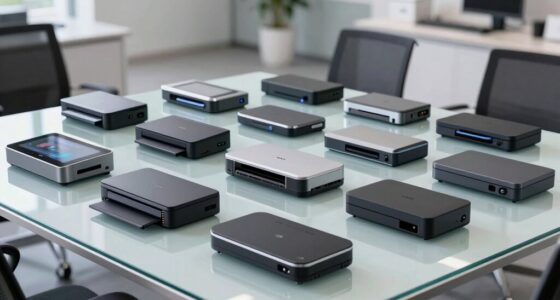
Portable monitors with battery let you add a screen without staying tethered to a wall outlet, but battery capacity, screen size, and wireless setup shape how useful each one is away from a desk. My best overall pick is the UPERFECT 15.6-Inch Full HD Wireless Portable Monitor, which pairs a practical screen size with an 8,000mAh battery. The UPERFECT 18.5-Inch 100Hz and EVICIV 18.5-Inch 100Hz stand out for buyers who favor a bigger, faster display, while the touchscreen UPERFECT models add direct interaction. The tradeoff is that a larger screen or extra features can mean more bulk and greater demands on the battery. Read on for the full breakdown and buying advice.

Get your next haul delivered free with Prime
- Fast, free delivery on millions of items
- Prime Video, Amazon Music and more included
- Member-only deals all year
Key Takeaways
- 15.6 inches is the lineup’s practical middle ground: many picks pair that size with an 8,000mAh battery, making them more travel-friendly than the two 18.5-inch models.
- The 18.5-inch options prioritize viewing space and refresh rate: UPERFECT and EVICIV both list 100Hz and 10,000mAh, but their larger format is less compact for everyday packing.
- Touch is a feature choice, not a default upgrade: the UPERFECT touchscreen models suit direct interaction, while shoppers who mainly extend a laptop screen may get more value from a non-touch model.
- Wireless features vary across the lineup: some listings name AirPlay or Miracast support, while other product names do not specify protocols, so buyers should verify compatibility with their devices.
- Battery capacity alone cannot predict unplugged runtime: screen brightness, refresh rate, wireless use, and the connected device’s power output all affect how long a monitor can run.


| portable monitors with battery | Battery capacity | Weight | Resolution | Screen |
|---|---|---|---|---|
| EVICIV 15.6-Inch Wireless Port | 8000 mAh | 1.8 pounds (listed in specifications) | 1920 × 1080 (Full HD) | 15.6-inch LCD |
| 15.6-Inch Wireless Portable Mo | 8,000 mAh | 1.8 pounds | 1920 × 1080 (FHD) | 15.6-inch IPS LCD |
| UPERFECT 18.5-Inch 1080p 100Hz | 10,000 mAh | 2.2 pounds | 1920 × 1080 | 18.5-inch QLED |
| UPERFECT 15.6-Inch Full HD Wir | 8000 mAh | 2.2 pounds | 1920 × 1080 (Full HD) | 15.6-inch IPS LCD |
| 15.6" 1080P Wireless Travel Po | 8000 mAh | — | 1920 × 1080 | 15.6-inch IPS |
| KEEPTIME Wireless Portable Mon | 8,000mAh | 1.75 lb | — | — |
| UPERFECT 15.6-Inch 1080p Touch | 8,000mAh | 0.6kg | 1920 × 1080 | — |
| EVICIV 18.5-Inch 100Hz Wireles | 10,000mAh | 2.6 lb | — | — |
| ZSCMALLS 15.6-Inch Wireless Po | 8,000mAh | 1.69 lb | — | — |
| UPERFECT Portable Monitor Batt | 10,800mAh | — | 1920 × 1080 | — |
| MNN 15.6-Inch FHD Portable Mon | — | 1.5 lb | 1920 × 1080 (FHD) | 15.6-inch IPS LCD |
| MAGICRAVEN 15.6-Inch Wireless | — | 1.8 lb listed | 1920 × 1080 (FHD) | 15.6-inch IPS LCD, LED |
More Details on Our Top Picks
EVICIV 15.6-Inch Wireless Portable Monitor with 8000mAh Battery
I rank the EVICIV first for buyers who want several ways to connect and a little more cordless time than the other 15.6-inch options here. Its 8000mAh battery is rated for up to five hours, compared with the roughly three to four hours listed for the UPERFECT 15.6-inch model. AirPlay and Miracast make phone mirroring convenient, while HDMI and two USB-C ports leave a wired fallback when wireless casting is unsuitable. Automatic rotation with compatible phones and VESA mounting add flexibility beyond a basic travel screen. The tradeoff is a glossy finish, which can reflect windows or overhead lights, and five hours is still not a full workday away from power. I’d choose it for mixed-device travel, but skip it if glare control or all-day battery use matters most.
Pros:- Up to five hours of stated battery life, longer than the 15.6-inch UPERFECT model’s listed three to four hours.
- AirPlay, Miracast, HDMI, and two USB-C ports give flexible connection choices.
- Automatic rotation with compatible phones supports portrait-oriented content.
- VESA compatibility allows mounting beyond the included portable setup.
Cons:- Glossy screen can reflect ambient light.
- Up to five hours of battery life may not cover a full day away from an outlet.
- Wireless mirroring depends on compatible devices.
Best for: Traveling laptop and phone users who want wireless mirroring, multiple wired connection options, and the longest stated runtime among these 15.6-inch picks.
Not ideal for: People working in bright, reflective spaces or needing a full workday of cordless use; the glossy screen can glare and its rated runtime is up to five hours.
- Screen:15.6-inch LCD
- Resolution:1920 × 1080 (Full HD)
- Screen finish:Glossy
- Brightness:350 cd/m²
- Battery capacity:8000 mAh
- Battery life:Up to 5 hours
- Connectivity:AirPlay, Miracast, 1 HDMI, 2 USB-C
- Weight:1.8 pounds (listed in specifications)
Our verdict“Choose the EVICIV if you want a versatile 15.6-inch monitor with a comparatively long stated battery runtime and can work around its glossy screen.”
15.6-Inch Wireless Portable Monitor with 8,000mAh Battery
This 15.6-inch model is the more practical pick when screen reflections matter more than squeezing out extra battery time. Its matte IPS panel and 178-degree viewing angle suit shared tables and changing viewing positions better than the glossy EVICIV, though its stated runtime tops out at four hours versus EVICIV’s five. Wireless casting is paired with USB-C and Mini HDMI, giving laptops, phones, and consoles a wired route when casting is unavailable. The spec sheet also lists HDMI and DisplayPort, but buyers should confirm which connections their particular device and cable support. At 300 cd brightness as listed, its brightness specification is less clear than models that state a unit area, so I wouldn’t make it my first choice for bright outdoor use. It fits short, mixed-device sessions; the shorter battery rating is the main compromise.
Pros:- Matte IPS screen reduces reflections compared with the glossy EVICIV.
- 178-degree viewing angle accommodates off-center viewing.
- Wireless casting plus USB-C and Mini HDMI provide both cable-free and wired options.
- Listed compatibility includes laptops, smartphones, and gaming consoles.
Cons:- Up to four hours of battery runtime is shorter than the EVICIV’s stated five hours.
- Brightness is listed as 300 cd without an area unit.
- Casting and wired video compatibility can vary by device.
Best for: Laptop, phone, and console owners who work in rooms with windows or overhead lighting and want a matte portable screen for shorter sessions.
Not ideal for: Travelers who need the longest cordless work session or a clearly specified brightness level; its runtime is up to four hours and the brightness unit is incomplete in the listing.
- Screen:15.6-inch IPS LCD
- Resolution:1920 × 1080 (FHD)
- Screen finish:Matte
- Refresh rate:60 Hz
- Battery capacity:8,000 mAh
- Battery runtime:Up to 4 hours
- Connectivity:Wi-Fi, USB-C, Mini HDMI, HDMI, DisplayPort (as listed)
- Weight:1.8 pounds
Our verdict“Pick this model for a matte screen and broad device compatibility during short sessions, not for extended work away from an outlet.”
UPERFECT 18.5-Inch 1080p 100Hz Wireless Portable Monitor with 10,000mAh Battery
The UPERFECT makes the strongest case for buyers who value a larger viewing area over minimal carry weight. At 18.5 inches with a 100Hz refresh rate, it offers more screen space and smoother motion than the 15.6-inch EVICIV, which is limited to 60Hz. Its 10,000mAh battery is the largest stated here, but the listed cordless runtime is only three to four hours, so battery capacity alone does not mean longer use. The matte QLED panel, adjustable stand, portrait and landscape positioning, and VESA support make it adaptable across work surfaces; the included sleeve helps with transport. At 2.2 pounds, it is heavier and larger than the 15.6-inch alternatives, and wireless casting requires a compatible device. I’d favor it for a portable desk setup, not frequent light-pack travel.
Pros:- 18.5-inch screen offers more workspace than the 15.6-inch models.
- 100Hz refresh rate is higher than the 60Hz EVICIV and other 15.6-inch options listed here.
- Matte QLED display, adjustable stand, portrait and landscape use, and VESA support provide setup flexibility.
- Includes a carrying sleeve and lists a two-year warranty.
Cons:- At 2.2 pounds, it is heavier than the 1.8-pound 15.6-inch EVICIV and wireless monitor.
- Cordless runtime is listed as up to three to four hours despite the larger battery capacity.
- Wireless casting works only with compatible devices.
Best for: Remote workers and gamers who want a larger, higher-refresh portable display for nearby desk use and can carry a 2.2-pound screen.
Not ideal for: Commuters prioritizing the smallest, lightest setup or people needing a full day on battery; the larger panel weighs more and is rated for up to three to four cordless hours.
- Screen:18.5-inch QLED
- Resolution:1920 × 1080
- Refresh rate:100 Hz
- Screen finish:Matte
- Brightness:400 cd (as listed)
- Battery capacity:10,000 mAh
- Cordless runtime:Up to 3–4 hours
- Weight:2.2 pounds
Our verdict“Choose the UPERFECT 18.5-inch model if screen area and 100Hz motion matter more to you than light packing or longer cordless sessions.”
UPERFECT 15.6-Inch Full HD Wireless Portable Monitor with 8000mAh Battery
This UPERFECT is a good fit for buyers who want a portable battery display that can sit on a desk, mount to a stand, or mirror a phone without relying on one connection style. Its matte 350-nit IPS screen gives it a clearer brightness specification than the wireless 15.6-inch model listing only 300 cd, while AirPlay and Miracast add cable-free mirroring. The adjustable metal stand, VESA support, carry bag, and included keyboard make it a more setup-oriented bundle than the EVICIV, which is lighter on listed accessories. The compromise is runtime: its three to four hours falls short of the EVICIV’s up-to-five-hour claim. Phone auto-rotation is supported, but laptops need manual orientation changes. I’d pick it for a flexible workstation, not for the longest time away from power.
Pros:- Matte IPS display is specified at 350 nits, clearer than the 300 cd listing on the other 15.6-inch wireless model.
- AirPlay and Miracast pair with dual USB-C and Mini HDMI connections.
- Adjustable metal stand, VESA support, carry bag, and keyboard support varied setups.
- 178-degree viewing angle supports viewing from different positions.
Cons:- Three to four hours of stated battery life is shorter than the EVICIV’s up-to-five-hour rating.
- Laptop portrait orientation must be set manually.
- At 2.2 pounds, it is heavier than the 1.8-pound EVICIV.
Best for: Traveling professionals who want a matte screen, adjustable stand, VESA mounting, and wireless phone mirroring in one portable setup.
Not ideal for: People who need the longest battery runtime or automatic portrait rotation on a laptop; its listed use is three to four hours and laptop orientation is manual.
- Screen:15.6-inch IPS LCD
- Resolution:1920 × 1080 (Full HD)
- Screen finish:Matte
- Brightness:350 nits
- Battery capacity:8000 mAh
- Battery life:3–4 hours
- Ports:Dual USB-C, Mini HDMI
- Weight:2.2 pounds
Our verdict“Choose this UPERFECT if flexible mounting and a matte, clearly specified display matter more than maximizing cordless runtime.”
15.6″ 1080P Wireless Travel Portable Monitor with Foldable Magnetic Stand
This travel monitor stands apart through its dual-stand system: a built-in kickstand handles quick placement, while the foldable magnetic stand adds height and rotation options for a more deliberate desk setup. The matte 400-nit IPS screen is brighter on paper than the 350-nit UPERFECT 15.6-inch model, and its stated four to five hours of battery life matches or nearly matches the EVICIV’s up-to-five-hour claim. AirPlay and Miracast support wireless mirroring, with USB-C and Mini HDMI available as wired alternatives. The limits matter: phones and tablets mirror rather than extend, computer extend mode needs manual setup, and Pixel, Chromebook, and gaming devices are listed as wired-only. Streaming services with HDCP protection do not support wireless casting, so this is less convenient for wireless video viewing than the headline suggests.
Pros:- Built-in kickstand and foldable magnetic stand provide multiple placement and height options.
- Matte IPS display is listed at 400 nits and 125% sRGB.
- Stated four-to-five-hour runtime is competitive with the EVICIV’s up-to-five-hour claim.
- AirPlay and Miracast are complemented by USB-C and Mini HDMI wired connections.
Cons:- HDCP-protected streaming apps do not support wireless casting.
- Phones and tablets mirror only; computer extend mode requires manual setup.
- Google Cast and Bluetooth are not supported, and Pixel, Chromebook, and gaming devices require wired connections.
Best for: Traveling professionals who want adjustable screen height and rotation, a matte display, and wireless mirroring for compatible phones or computers.
Not ideal for: Buyers who want wireless streaming-app playback, touchscreen control, Google Cast, or reliable wireless use with Pixel phones, Chromebooks, and gaming devices.
- Screen:15.6-inch IPS
- Resolution:1920 × 1080
- Screen finish:Matte
- Brightness:400 nits
- Battery capacity:8000 mAh
- Battery runtime:Approximately 4–5 hours
- Wireless connectivity:AirPlay and Miracast; no Google Cast or Bluetooth
- Wired connectivity:USB-C and Mini HDMI
- Stand:Built-in adjustable kickstand and foldable magnetic stand
Our verdict“Choose this monitor for adjustable travel positioning and strong stated brightness, but skip it if wireless streaming or broad device casting is your priority.”
KEEPTIME Wireless Portable Monitor with Battery, 15.6″ 1080P IPS Travel Monitor, Support AirPlay Miracast, with Stand and Bag
The KEEPTIME pairs AirPlay and Miracast with a built-in 8,000mAh battery, giving travelers a way to mirror a compatible device without keeping the monitor plugged in. At 1.75 pounds and 0.2 inch thick, it is easier to pack than the larger EVICIV 18.5-inch, though its stated 4–5 hours of battery life is shorter than a full workday. USB-C and Mini HDMI provide a wired fallback when wireless mirroring is unsuitable; USB-C video still depends on the connected device supporting video output. Compared with the ZSCMALLS 15.6-inch, KEEPTIME lists a similarly portable wireless setup but fewer screen details. Its stand and bag suit mobile work, while laptop users should note that auto-rotation is limited to phones.
Pros:- AirPlay and Miracast offer cable-free mirroring with compatible devices.
- Built-in 8,000mAh battery supports up to 4–5 hours of use.
- Slim 1.75-pound design, adjustable stand, and included carrying bag suit travel.
- USB-C and Mini HDMI provide wired alternatives.
Cons:- The stated battery life may not cover a full workday.
- Automatic rotation is supported on phones, not laptops.
- USB-C video requires a device that supports video output.
Best for: Travelers who want a lightweight 15.6-inch screen for occasional wireless mirroring and can recharge during the day.
Not ideal for: Laptop users who need automatic portrait rotation, or people who need a battery to last through a long workday without charging.
- Screen size:15.6 inches
- Resolution and panel:1080p IPS
- Battery capacity:8,000mAh
- Battery life:4–5 hours
- Weight:1.75 lb
- Thickness:0.2 inch
- Ports:USB-C, Mini HDMI
- Wireless casting:AirPlay, Miracast
- VESA compatibility:75 × 75mm
Our verdict“Choose KEEPTIME if low carry weight and wireless phone mirroring matter more than all-day battery life or laptop auto-rotation.”
UPERFECT 15.6-Inch 1080p Touchscreen Portable Monitor with 8000mAh Battery
For buyers who want to interact directly with a portable display, this UPERFECT adds 10-point touch to a familiar 15.6-inch 1080p format. Its 8,000mAh battery can also charge other devices, a useful extra when a phone or accessory needs power away from an outlet. Unlike the wireless KEEPTIME and ZSCMALLS models, this monitor has no wireless connection; USB-C or Mini HDMI is the route to a picture. Touch works with compatible Windows and Android devices, but not iPhone or iPad, and Mini HDMI requires separate power for touch. That makes it a better fit for a wired laptop workflow than quick phone mirroring. The adjustable stand and VESA holes add placement flexibility, though its 60Hz refresh rate is less suited to fast gaming than the 120Hz UPERFECT model.
Pros:- 10-point touchscreen supports compatible Windows and Android devices.
- The built-in 8,000mAh battery can also charge other devices.
- USB-C and Mini HDMI offer two wired connection options.
- Adjustable stand and VESA mounting holes allow flexible placement.
Cons:- No wireless connection is supported.
- Touch does not work with iPhone or iPad.
- Mini HDMI use requires a separate power connection for touch.
Best for: Windows laptop and compatible Android tablet users who want touch input on a portable second screen and can work with a wired connection.
Not ideal for: iPhone or iPad owners seeking touch control, or travelers who prioritize wireless mirroring over wired setup.
- Screen size:15.6 inches
- Resolution:1920 × 1080
- Display:IPS, matte finish
- Refresh rate:60Hz
- Touch:10-point touch
- Battery capacity:8,000mAh
- Brightness:300 cd/m²
- Ports:USB-C, Mini HDMI
- Weight:0.6kg
Our verdict“Pick this UPERFECT for wired touch-based work with a compatible Windows or Android device, not for wireless phone mirroring.”
EVICIV 18.5-Inch 100Hz Wireless Portable Monitor with 10,000mAh Battery
The EVICIV gives portable-monitor buyers more screen area than the 15.6-inch KEEPTIME and ZSCMALLS, while retaining AirPlay and Miracast for wireless mirroring. Its 18.5-inch matte QLED display is the draw for presentations, shared viewing, or a more spacious travel workstation. The refresh-rate difference matters: wired HDMI and USB-C support up to 100Hz, but wireless mirroring is capped at 60Hz. Its 10,000mAh battery runs for only 2–3 hours, so the larger panel is best treated as portable between outlets rather than a long-lasting untethered screen. At 2.6 pounds it also weighs more than the 15.6-inch alternatives. VESA compatibility and phone orientation sensing add flexibility, but the short battery runtime is the clearest compromise in this group.
Pros:- 18.5-inch matte QLED screen provides more viewing area than the 15.6-inch models.
- AirPlay and Miracast support wireless screen mirroring.
- Wired HDMI and USB-C connections support refresh rates up to 100Hz.
- VESA compatibility and phone orientation sensing broaden setup options.
Cons:- Battery life is limited to 2–3 hours, shorter than the KEEPTIME and ZSCMALLS claims.
- Wireless refresh rate is capped at 60Hz.
- At 2.6 pounds, it is heavier to carry than the 15.6-inch alternatives.
Best for: Traveling presenters and users who want a larger wireless display for shorter sessions near a charging option.
Not ideal for: Commuters seeking a light screen for all-day unplugged use, or wireless viewers who expect refresh rates above 60Hz.
- Screen size:18.5 inches
- Display:Matte QLED LCD
- Aspect ratio:16:9
- Refresh rate:Up to 100Hz wired; up to 60Hz wireless
- Battery capacity:10,000mAh
- Battery life:Up to 2–3 hours
- Weight:2.6 lb
- Ports:1 HDMI, 2 USB-C
- Wireless technologies:AirPlay, Miracast
Our verdict“Choose the EVICIV when extra screen size matters more than low weight and extended battery use.”
ZSCMALLS 15.6-Inch Wireless Portable Monitor with 8000mAh Battery
ZSCMALLS balances wireless convenience with useful wired fallbacks: its 15.6-inch 1080p IPS display supports wireless mirroring, HDMI, and full-function USB-C. The stated approximately five-hour battery life gives it a longer unplugged-use claim than the larger EVICIV 18.5-inch, whose battery is rated for 2–3 hours. A 180-degree adjustable metal bracket and gravity sensor make horizontal or vertical viewing easier to set up, while the matte screen and 350-nit brightness provide a clearly specified display package. There is no touchscreen, so this is for viewing and extending a workspace rather than direct on-screen input; the UPERFECT touchscreen is the better match for that. The 1.69-pound weight and included bag favor travel, though battery endurance remains finite.
Pros:- Wireless mirroring is paired with HDMI and full-function USB-C.
- Approximately five hours of battery life exceeds the EVICIV 18.5-inch model’s stated runtime.
- Gravity sensor and 180-degree adjustable stand support varied viewing orientations.
- Light 1.69-pound build and included carry bag suit travel.
Cons:- The display is not touch-enabled.
- Approximately five hours of battery life may fall short for extended work away from power.
Best for: Mobile workers and phone users who want wireless mirroring, portrait-orientation flexibility, and a lightweight 15.6-inch screen.
Not ideal for: Buyers who need touchscreen interaction or expect to work unplugged well beyond the stated five-hour battery life.
- Screen size:15.6 inches
- Resolution and panel:1920 × 1080, IPS
- Refresh rate:60Hz
- Brightness:350 nits
- Battery capacity:8,000mAh
- Battery life:Approximately 5 hours
- Weight:1.69 lb
- Connectivity:Wireless mirroring, HDMI, full-function USB-C
- Stand and orientation:180-degree adjustable metal bracket; gravity sensor
Our verdict“Choose ZSCMALLS for a light wireless 15.6-inch display with orientation flexibility, but skip it if touch input is a requirement.”
UPERFECT Portable Monitor Battery Touchscreen 15.6” Gaming Monitor
This UPERFECT is the gaming-focused choice in this batch: its 120Hz refresh rate and 1ms response time target smoother motion than the 60Hz ZSCMALLS and touchscreen UPERFECT. A 10,800mAh battery is listed for 6–8 hours, the longest stated runtime among these five, making it more practical for unplugged sessions than the EVICIV 18.5-inch. The 15.6-inch 1080p IPS screen also supports multi-touch, and the foldable leather case protects the display while providing adjustable viewing angles. Those features do not guarantee touch compatibility with every phone or console, so buyers should check their device setup. The product data lists HDMI and USB-C but gives no wireless-mirroring support, making it a less cable-free option than KEEPTIME or ZSCMALLS.
Pros:- 120Hz refresh rate and 1ms response time suit fast-moving games better than the 60Hz options.
- 10,800mAh battery is listed for 6–8 hours of use.
- Multi-touch adds direct interaction for compatible devices.
- Foldable leather case protects the screen and adjusts viewing angles.
Cons:- Touch may not work with all mobile devices or gaming consoles.
- Wireless mirroring is not listed, unlike the KEEPTIME and ZSCMALLS models.
- Warranty coverage and additional included accessories are not specified.
Best for: Gamers and mobile workers who want a high-refresh 15.6-inch screen, touch input, and longer stated battery runtime.
Not ideal for: Buyers who need confirmed wireless mirroring, broad touch compatibility with consoles, or clearly specified warranty and accessory details.
- Display size:15.6 inches
- Resolution:1920 × 1080
- Display technology:IPS
- Refresh rate:120Hz
- Response time:1ms
- Battery capacity:10,800mAh
- Battery life:6–8 hours
- Connectivity:HDMI, USB Type-C
- Viewing angle:178 degrees
Our verdict“Pick this UPERFECT for portable gaming where refresh rate and stated battery life matter more than wireless casting.”
MNN 15.6-Inch FHD Portable Monitor
The MNN is a practical pick for buyers who want a portable second screen and already have a compatible laptop or console, rather than a monitor that runs untethered. Its 15.6-inch Full HD IPS panel has a matte finish and wide viewing angles, while USB-C can carry video and power over one cable when the source supports Thunderbolt 3 or USB 3.1 DP Alt Mode. Unlike the MAGICRAVEN, it has no built-in battery or wireless casting, so a nearby power source and wired connection remain part of the setup. The supplied cover protects the screen and props it up, but the stand arrangement is less adjustable than MAGICRAVEN’s metal stand. Factor in the Mini HDMI cable and check your device’s USB-C video support before choosing it.
Pros:- Full HD IPS panel with a matte finish and 178° viewing angle
- Compatible USB-C devices can carry video and power through one cable
- Cover protects the display and doubles as a stand
- HDMI and USB-C connections support a broad range of listed devices
Cons:- No built-in battery, limiting use away from a power source
- Single-cable USB-C video depends on Thunderbolt 3 or USB 3.1 DP Alt Mode support
- Included HDMI cable is Mini HDMI, which may require an adapter or a different cable
Best for: Laptop and console owners who want an affordable, wired 15.6-inch second screen and can power it from their device or a nearby outlet.
Not ideal for: Travelers who need a screen to run away from outlets or want wireless casting; unlike the MAGICRAVEN, this model has no built-in battery.
- Screen:15.6-inch IPS LCD
- Resolution:1920 × 1080 (FHD)
- Refresh rate:60 Hz
- Brightness:300 nits
- Ports:2 USB-C, 1 HDMI
- Weight:1.5 lb
- Viewing angle:178°
- Cover:PU leather smart cover that doubles as a stand
Our verdict“Choose the MNN if you need a straightforward wired second screen and do not need the battery-powered freedom offered by the MAGICRAVEN.”
MAGICRAVEN 15.6-Inch Wireless Portable Monitor with Battery
The MAGICRAVEN earns its place for people who need a portable monitor that can operate without a wall outlet: its built-in battery is rated for up to five hours, and wireless casting can reduce cable clutter with compatible devices. That battery makes it a more self-contained travel option than the wired MNN, though the listed runtime is a ceiling rather than a guarantee for every use. The 180° adjustable metal stand offers more positioning flexibility than the MNN’s cover stand, and automatic screen rotation helps when switching orientation. Wireless display can lag if the source device is low on power or hot, so I would keep a wired connection available for responsive work. At 1.8 pounds, it is also heavier than the MNN, and the listing gives differing weights elsewhere.
Pros:- Built-in battery provides up to five hours of listed runtime
- Wireless casting supports Windows, macOS, Android, and other devices
- Adjustable metal stand tilts through 180°
- Matte Full HD IPS display has 178° viewing angles
Cons:- Wireless display may lag when the source device is hot or low on power
- Up to five hours may not cover a full workday away from a power source
- Listed weight varies between product sections, with 1.8 pounds given in the specifications
Best for: Traveling presenters and mobile workers who want a 15.6-inch screen for short sessions away from outlets and value wireless casting.
Not ideal for: Buyers who need consistent low-latency performance, longer unplugged sessions, or the lighter carry weight of the MNN.
- Model:P156AHBW
- Screen:15.6-inch IPS LCD, LED
- Resolution:1920 × 1080 (FHD)
- Battery runtime:Up to 5 hours
- Connectivity:Wireless casting, Mini HDMI, USB Type-C, USB
- Weight:1.8 lb listed
- Stand:180° adjustable metal stand
- Speakers:Built-in dual speakers
- Warranty:3-year manufacturer warranty
Our verdict“Pick the MAGICRAVEN over the wired MNN when battery-powered and wireless use matter more than the lighter weight and simpler connection of a cable-only screen.”

How We Picked
I ranked these portable monitors with battery by how well their listed features answer the main buying need: adding a usable screen when a fixed outlet is not convenient. I compared battery capacity, screen size, resolution and refresh-rate information where supplied, touch capability, stated wireless protocols, and travel-oriented accessories. I also treated product naming carefully: when a listing did not specify a particular feature, I did not assume it was included.
The order favors balanced portability and useful features over the biggest spec on its own. A 15.6-inch Full HD model with a stated battery has a broad role, while 18.5-inch 100Hz options rank higher for buyers who value a larger, smoother display and can accept more bulk. Touchscreen picks serve a narrower use case, and less-detailed listings rank lower because buyers have less information to judge compatibility and fit. Since the supplied product details do not establish measured runtime, brightness, weight, or panel performance, I avoid treating those as verified advantages.
Factors to Consider When Choosing Portable Monitors With Battery
Choosing among battery-equipped portable screens is less about picking the largest capacity and more about matching the monitor to your devices and travel habits. I would check the connection path and expected session length before comparing extras.
Match the screen size to how you travel
A 15.6-inch screen is a sensible starting point for laptop bags and shared workspaces, while an 18.5-inch panel gives documents, timelines, and games more room. The larger size can make side-by-side work easier, but it also takes up more space and may be less comfortable on cramped tray tables. A frequent mistake is choosing by display size alone without checking the monitor’s dimensions, case, or stand arrangement. Think about where the screen will sit and whether you can keep it stable on that surface. If portability matters more than workspace, a larger panel needs a clear payoff to justify its extra footprint.
Treat battery capacity as a clue, not a runtime promise
Battery capacity helps distinguish models on paper, but it does not tell you how many hours the display will last in your actual setup. Brightness, refresh rate, wireless functions, and screen content can all affect power use. A higher-capacity battery may be useful for longer sessions, but it can also add weight or bulk. Check whether the manufacturer gives a runtime estimate and what conditions that estimate assumes. If the monitor will be used for long workdays, plan for a charging option rather than relying on capacity figures alone.
Check how your devices connect before buying
Wireless screen mirroring can reduce cable clutter, but the monitor and source device need compatible protocols and network conditions. AirPlay and Miracast are not interchangeable, so verify support for your particular laptop, phone, or tablet instead of relying on the word “wireless.” Wired connections may be more predictable for work or gaming, but the right port, cable, and power arrangement still matter. Some phones may need an adapter or may not support video output at all. Confirm the connection details and return policy before assuming a monitor will work with every device you own.
Decide whether touch adds real value
A touchscreen is useful when you plan to tap, annotate, or control compatible apps directly on the second display. It is less compelling if the monitor will mainly mirror a laptop or show reference material while you work at the main screen. Touch functionality also depends on the connection and operating system; video output by itself may not carry touch input. Check what additional cable or setup the feature requires. Paying for touch makes most sense when you already have a clear workflow for using it.
Read refresh-rate claims alongside your use case
A higher refresh rate can make motion look smoother, which may matter for games and fast-moving content. For documents, email, and many productivity tasks, screen size and connection reliability may matter more. Do not assume a monitor will reach its advertised refresh rate with every device, cable, or wireless connection. Check the supported resolution and refresh rate for the specific input you plan to use. When a 100Hz feature is part of the appeal, confirm that your source can send a compatible signal.
Budget for the complete travel setup
A battery-equipped monitor is only convenient if it can be positioned and connected easily wherever you work. Check whether a stand, protective cover, cables, or carrying bag are included rather than assuming every listing contains them. A magnetic cover or foldable stand can simplify setup, but stability and viewing angle still matter on a small table. Also account for the charger and any adapters your devices require. Buyers often focus on the screen and forget that the carrying and connection kit determines how portable the whole setup feels.
Frequently Asked Questions
Can I use a portable monitor with battery without connecting it to a laptop?
Yes, if the monitor can receive a compatible video signal from another source, such as a phone, tablet, handheld console, or streaming device. A built-in battery powers the monitor, but it does not supply video content by itself. Check whether your device supports video output and whether the monitor accepts a compatible wired or wireless connection. Wireless mirroring may need a shared network or a supported protocol. Verify both the video connection and power arrangement before relying on it away from a computer.
How long will an 8,000mAh or 10,000mAh battery last?
The capacity number alone does not establish runtime, and the product details here do not provide comparable measured hours for every model. Brightness, refresh rate, wireless features, and the connected source can all change power use. Treat a larger capacity as a possible advantage, not a guarantee that one monitor will last a specific number of hours longer. Look for a manufacturer runtime estimate and check the test conditions behind it. For an all-day trip, having access to a charger or power bank is a safer plan.
Will a wireless portable monitor work with my iPhone or Android phone?
Compatibility depends on the phone, the monitor’s supported wireless protocol, and the connection method. The KEEPTIME listing names AirPlay and Miracast support, but that does not mean every phone supports both; other listings may not name their protocols. Some phones also lack video output over USB-C, even when the connector looks suitable. Check your phone’s screen-mirroring or wired-display capabilities against the monitor’s specifications. If dependable use matters, confirm the setup before travel rather than assuming wireless support is universal.
Should I choose an 18.5-inch model over a 15.6-inch one?
Choose 18.5 inches if you want more room for multitasking, games, or viewing content and can carry a larger display. In this lineup, the UPERFECT and EVICIV 18.5-inch options also list 100Hz refresh rates and 10,000mAh batteries. A 15.6-inch model is easier to fit into many travel setups and is a better match when packing space matters. The larger screen’s benefits may be less useful on cramped surfaces or for short sessions. Decide based on where you will use it, not just the diagonal measurement.
Is a touchscreen worth choosing for a portable monitor?
Touch is worthwhile when you will interact directly with compatible apps, annotate documents, or use the monitor with a device that supports touch input. It may add little if the screen will serve only as a laptop extension controlled from your keyboard and trackpad. Check whether touch requires a separate cable or setup, since video and touch data may use different connections. Also confirm that your operating system and intended apps support the controls you want. If those needs are unclear, a non-touch option may keep the choice simpler.
Conclusion
For most buyers, I would start with the UPERFECT 15.6-Inch Full HD Wireless Portable Monitor as the best overall balance of a common travel-friendly size and a stated 8,000mAh battery. For best value, compare the 15.6-inch non-touch models and choose the listing with the clearest connection details and included accessories; the supplied information does not support a price-based value claim. The best premium-style fit for a larger, smoother display is the UPERFECT 18.5-Inch 100Hz, with the EVICIV 18.5-inch model as another option if its listed features match your setup. For beginners, I would favor a straightforward 15.6-inch model with clearly stated compatibility over a feature-heavy screen. For touch-led work, consider the UPERFECT 15.6-inch touchscreen; for wireless mirroring, check KEEPTIME’s named AirPlay and Miracast support against your devices. Choose by screen size, connection fit, and realistic battery expectations rather than capacity alone.