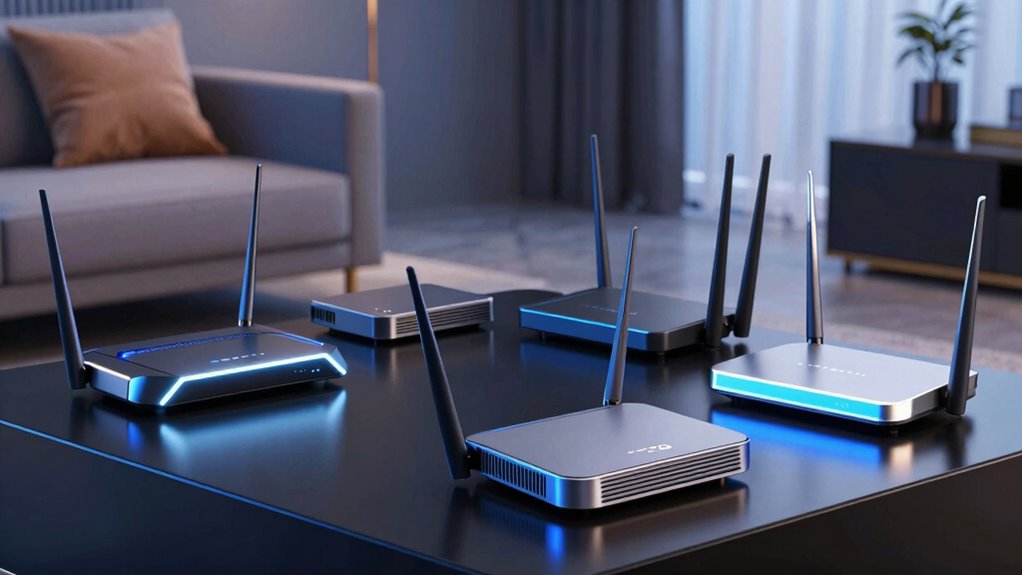

Searching for the best Wi Fi 7 routers in 2026? The top choice is the ASUS RT-BE96U for its impressive tri-band coverage and high speed. The eero 7 stands out for seamless mesh coverage up to 2,000 sq. ft., making it ideal for larger homes. For gamers, the ASUS ROG Rapture GT-BE98 Pro offers quad-band performance and robust features, though it comes at a higher price. Buyers often face tradeoffs between maximum speed, coverage, and price. Continue reading for a detailed breakdown of these options and how they compare based on your specific needs.

Get your next haul delivered free with Prime
- Fast, free delivery on millions of items
- Prime Video, Amazon Music and more included
- Member-only deals all year
Key Takeaways
- Tri-band configurations generally deliver better speed and coverage, especially in larger households or complex setups.
- Gaming and high-performance routers like the ASUS ROG models prioritize speed and features over simplicity and price.
- Mesh systems excel at covering extensive areas but can be more expensive and complex to set up than traditional routers.
- Value-focused models like TP-Link Archer BE3600 provide solid performance at a more accessible price point, ideal for average users.
- The best Wi Fi 7 router depends heavily on individual use, whether for gaming, streaming, or basic browsing.
| ASUS RT-BE96U WiFi 7 Router – Tri-Band, 19 Gbps, Dual 10G WAN, Mesh |  | Best Overall for Power Users | Frequency Band: Tri-Band | Wireless Standard: 802.11be | Max Speed: 19000 Mbps | VIEW ON AMAZON | See Our Full Breakdown |
| eero 7 Dual-Band Mesh Wi-Fi 7 Router – Supports Internet up to 2.5 Gbps, Coverage up to 2,000 sq. ft., 1-Pack |  | Best Value for Easy Coverage | Wi-Fi Standard: Wi-Fi 7 (IEEE802.11a/b/g/n/ac/ax/be) | Coverage: 2,000 sq. ft. | Supported Devices: 120+ | VIEW ON AMAZON | See Our Full Breakdown |
| TP-Link Tri-Band WiFi 7 Router (Archer BE550) |  | Best for Streaming and Gaming | WiFi Standard: Wi-Fi 7 | Speed: 5760 Mbps | Ports: 1 x 2.5G WAN, 4 x 2.5G LAN | VIEW ON AMAZON | See Our Full Breakdown |
| ASUS ROG Rapture GT-BE98 Pro WiFi 7 Gaming Router – Quad-Band, 30Gbps, Mesh |  | Best for High-End Gaming and Streaming | Frequency Band Class: Quad-Band | Wireless Compatibility: 802.11.be | Data Transfer Rate: 30000 Mbps | VIEW ON AMAZON | See Our Full Breakdown |
| TP-Link Tri-Band WiFi 7 Router (Archer BE800) |  | Best for Feature-Rich Home Networks | Wi-Fi Technology: Wi-Fi 7 | Maximum Speed: 19,000 Mbps | Bands: Tri-Band | VIEW ON AMAZON | See Our Full Breakdown |
| ASUS ROG Strix GS-BE12000 WiFi 7 Gaming Router – Tri-Band, 12Gbps, Mesh |  | Best for High-Performance Gaming and Smart Home Coverage | WiFi Standard: WiFi 7 (802.11be), WiFi 6 (802.11ax) | Speed: 12000 Mbps | Wired Capacity: 20G | VIEW ON AMAZON | See Our Full Breakdown |
| NETGEAR Nighthawk Dual-Band WiFi 7 Router (RS90) |  | Best for Simplicity and General Large-House Coverage | WiFi Speed: up to 3.6 Gbps | Coverage: up to 2000 sq. ft. | Devices Supported: up to 50 | VIEW ON AMAZON | See Our Full Breakdown |
| TP-Link Tri-Band WiFi 7 Router, Archer BE550 Pro |  | Best for Fast, Extensive Coverage with Advanced Features | WiFi Speed: up to 9.7Gbps | Bands: Tri-band (6 GHz, 5 GHz, 2.4 GHz) | Ports: 1x 10 Gbps WAN, 4x 2.5 Gbps LAN, 1 USB 3.0 | VIEW ON AMAZON | See Our Full Breakdown |
| Cudy BE11000 2.5G Tri-Band Mesh Wi-Fi 7 Router, 4X 2.5G, VPN Full, WR11000 |  | Best for Large Homes and VPN Security with Mesh Flexibility | Wi-Fi Standard: Wi-Fi 7 | Tri-Band Speeds: 5765 Mbps (6 GHz), 4324 Mbps (5 GHz), 688 Mbps (2.4 GHz) | Ports: 4x 2.5G Multi-Gig | VIEW ON AMAZON | See Our Full Breakdown |
| NETGEAR Nighthawk Dual-Band WiFi 7 Router (RS140) |  | Best for Speed and Large Home Coverage at a Moderate Price | WiFi Speed: up to 5.0 Gbps | Coverage: up to 2250 sq. ft. | Devices Supported: 80 | VIEW ON AMAZON | See Our Full Breakdown |
| Deco 7 Dual-Band BE5000 WiFi 7 Mesh Wi-Fi System 4-Stream 5 Gbps |  | Best for Whole-Home Coverage and Easy Management | Wi-Fi Standard: WiFi 7 | Speed: up to 4324 Mbps on 5 GHz, 688 Mbps on 2.4 GHz | Coverage: up to 6,600 sq. ft. | VIEW ON AMAZON | See Our Full Breakdown |
| TP-Link Tri-Band WiFi 7 Router (Archer BE600) |  | Best for High-Speed, Large-Home Gaming and Streaming | Wi-Fi Technology: WiFi 7 | Speed: up to 5,765 Mbps | Coverage: up to 2,600 sq. ft. | VIEW ON AMAZON | See Our Full Breakdown |
| TP-Link Dual-Band Wi-Fi 7 Router, Archer BE3600 |  | Best for High-Demand Smart Homes and Gaming | Wi-Fi Technology: WiFi 7 | Speed: up to 2,882 Mbps | Coverage: up to 2,000 sq. ft. | VIEW ON AMAZON | See Our Full Breakdown |
| TP-Link BE6500 Dual-Band WiFi 7 Router (BE400) |  | Best for Speed and Coverage in Large Homes with Multiple Devices | Wi-Fi Technology: WiFi 7 | Maximum Speed: 5764 Mbps on 5 GHz | Coverage: up to 2,400 sq. ft. | VIEW ON AMAZON | See Our Full Breakdown |
| wi fi 7 router | Ports | Coverage | Security |
|---|---|---|---|
| ASUS RT-BE96U WiFi 7 Router | 6 | — | — |
| eero 7 Dual-Band Mesh Wi-Fi 7 | — | 2,000 sq. ft. | — |
| TP-Link Tri-Band WiFi 7 Router | 1 x 2.5G WAN, 4 x 2.5G LAN | — | WPA3, HomeShield |
| ASUS ROG Rapture GT-BE98 Pro W | 7 | — | — |
| TP-Link Tri-Band WiFi 7 Router | — | — | — |
| ASUS ROG Strix GS-BE12000 WiFi | 1x 2.5G WAN, 7x 2.5G LAN | — | — |
| NETGEAR Nighthawk Dual-Band Wi | — | up to 2000 sq. ft. | WPA3, NETGEAR Armor |
| TP-Link Tri-Band WiFi 7 Router | 1x 10 Gbps WAN, 4x 2.5 Gbps LAN, 1 USB 3.0 | Up to 2000 sq ft | — |
| Cudy BE11000 2.5G Tri-Band Mes | 4x 2.5G Multi-Gig | 1500 sq ft | — |
| NETGEAR Nighthawk Dual-Band Wi | — | up to 2250 sq. ft. | Advanced Router Protection, NETGEAR Armor |
| Deco 7 Dual-Band BE5000 WiFi 7 | — | up to 6,600 sq. ft. | TP-Link HomeShield, VPN support |
| TP-Link Tri-Band WiFi 7 Router | 1x 10 Gbps WAN/LAN, 1x 2.5 Gbps WAN/LAN, 3x 2.5 Gbps LAN | up to 2,600 sq. ft. | TP-Link HomeShield, advanced security features |
| TP-Link Dual-Band Wi-Fi 7 Rout | 1x 2.5G WAN/LAN, 1x 2.5 Gbps LAN, 3x 1 Gbps LAN | up to 2,000 sq. ft. | TP-Link HomeShield |
| TP-Link BE6500 Dual-Band WiFi | 1x 2.5 Gbps WAN/LAN, 1x 2.5 Gbps LAN, 3x 1 Gbps LAN | up to 2,400 sq. ft. | Advanced cybersecurity features |
More Details on Our Top Picks
ASUS RT-BE96U WiFi 7 Router – Tri-Band, 19 Gbps, Dual 10G WAN, Mesh
The ASUS RT-BE96U stands out as the most capable WiFi 7 router in this lineup, supporting speeds up to 19 Gbps across tri-bands. It surpasses the TP-Link BE550 and TP-Link BE800 in raw performance, making it ideal for demanding gaming, AR/VR, and smart home setups. The dual 10G WAN ports ensure your internet connection remains fast and resilient, especially if you have multiple high-speed sources. Its advanced security protocols and mesh support make it a versatile choice for large homes or tech-savvy users who prioritize stability and security. However, the complex setup process and high-speed overkill for average users are notable downsides, and the high price might be a barrier. For those with a demanding network environment, this router offers unmatched performance but is less suitable for casual or less technical users.
Pros:- Supports extremely high WiFi speeds up to 19 Gbps
- Dual 10G WAN ports for reliable, fast internet
- Advanced mesh and security features for large or complex networks
- Supports MLO and AiMesh for flexible coverage
Cons:- Setup can be challenging for non-technical users
- High-speed capabilities may be overkill for basic browsing or streaming
Best for: Power users who need maximum speed, security, and expandability for gaming, streaming, and smart homes
Not ideal for: Less technical users or those with simple internet needs, as setup and management can be complicated
- Frequency Band:Tri-Band
- Wireless Standard:802.11be
- Max Speed:19000 Mbps
- Ports:6
- WAN Ports:2 x 10G
- Security Protocols:WPA2-Enterprise, WPA3-Personal, WPS
Our verdict“This router is best suited for advanced users needing top-tier speeds and extensive network features.”
eero 7 Dual-Band Mesh Wi-Fi 7 Router – Supports Internet up to 2.5 Gbps, Coverage up to 2,000 sq. ft., 1-Pack
The eero 7 is a compelling choice for users seeking straightforward mesh WiFi 7 coverage without breaking the bank. Compared with the ASUS RT-BE96U, it offers lower maximum speeds, but its simplicity and reliable coverage up to 2,000 sq. ft. make it ideal for most households. With support for over 120 devices and internet plans up to 2.5 Gbps, it balances performance with ease of use and system expansion. Its TrueMesh technology ensures consistent performance, even in busy environments. However, it requires a compatible internet plan to reach its full speed potential and is limited to a single unit in this configuration, which may necessitate additional units for larger homes. It’s best for those wanting a simple, reliable mesh system rather than maximum raw speed.
Pros:- Supports internet speeds up to 2.5 Gbps
- Provides reliable coverage up to 2,000 sq. ft.
- Supports over 120 devices simultaneously
- Easy to expand with additional units
Cons:- Limited to 2.5 Gbps internet plans for optimal performance
- Single unit may not suffice for very large or multi-story homes
- Advanced features may be complex for non-technical users
Best for: Small to medium households seeking an easy-to-manage mesh system with reliable coverage
Not ideal for: Users with very high-speed internet plans over 2.5 Gbps or requiring extensive multi-node setups
- Wi-Fi Standard:Wi-Fi 7 (IEEE802.11a/b/g/n/ac/ax/be)
- Coverage:2,000 sq. ft.
- Supported Devices:120+
- Internet Speed Support:up to 2.5 Gbps
- Number of Ports:2 auto-sensing 2.5 GbE
- Processor:1.1 GHz quad-core
Our verdict“Ideal for small to medium homes that want simple, reliable mesh WiFi without needing maximum speed.”
TP-Link Tri-Band WiFi 7 Router (Archer BE550)
The TP-Link Archer BE550 delivers impressive speeds up to 5760 Mbps, making it a solid choice for high-bandwidth activities like streaming and gaming. Compared to the ASUS RT-BE96U, it offers slightly lower maximum speed but maintains an easy setup via the Tether app and seamless whole-home coverage with EasyMesh. Its multiple 2.5G ports and security features like WPA3 and TP-Link HomeShield provide both performance and safety. This router is well-suited for households that want fast WiFi without the complexity of high-end enterprise setups. The main tradeoff is that it needs a compatible modem and can be more expensive than simpler models. Overall, it’s a good fit for users wanting strong speed and security for everyday entertainment.
Pros:- Ultra-fast WiFi speeds up to 5760 Mbps
- Whole-home coverage with EasyMesh
- Multiple 2.5G ports for wired connections
- User-friendly setup via mobile app
Cons:- Requires a compatible modem for most ISPs
- Higher price point compared to simpler routers
- Advanced features may be complex for some users
Best for: Home users focused on streaming, gaming, and fast downloads who prefer easy setup
Not ideal for: Users with basic internet needs or those who do not want to invest in a higher-cost router
- WiFi Standard:Wi-Fi 7
- Speed:5760 Mbps
- Ports:1 x 2.5G WAN, 4 x 2.5G LAN
- Antennas:6
- Security:WPA3, HomeShield
- Setup:Tether App
Our verdict“Great for users who want fast, reliable WiFi for streaming and gaming with straightforward setup.”
ASUS ROG Rapture GT-BE98 Pro WiFi 7 Gaming Router – Quad-Band, 30Gbps, Mesh
The ASUS ROG Rapture GT-BE98 Pro is designed for gamers and power users demanding extreme speeds up to 30 Gbps across quad-bands. It beats the TP-Link BE550 in raw performance, thanks to its quad-band architecture and multiple high-speed ports, including dual 10G and quad 2.5G connections. Its advanced multi-link operation ensures a stable, low-latency connection even during intense gaming sessions. While its setup and configuration are more complex and the price is significantly higher, it offers unmatched performance for ultra-high-bandwidth tasks. This router is less suitable for typical home users not engaged in high-end gaming or streaming, given its complexity and cost.
Pros:- Supports WiFi 7 with speeds up to 30 Gbps
- Quad-band for maximum bandwidth and stability
- Multiple high-speed ports including dual 10G
- Enhanced multi-link operation for stability
Cons:- Complex setup and configuration process
- High price point makes it less accessible for average users
- Overkill for typical home internet needs
Best for: Gamers, streamers, and tech enthusiasts seeking top-tier performance for demanding tasks
Not ideal for: Casual users or households with basic internet needs, due to its complexity and high cost
- Frequency Band Class:Quad-Band
- Wireless Compatibility:802.11.be
- Data Transfer Rate:30000 Mbps
- LAN Port Bandwidth:10 Gbps
- Ports:7
- Security Protocol:WPA2-Enterprise, WPA3-Personal, WPS
Our verdict“Best suited for serious gamers and high-bandwidth users who need peak performance and advanced features.”
TP-Link Tri-Band WiFi 7 Router (Archer BE800)
The TP-Link Archer BE800 offers tri-band speeds up to 19 Gbps, combining high performance with a suite of useful features like an LED display for real-time network stats and multiple 10G and 2.5G ports. Compared with the ASUS RT-BE96U, it provides a similar maximum speed but adds a user-friendly LED display, making network monitoring easier. Its support for mesh networking and TP-Link HomeShield security makes it suitable for tech-savvy users seeking control and expandability. The setup can be intricate for those unfamiliar with advanced networking, and the premium features may involve additional costs. For households wanting both speed and advanced management tools, this router is a strong choice.
Pros:- Supports WiFi 7 speeds up to 19 Gbps
- LED display for real-time network info
- Multiple high-speed ports including 10G and 2.5G
- Supports mesh networking for coverage expansion
Cons:- Complex initial setup for non-technical users
- Premium features may require extra subscription fees
- Requires compatible internet service and modem
Best for: Home users who value detailed network monitoring and advanced security features
Not ideal for: Less technical users or those on a tight budget, since setup and subscription costs can be higher
- Wi-Fi Technology:Wi-Fi 7
- Maximum Speed:19,000 Mbps
- Bands:Tri-Band
- Antennas:8
- Wired Ports:2x 10G WAN/LAN, 4x 2.5G
- Additional Features:LED display, EasyMesh, HomeShield
Our verdict“Ideal for users wanting a feature-rich router with detailed network insights and expandability.”
ASUS ROG Strix GS-BE12000 WiFi 7 Gaming Router – Tri-Band, 12Gbps, Mesh
This ASUS ROG Strix GS-BE12000 stands out for its exceptional tri-band WiFi 7 speeds reaching up to 12Gbps, making it ideal for demanding gaming setups and large smart home networks. Compared to the NETGEAR Nighthawk RS90, it offers significantly faster throughput and broader coverage, but this comes with a more complex setup process and a larger footprint. Its advanced security features, including AiProtection Pro, provide peace of mind for connected devices, yet the premium price and size mean it’s less suited for compact spaces or budget-conscious buyers. The multiple SSIDs enable separate networks for IoT and VPN use, which is a plus for tech-savvy users who need segmentation. Overall, this router is designed for those who prioritize maximum performance and coverage, willing to navigate a steeper setup.
Pros:- Blazing fast 12Gbps tri-band WiFi 7 speeds
- Large coverage up to 3000 sq. ft. with 8 internal antennas
- Robust security with AiProtection Pro and multiple SSIDs
Cons:- Complex setup requiring technical familiarity
- High price point relative to features for average users
Best for: Gamers and smart home enthusiasts needing ultra-fast, extensive coverage with advanced security.
Not ideal for: Casual users or those with limited space who prefer simple, plug-and-play solutions.
- WiFi Standard:WiFi 7 (802.11be), WiFi 6 (802.11ax)
- Speed:12000 Mbps
- Wired Capacity:20G
- Ports:1x 2.5G WAN, 7x 2.5G LAN
- CPU:Quad-core 2.0GHz
- Range:Up to 3000 sq. ft.
Our verdict“This router is best suited for tech-savvy gamers and large households seeking maximum speed and coverage without budget constraints.”
NETGEAR Nighthawk Dual-Band WiFi 7 Router (RS90)
The NETGEAR Nighthawk RS90 offers solid dual-band WiFi 7 performance, supporting speeds up to 3.6 Gbps, making it suitable for streaming, gaming, and multiple device households. Unlike the ASUS ROG Strix GS-BE12000, it provides a more straightforward setup process and a more compact form, but it falls short on maximum throughput and coverage—ideal for users in medium to large homes who don’t require the highest speeds. Its support for WPA3 and NETGEAR Armor enhances security, yet it depends on a separate modem, which could add complexity for some. This model makes sense for those who want reliable WiFi 7 without dealing with excessive features or expense, especially if their needs are more about stable coverage than raw speed.
Pros:- Reliable dual-band WiFi 7 with 3.6 Gbps speeds
- Easy setup via app or web interface
- Supports WPA3 and NETGEAR Armor security
Cons:- Requires a separate modem or ISP gateway
- Limited maximum speed and coverage compared to higher-end options
Best for: Homeowners seeking reliable large-area WiFi coverage with straightforward setup and security.
Not ideal for: High-end gamers or power users needing ultra-fast speeds and multiple SSIDs for segmentation.
- WiFi Speed:up to 3.6 Gbps
- Coverage:up to 2000 sq. ft.
- Devices Supported:up to 50
- WAN Port:2.5 Gigabit Ethernet
- Security:WPA3, NETGEAR Armor
Our verdict“This router is ideal for users wanting dependable large-area WiFi with simple setup, without the need for maximum throughput.”
TP-Link Tri-Band WiFi 7 Router, Archer BE550 Pro
The Archer BE550 Pro offers impressive WiFi 7 speeds up to 9.7Gbps, combining tri-band technology with features like Multi-Link Operation, MU-MIMO, and OFDMA—perfect for demanding users and busy households. It surpasses the NETGEAR RS90 in speed and port options, including a 10 Gbps WAN port and multiple 2.5 Gbps LAN ports, providing greater flexibility for wired and wireless devices. Its wide coverage (up to 2000 sq. ft.) is enhanced by Beamforming technology. The setup process, however, can be overwhelming for non-technical users, and its size and power supply may be less suitable for small spaces. This router makes the most sense for those who need high-speed, multi-device support and are comfortable with more complex configurations.
Pros:- Exceptional WiFi 7 speeds up to 9.7Gbps
- Multiple high-speed ports including 10G WAN
- Wide coverage with Beamforming and multiple antennas
Cons:- Complex setup requiring technical know-how
- Bulky size, potentially unsuitable for small spaces
Best for: Tech enthusiasts and professionals needing high throughput, extensive ports, and robust security in a large home or small office.
Not ideal for: Users seeking a simple, budget-friendly WiFi 7 option or those with minimal technical experience.
- WiFi Speed:up to 9.7Gbps
- Bands:Tri-band (6 GHz, 5 GHz, 2.4 GHz)
- Ports:1x 10 Gbps WAN, 4x 2.5 Gbps LAN, 1 USB 3.0
- Coverage:Up to 2000 sq ft
- Antennas:6 antennas with Beamforming
Our verdict“This router is best suited for power users desiring maximum speed, port flexibility, and coverage in a larger environment willing to handle a more involved setup.”
Cudy BE11000 2.5G Tri-Band Mesh Wi-Fi 7 Router, 4X 2.5G, VPN Full, WR11000
The Cudy BE11000 offers a combined Wi-Fi 7 speed exceeding 15 Gbps, thanks to its tri-band setup and four 2.5G ports, making it ideal for large homes and high-bandwidth activities. Its four multi-gig ports, including a 10 Gbps port, outperform many competitors like the TP-Link BE550 Pro in wired flexibility. Its mesh capability allows seamless coverage over 1500 sq. ft., with six antennas and beamforming enhancing signal strength. VPN support is comprehensive, appealing to privacy-conscious households. However, setup may be challenging for beginners, and its size and cost could be limiting for smaller spaces or budget-conscious buyers. This model suits those needing extensive wired and wireless bandwidth combined with advanced security features.
Pros:- Massive combined speeds over 15 Gbps
- Four 2.5G multi-gig ports for versatile wired connections
- Full VPN support for enhanced privacy
Cons:- Complex setup for less experienced users
- Potentially high cost and large footprint
Best for: Large households and smart home owners prioritizing mesh coverage, VPN security, and multi-gig wired connections.
Not ideal for: Entry-level users or those preferring simple, plug-and-play routers without mesh or extensive VPN features.
- Wi-Fi Standard:Wi-Fi 7
- Tri-Band Speeds:5765 Mbps (6 GHz), 4324 Mbps (5 GHz), 688 Mbps (2.4 GHz)
- Ports:4x 2.5G Multi-Gig
- Coverage:1500 sq ft
- CPU:Qualcomm 1.5 GHz Quad-Core
Our verdict“This router is best for large, security-focused households needing fast, reliable mesh coverage and multiple high-speed wired options.”
NETGEAR Nighthawk Dual-Band WiFi 7 Router (RS140)
The NETGEAR Nighthawk RS140 provides dependable dual-band WiFi 7 performance with speeds up to 5 Gbps, suitable for large homes with multiple streaming and gaming devices. It offers a balanced mix of speed, coverage (up to 2,250 sq. ft.), and wired connectivity, making it a versatile choice. Compared to the ASUS ROG Strix GS-BE12000, it’s less about ultra-high speeds but easier to set up and manage through its app. Its support for WPA3 and NETGEAR Armor adds security, but a separate modem is required, and some ISP setups may involve additional configuration. This router excels for users who want broad coverage and good performance without the complexity or expense of high-end gaming routers.
Pros:- Fast WiFi 7 speeds up to 5 Gbps
- Excellent coverage for large homes
- Easy management via mobile app
Cons:- Requires separate modem or ISP gateway
- Limited maximum speed compared to premium options
Best for: Large home users wanting reliable WiFi 7 performance with straightforward management and security.
Not ideal for: High-demand gamers or tech enthusiasts seeking maximum throughput and port options.
- WiFi Speed:up to 5.0 Gbps
- Coverage:up to 2250 sq. ft.
- Devices Supported:80
- Ethernet Ports:1x 2.5 Giga WAN, 3x 1 Giga LAN
- Security:Advanced Router Protection, NETGEAR Armor
Our verdict“This router makes the most sense for users needing reliable coverage and speed in large homes, with simple setup and management.”
Deco 7 Dual-Band BE5000 WiFi 7 Mesh Wi-Fi System 4-Stream 5 Gbps
The Deco 7 BE5000 stands out for delivering extensive coverage up to 6,600 sq. ft., making it ideal for large homes where seamless internet throughout is essential. Unlike more traditional routers like the TP-Link Archer BE600, it leverages WiFi 7’s mesh capabilities, supporting over 150 devices without sacrificing speed. Its setup via the Deco App simplifies installation, even for those less tech-savvy. However, its reliance on multiple units for optimal backhaul can become cumbersome and may increase costs. It doesn’t include a modem, requiring a separate one, which could be a hassle for some. Overall, this mesh system offers reliable, fast WiFi and security for large households but demands some investment in multiple units and a separate modem.
Pros:- Supports WiFi 7 for future-proof fast connectivity
- Extensive coverage up to 6,600 sq. ft., ideal for large homes
- Easy setup via Deco App with management features
- Advanced security with TP-Link HomeShield and VPN support
Cons:- Requires a separate modem for internet connection
- Performance depends on placement and environment
- Multiple units needed for optimal backhaul performance
Best for: Large households seeking extensive coverage and easy management without complex configurations
Not ideal for: Small apartments or users who prefer a simple single-router setup, as mesh units may be overkill and more expensive
- Wi-Fi Standard:WiFi 7
- Speed:up to 4324 Mbps on 5 GHz, 688 Mbps on 2.4 GHz
- Coverage:up to 6,600 sq. ft.
- Number of Devices Supported:over 150
- Backhaul:Wi-Fi 7 and 2.5G Ethernet
- Setup:Deco App
- Security:TP-Link HomeShield, VPN support
Our verdict“This mesh WiFi 7 system is best suited for large homes that need broad, reliable coverage with simple management, despite requiring multiple units and a separate modem.”
TP-Link Tri-Band WiFi 7 Router (Archer BE600)
The Archer BE600 offers impressive speeds up to 5,765 Mbps, making it a top choice for gamers and streamers who need robust, reliable connections across large homes. Compared with the Deco 7 mesh system, this router provides a more centralized solution with advanced multi-gig ports, including a 10 Gbps WAN/LAN port. Its six antennas and tri-band design ensure broad, fast coverage, but it comes at a higher price point, which may not appeal to budget-conscious users. Setup via the Tether app is straightforward, yet the complex features might be overwhelming for casual users. This model is ideal for those who prioritize raw speed and wired connectivity, but it requires compatible WiFi 7 devices to fully utilize its capabilities.
Pros:- Supports ultra-fast WiFi 7 speeds for demanding applications
- Multiple multi-gig ports, including 10 Gbps WAN/LAN
- Wide coverage with six antennas and tri-band support
- Easy setup through the Tether app
Cons:- Premium price may be prohibitive for some
- Features could be too complex for basic users
- Requires compatible WiFi 7 devices to maximize potential
Best for: Power users, gamers, and streamers with large homes who need maximum speed and wired options
Not ideal for: Casual users or small apartments where high speed isn’t critical, as the premium price may be unjustified
- Wi-Fi Technology:WiFi 7
- Speed:up to 5,765 Mbps
- Coverage:up to 2,600 sq. ft.
- Antennas:6
- Ports:1x 10 Gbps WAN/LAN, 1x 2.5 Gbps WAN/LAN, 3x 2.5 Gbps LAN
- Security:TP-Link HomeShield, advanced security features
Our verdict“This high-performance WiFi 7 router is ideal for tech-savvy users who need blazing speeds and multiple wired options in large homes, despite its higher cost and complexity.”
TP-Link Dual-Band Wi-Fi 7 Router, Archer BE3600
The Archer BE3600 provides solid WiFi 7 speeds up to 2,882 Mbps on 5 GHz, making it suitable for users who want fast streaming and gaming in a compact setup. Unlike the more advanced tri-band models like the BE600, it sticks to dual-band, which limits some capacity and potential speed, but simplifies deployment. Its coverage of up to 2,000 sq. ft. makes it fit well in medium-sized homes. With four internal antennas and beamforming, it offers reliable coverage, but it lacks the 6 GHz band found on higher-end routers, which could limit future-proofing and peak speeds. Easy management via the Tether App makes it accessible for non-expert users, yet it may fall short for those needing ultra-high speeds or extensive device support.
Pros:- Fast WiFi 7 speeds suitable for streaming and gaming
- Beamforming and multiple antennas for stable coverage
- Multiple gigabit ports for wired connections
- Simple setup via Tether App
Cons:- No 6 GHz band for peak future performance
- Limited coverage compared to mesh systems
- Requires a separate modem
Best for: Smart home enthusiasts and gamers in medium-sized homes needing fast, reliable WiFi without complex features
Not ideal for: Users with very large homes or those requiring the highest possible speeds for professional workloads
- Wi-Fi Technology:WiFi 7
- Speed:up to 2,882 Mbps
- Coverage:up to 2,000 sq. ft.
- Antennas:4 internal antennas
- Ports:1x 2.5G WAN/LAN, 1x 2.5 Gbps LAN, 3x 1 Gbps LAN
- Security:TP-Link HomeShield
Our verdict“This dual-band WiFi 7 router offers a balanced mix of speed and simplicity for medium-sized homes, though it lacks some advanced features found in tri-band options.”
TP-Link BE6500 Dual-Band WiFi 7 Router (BE400)
The BE6500 emphasizes high-speed performance with up to 5,764 Mbps on the 5 GHz band, supporting large homes and numerous devices. Compared to the Archer BE3600, it offers similar speeds but with a slightly more extensive coverage of up to 2,400 sq. ft., and a focus on mesh compatibility for flexible deployment. Its multiple gigabit ports support wired connections, making it suitable for demanding smart homes. While it packs high-end security and easy setup, the price point is on the higher side, which could be a barrier for budget-conscious buyers. Its mesh capabilities make it versatile, but the detailed specifications are less extensive than some competitors, which might concern advanced users.
Pros:- Supports blazing-fast WiFi 7 speeds for demanding tasks
- Wide coverage suitable for large homes
- Multiple gigabit ports for wired connectivity
- Easy setup with mobile app and web interface
Cons:- Higher price point compared to some models
- Complex features might be intimidating for beginners
- Limited detailed info on advanced capabilities
Best for: Large households needing fast WiFi and flexible wired/wireless setup with mesh support
Not ideal for: Small apartments or users with modest internet needs, as the features and price may be excessive
- Wi-Fi Technology:WiFi 7
- Maximum Speed:5764 Mbps on 5 GHz
- Coverage:up to 2,400 sq. ft.
- Number of Devices:up to 90
- Ports:1x 2.5 Gbps WAN/LAN, 1x 2.5 Gbps LAN, 3x 1 Gbps LAN
- Security:Advanced cybersecurity features
Our verdict“This high-speed WiFi 7 router is a great choice for large homes that need fast, reliable wireless and wired connectivity, despite its premium cost and somewhat limited feature details.”

How We Picked
These routers were evaluated based on performance benchmarks, ease of setup, build quality, feature set, and value for money. Priority was given to models supporting true Wi Fi 7 capabilities, including high throughput, multiple bands, and mesh compatibility. We also considered user reviews and expert feedback to gauge real-world usability. The ranking reflects a balance of speed, coverage, features, and price, ensuring options suit different types of buyers—from casual users to gaming enthusiasts and large households.Factors to Consider When Choosing Wi Fi 7 Routers
Choosing a Wi Fi 7 router involves several key considerations beyond raw speed. It’s important to match the router’s capabilities with your home’s size and your internet plan to avoid overspending or underperforming. Understanding the different features can help you prioritize what matters most for your setup, whether that’s gaming, streaming, or simple browsing. Budgeting for future-proofing is also wise, as Wi Fi 7 adoption is still evolving. Here are some factors to keep in mind:Coverage and Range
Assess your home’s size and layout before selecting a router. Tri-band and mesh systems typically provide better coverage for larger or multi-floor homes, reducing dead zones. Keep in mind that placing the router centrally can significantly improve signal strength throughout your space. Opting for a model with mesh capabilities can simplify coverage expansion later, but it may come at a higher cost. Avoid underestimating your coverage needs, which can result in weak signals and slow speeds in certain areas.
Performance and Speed
Look for routers supporting the latest Wi Fi 7 standards, especially high throughput figures like 30 Gbps or more. While maximum speed matters for activities like 4K streaming or gaming, real-world speeds depend on your internet plan and device compatibility. Consider routers with multiple bands—tri-band or quad-band configurations—to distribute traffic efficiently. Be cautious of models promising very high speeds that your internet plan can’t support, as this leads to underutilized hardware.
Ease of Setup and Use
Intuitive app controls and straightforward setup processes save time and frustration. Mesh systems often feature automated configuration, making them ideal for non-technical users. On the other hand, high-end gaming routers may require more manual tuning but offer advanced controls for experienced users. Avoid overly complex interfaces if you prefer simplicity, but don’t compromise on features if you need advanced options. Keep in mind that some routers may also require firmware updates for optimal performance.
Future-Proofing and Compatibility
Wi Fi 7 is still relatively new, so selecting a router with support for upcoming standards can prolong its usefulness. Compatibility with existing Wi Fi 6 devices is common, but Wi Fi 7 adds features that could benefit future gadgets. Consider whether the router supports multi-gig ports for high-speed wired connections, which can be valuable for gaming or data transfer. Avoid models that lock you into proprietary systems or lack firmware updates, as these can limit longevity.
Price and Value
Premium models with advanced features come at a higher cost but often deliver superior performance and longevity. Budget options may suffice for light browsing and streaming but might struggle under load or in large homes. Think about your specific needs—if you’re a gamer or streamer, investing more could be justified. Conversely, casual users should prioritize models offering reliable coverage and speed for their typical usage without overspending. Keep an eye out for bundled deals or future firmware updates that can add value over time.
Frequently Asked Questions
Do I need a Wi Fi 7 router if I already have Wi Fi 6 devices?
Upgrading to a Wi Fi 7 router can improve overall network performance, especially if you have a gigabit internet plan or plan to add Wi Fi 7 devices in the future. While existing Wi Fi 6 devices will still work, Wi Fi 7 offers higher speeds, lower latency, and better handling of multiple connected devices. It’s a good move if you want to future-proof your home network and ensure compatibility with upcoming devices that leverage the latest standards.
Is mesh Wi Fi 7 better than traditional routers?
Mesh Wi Fi 7 systems excel at providing uniform coverage across large or multi-floor homes, reducing dead zones. They are easier to expand as your needs grow. However, they often come at a higher price and can be more complex to configure compared to traditional routers. If you need extensive coverage and seamless roaming, mesh systems are usually worth the investment. For smaller spaces or straightforward setups, a high-end traditional router might suffice and save money.
What should I prioritize: speed or coverage?
This depends on your primary usage. If your activities involve gaming, 4K streaming, or large file transfers, prioritizing speed makes sense. For larger or multi-story homes, coverage becomes more important to avoid dead zones and maintain consistent performance. In many cases, a balanced approach—selecting a router with high throughput and mesh capabilities—delivers the best overall experience. Consider your home’s size and your internet activities to determine the right balance.
Are Wi Fi 7 routers more secure than Wi Fi 6?
Wi Fi 7 introduces improvements in security protocols, including support for WPA3, which is also available in Wi Fi 6. The latest standards aim to provide stronger encryption and better protection against cyber threats. However, the security of your network also depends on proper configuration, regular firmware updates, and strong passwords. Upgrading to Wi Fi 7 can enhance your security posture, but it’s not a substitute for good security practices.
How long will a Wi Fi 7 router remain relevant?
Wi Fi 7 is set to become the new standard for high-performance wireless networks, with adoption likely accelerating over the next few years. A quality Wi Fi 7 router can remain relevant for 3-5 years, especially if it supports firmware updates and future standards. Investing in a high-end model now can extend its lifespan, but staying aware of evolving Wi Fi standards and device compatibility will help you maintain a fast and secure network over time.
Conclusion
For most users seeking reliable performance and future-proofing, the ASUS RT-BE96U provides a robust overall experience, making it ideal as the best overall pick. Budget-conscious buyers should consider the TP-Link Archer BE3600, which balances features and price effectively. Gamers and tech enthusiasts will appreciate the ASUS ROG Rapture GT-BE98 Pro for its advanced capabilities, though it comes at a premium. For those new to Wi Fi 7 or with simpler needs, a mesh system like the eero 7 offers straightforward setup and coverage. Tailor your choice to your home size, device needs, and budget for the best results.
Fall Picks

Therabody Theragun Mini 3rd Gen Massage Gun (Travel Essential, Black)
As an affiliate, we earn on qualifying purchases.