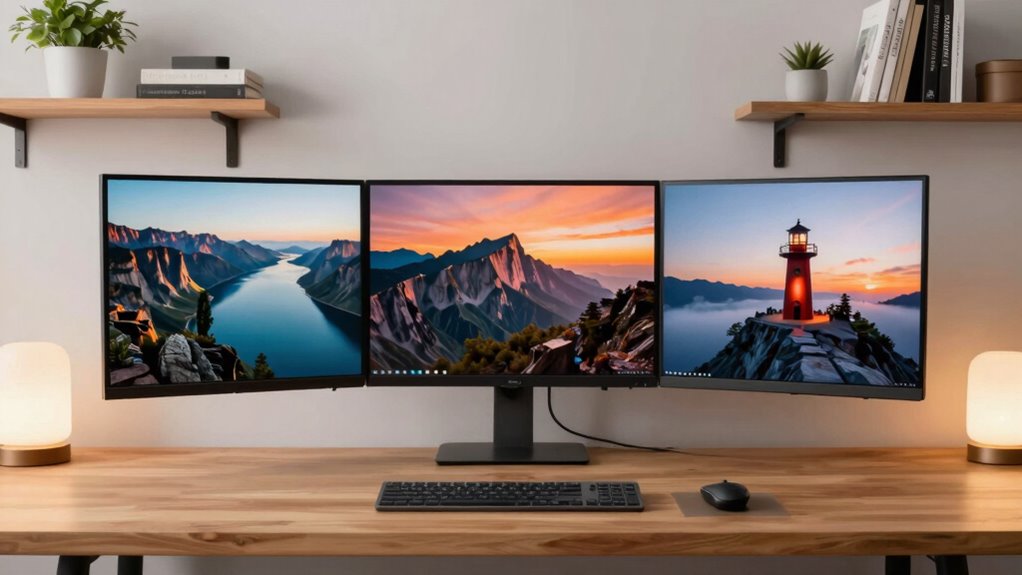

To pick the right monitor size for your desk, consider your workspace, viewing distance, and tasks. Smaller desks suit 24-inch monitors, while larger desks can handle 27 or 32-inch screens for immersive experiences. Make certain the monitor isn’t too big for your space to avoid clutter and discomfort. Proper ergonomic setup and viewing distance help reduce strain. Keep exploring for more tips to find the perfect fit for your needs and workspace.

Get your next haul delivered free with Prime
- Fast, free delivery on millions of items
- Prime Video, Amazon Music and more included
- Member-only deals all year
Key Takeaways
- Match monitor size to your desk dimensions to prevent overcrowding or underuse of space.
- Consider your typical tasks—smaller screens for basic use, larger for gaming or multitasking.
- Ensure the monitor is at an ergonomic viewing distance—about arm’s length—to reduce strain.
- Balance screen size with resolution for clarity without causing visual clutter.
- Use adjustable mounts or stands to customize height and angle for optimal comfort.

Choosing the right monitor size can considerably enhance your productivity and gaming experience. When selecting a monitor, you need to consider how it fits your workspace and how it impacts your ability to work comfortably. One of the most important factors is screen resolution, which determines how sharp and clear the visuals will be. Higher resolutions like 1440p or 4K offer more detail, making them ideal for tasks that require precision, such as photo editing or coding. However, a larger screen with a higher resolution can also mean more visual clutter if your workspace isn’t large enough. So, it’s essential to match the monitor size with your desk space and viewing distance.
Your desk size plays a crucial role in choosing the right monitor. If your desk is compact, a smaller monitor, around 24 inches, can fit comfortably without overwhelming your workspace. Larger desks can accommodate 27 inches or even 32 inches, providing a more immersive experience, whether for gaming or multitasking. Keep in mind that the physical size of the monitor should allow you to view the entire screen comfortably without straining your neck or eyes. You want your monitor to be at arm’s length or slightly closer, which makes ergonomic adjustments easier and reduces fatigue during long work or gaming sessions. Proper ergonomic setup is essential for preventing discomfort and maintaining productivity. ergonomic adjustments are also crucial for reducing long-term strain and ensuring that your setup supports good posture.
In essence, picking the right monitor size involves balancing your workspace, viewing distance, and how you plan to use it. Smaller screens might be enough if you’re limited on space or mainly use your monitor for basic tasks. But if you want an immersive gaming setup or multiple windows open simultaneously, a larger monitor with a high screen resolution becomes more suitable. Always consider ergonomic adjustments to customize your setup. When these factors are aligned, you’ll find your monitor not just a display but an enhancement to your overall comfort and productivity. Additionally, understanding monitor specifications can help you make more informed choices tailored to your needs.
As an affiliate, we earn on qualifying purchases.
Frequently Asked Questions
How Does Monitor Resolution Affect Size Choice?
Monitor resolution directly impacts your size choice because higher resolutions offer better display clarity and screen sharpness, even on larger screens. If you opt for a higher resolution like 4K, you can go bigger without sacrificing image quality or text readability. Conversely, lower resolutions on large screens may cause pixelation, making details fuzzy. So, choose a size that complements the resolution to guarantee crisp visuals and comfortable viewing.
What Is the Ideal Monitor Size for Gaming?
Thinking about gaming? An ideal monitor size for you is around 27 inches, providing immersive visuals without overwhelming your desk space. Do you want vibrant, color-accurate images for a more lifelike experience? Look for models with good color accuracy and an ergonomic design to reduce strain during long gaming sessions. This size balances immersion and comfort, making your gameplay more enjoyable and visually stunning.
How Does Desk Space Influence Monitor Size?
Your desk space greatly influences your monitor size because an ergonomic setup requires enough room for comfortable viewing and movement. If your desk is limited, choose a smaller monitor to avoid clutter and maintain aesthetic appeal. Larger screens can overwhelm tight spaces, causing discomfort and reducing productivity. Balancing monitor size with desk dimensions guarantees ideal ergonomics and a visually pleasing workspace, making your setup both functional and attractive.
What’s the Best Monitor Size for Multitasking?
The best monitor size for multitasking is around 27 inches, offering a panoramic view that keeps your workspace organized. You’ll want to take into account ergonomics to prevent strain, ensuring the monitor fits comfortably within your line of sight. Aesthetic preferences also matter; choose a size that complements your desk’s look. This size strikes a balance between functionality and visual appeal, making multitasking feel like a seamless dance rather than a juggling act.
How Do Curved Monitors Impact Size Selection?
Curved monitors influence your size choice by enhancing ergonomic benefits and aesthetic considerations. They generally feel larger and more immersive, so you might opt for a slightly smaller size than a flat monitor of the same viewing experience. This reduces eye strain and offers a comfortable viewing angle, while also providing a sleek, modern look that complements your workspace. Choose a size that balances comfort, visual appeal, and your desk space.
ergonomic adjustable monitor stand
As an affiliate, we earn on qualifying purchases.
As an affiliate, we earn on qualifying purchases.
Conclusion
In the end, choosing the perfect monitor size is all about finding a cozy balance that feels just right for your workspace and workflow. Think of it as tuning a fine instrument—aim for harmony between screen space and comfort. Trust your instincts, and don’t be afraid to experiment a bit. With the right fit, you’ll turn your desk into a haven of productivity and ease, making every workday feel a little more effortless and a lot more enjoyable.
As an affiliate, we earn on qualifying purchases.
monitor mount for ergonomic setup
As an affiliate, we earn on qualifying purchases.
As an affiliate, we earn on qualifying purchases.
Columbus Day / Indigenous Peoples' Day Picks
long weekend sales
As an affiliate, we earn on qualifying purchases.