
TL;DR
Cyber Monday smart home deals can make it cheaper to add lighting, security, comfort, or convenience, but a discount alone does not make a device a good buy. Compare the sale price with recent prices, confirm support for your exact phone and smart home system, and check subscriptions, privacy settings, seller details, and return terms before ordering.
A smart plug can cost less than a takeaway lunch, yet the wrong one may sit in a drawer because it does not work with your home setup. That is the wrinkle in Cyber Monday smart home deals: a lower price only helps when the device does what you need.

Get your next haul delivered free with Prime
- Fast, free delivery on millions of items
- Prime Video, Amazon Music and more included
- Member-only deals all year
Cyber Monday is a major online shopping event held on the Monday after U.S. Thanksgiving, and many retailers start promotions earlier. You may see smart speakers, bulbs, cameras, thermostats, doorbells, locks, and robot vacuums in the mix. Exact offers change from year to year, so check live prices, stock, and terms before publishing or buying.
This guide helps you shop by the job you want done: brighter rooms, a safer front door, easier temperature control, or less time vacuuming. You will also learn how to compare a real discount, check compatibility, and spot costs that can follow you home long after the cardboard box is gone.
Start with one daily task you want a device to handle, such as a lamp schedule or doorbell alert.
Compare the sale price with recent prices for the exact model, then add subscriptions, hubs, and delivery.
Check your ecosystem, phone, router, and required features; Matter support helps but does not guarantee every feature works everywhere.
For cameras and doorbells, confirm storage, subscription requirements, account protections, and what works during an internet outage.
Read the seller, warranty, condition, and return deadline before checkout.
Start with the smart home problem you want to solve
Cyber Monday smart home deals are easiest to judge when you start with a specific job: switch off a lamp remotely, see who rang the bell, or warm the living room before you get home. A clear need gives you a measuring stick for the sale. Without one, a bundle can look like a bargain while filling your cupboards with gear you never use.
For a first step, smart plugs and bulbs are often simpler than cameras or locks. A plug can turn a table lamp on at sunset, while a bulb can add a warm glow to a dark hallway. If you want hands-free music or timers, compare smart speakers and displays. If your main frustration is a chilly bedroom, look at a thermostat only after checking whether it fits your heating system.
Think of your home setup as a small team: each new device needs to get along with the others. If you already use Alexa, Google Home, or Apple Home, check that the exact product model supports your chosen system and the features you care about. A listing that says “works with” may describe basic control, while a feature such as video history or advanced automation can have extra requirements.
For example, if you want a lamp to turn on when you arrive, a compatible plug and phone location setting may be enough. If you want a doorbell to save clips for a week, you may need a paid plan. Match the product to the everyday task before you let the discount decide.
Products Worth Considering
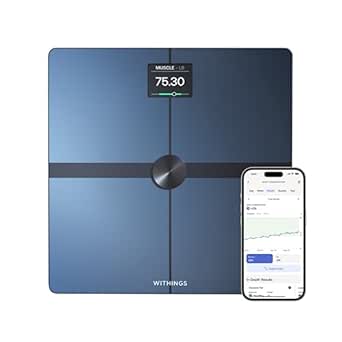
Withings Body Smart Wi-Fi and Bluetooth Body Composition Scale

Therabody Theragun Mini 3rd Generation Portable Massage Gun, Black

Philips Sonicare ProtectiveClean 5300 Rechargeable Electric Toothbrush with 3 Brush Heads, Black
As an affiliate, we earn on qualifying purchases.
Compare the price you will really pay, not the crossed-out number
A good Cyber Monday smart home deal costs less than the product’s typical recent price and includes terms you can accept. A dramatic list-price slash can be less useful than a smaller cut from a price the item regularly sells for. Check price history where available, and compare the same model number across retailers.
Make a quick total-cost check before you buy: sale price, delivery, any required hub, and any subscription you expect to use. A camera at a low upfront price may need a cloud plan for video history. A bundle can save money if you will use every piece, but a speaker-and-bulb set is no bargain if you already own a speaker and only need one bulb.
Use this short sequence while comparing two listings:
- Match the model: check the full model number, generation, and whether the listing says new, refurbished, or open-box.
- Check the price: compare the sale figure with recent prices and the cost of buying included items separately.
- Add recurring costs: note cloud storage, monitoring, replacement batteries, or membership requirements.
- Read the terms: confirm seller, shipping, return deadline, and warranty coverage.
Imagine two doorbells: one costs less today but stores no clips without a subscription; the other costs more upfront and keeps useful features available locally. Your best value depends on how you plan to use it, not the largest percentage printed in red.
Choose devices that fit Alexa, Google Home, Apple Home, or Matter
Compatibility depends on the exact device, your controller, and the features you want. Before buying a Cyber Monday smart home product, check its full model number against your existing system. A device may respond to a voice command on one platform while offering fewer automations or settings there than it does on another.
Matter is a connectivity standard designed to help supported devices work across participating smart home platforms. It can make adding a compatible bulb or plug less of a guessing game, especially if you share a home with people using different phones. Still, a Matter badge does not promise identical features everywhere; software, controller support, and device capabilities all matter.
Here is a practical comparison: if your household uses an Apple Home hub and an Alexa speaker, a Matter-compatible plug may give you more flexibility than a product tied to one brand. But if the plug’s energy report or schedule depends on the maker’s app, verify that feature before you rely on it. The label is a useful clue, not a full compatibility report.
Look closely at setup requirements, too. Some devices need a hub, a 2.4 GHz Wi-Fi network, a current phone operating system, or a particular router setting. If your router broadcasts separate network names for 2.4 and 5 GHz, a device may need the former during setup. Five minutes spent checking those details can spare you an evening of tapping “try again” beside a blinking status light.
Pick security devices with privacy and ongoing costs in view
Smart cameras, doorbells, and locks earn their place when they solve a real security or access problem, but their price tag may show only the first part of the cost. Check what the device can do without a subscription, how it stores footage, and whether it needs an internet connection for the functions you plan to use. A low sale price can feel less attractive if useful video history sits behind a monthly fee.
For instance, a renter might want a doorbell that sends a live alert and works without drilling into the doorframe. A homeowner may care more about a camera that stores clips locally during an internet outage. Compare those needs before choosing; remote viewing and voice assistant features may stop when the connection goes down, while some local functions can continue, depending on the product and setup.
Security starts with the account as well as the hardware. Use a strong, unique password, enable multifactor authentication where available, and install software updates. Review who can view shared cameras and how long the company keeps recordings. These small choices help put a door between your home data and someone who should not see it.
Before you buy a camera or doorbell, find the subscription and storage details on the product page. Check whether person alerts, saved clips, and longer video history come with the device or require a paid plan.
Also check return terms and warranty coverage. A marketplace seller may have different return rules from the retailer itself, and a refurbished device may carry a shorter warranty. With smart locks, confirm the lock fits your door and that household members have a reliable backup way to enter if a battery runs low.
Use energy features as a tool, not a savings promise
Smart thermostats, plugs, and lighting controls can help you manage energy, but the savings depend on your home, habits, utility rates, and setup. A thermostat cannot lower a bill much if you already set the temperature carefully or if your heating system does not support the model. Treat energy reports and automation as tools for making better choices, not a guaranteed payout.
A smart plug with energy monitoring can show that an old space heater draws far more power than a desk lamp. That information may help you decide when to switch equipment off. Likewise, a thermostat schedule can lower the temperature while you sleep and warm the house before you wake, if the system supports that schedule and your household likes the change.
Try one small routine before buying a whole-home bundle. For a week, note when lights and heating are actually used. Then decide whether a timer, motion sensor, or thermostat schedule would address a real pattern. A hallway light that stays on all night may need a motion sensor; a lamp you switch on every evening may need only a basic smart plug.
Newer products also bring features such as AI-assisted camera alerts, activity summaries, and more detailed automation. Those features may rely on cloud processing, a newer hub, or a subscription. If a headline feature is the reason you want the device, verify that it is included in the deal and available in your region before checkout.
Shop early, then recheck the offer before checkout
Many retailers begin Cyber Monday promotions before the Monday itself and may keep some offers running afterward, but timing and stock vary. That gives you a chance to compare prices instead of rushing when a countdown clock flashes. It also means a sale price today may change, so confirm the listing just before you pay.
Save the product page for the exact model you want, then check the seller and the total at checkout. Look for delivery fees, bundle conditions, membership discounts, trade-in requirements, and return deadlines. If a price only applies to members or requires a trade-in, decide whether that condition works for you before treating the offer as a deal.
Say you find a robot vacuum marked down early in the week. Before ordering, verify that it maps your floor plan, fits under your furniture, and can handle the rugs and pet hair in your home. A vacuum that bumps against a thick rug every morning is not a bargain just because the price dropped.
Keep a short note with the product, price, key feature, and return deadline. This is especially useful if you are comparing a thermostat, camera, and smart speaker at once. The note turns a crowded browser full of tabs into a clear decision: buy the item that solves the biggest everyday annoyance at a fair total cost.
Frequently Asked Questions
When is Cyber Monday, and do smart home deals start earlier?
Cyber Monday falls on the Monday after U.S. Thanksgiving. Many retailers start promotions earlier or extend them afterward, but timing and availability vary, so check current listings.
Are Cyber Monday smart home prices always the lowest of the year?
No. Some products have seen similar discounts during earlier sales. Where possible, compare price history for the same model rather than relying on a crossed-out list price.
Will a Matter device work with my smart home system?
Matter is designed to help supported devices work across participating platforms, but support varies by device, software, controller, and feature. Check the exact model and confirm it supports the functions you want in your setup.
Do smart cameras and doorbells need a subscription?
Some offer live viewing or basic alerts without a paid plan, while cloud video history, person detection, or longer storage may require one. Check the product’s current plan details and what continues to work without a subscription.
Can smart home devices work without internet?
It depends on the device and how you set it up. Some local controls may continue, while remote access, cloud features, notifications, or voice assistant functions can stop when your internet connection is down.
What should I check before buying a smart home deal?
Confirm the exact model, ecosystem support, setup needs, total cost, subscription terms, seller, condition, warranty, and return deadline. For a camera or doorbell, also review storage choices, account security, and features available without a paid plan.
Conclusion
A Cyber Monday smart home deal is worth buying when the device solves a real problem, fits your setup, and stays affordable after subscriptions and other costs. Check the model, recent price, compatibility, privacy terms, and return window before you order.
Then let the new device earn its place: one lamp glowing at dusk, one thermostat easing the morning chill, one small annoyance gone from your day.