
TL;DR

Get your next haul delivered free with Prime
- Fast, free delivery on millions of items
- Prime Video, Amazon Music and more included
- Member-only deals all year
Students need laptops that balance power, portability, and affordability. Recent tech advances make it easier to find versatile devices suited for all kinds of coursework and budgets.
Imagine a device that feels like a trusty sidekick—light, reliable, ready to help you conquer your coursework. That’s what choosing the right electronics for students really boils down to. With so many options flooding the market, knowing what to look for can save you time, money, and frustration.
Whether you’re tackling essays, coding projects, or just browsing, your tech setup should fit your needs without weighing you down. This guide breaks down what matters most, recent tech trends, and how to pick gear that keeps you ahead in school and life.
Match your laptop specs to your coursework—don’t overbuy or underprepare.
Prioritize battery life and portability for daily campus life.
Consider accessories like an external mouse and headphones to enhance comfort and focus.
Recent processors and hybrid designs make devices faster and more versatile than ever.
Budget options like Chromebooks now offer excellent performance for basic tasks.
How to Pick a Laptop That Actually Supports Your Classes
Choosing a laptop isn’t about the flashiest specs. It’s about matching your course load with the right features. For example, if you’re into graphic design or video editing, look for a device with a strong processor and a dedicated graphics card. These components handle intensive tasks efficiently, saving you time and frustration. However, for most students, a balanced setup of 8GB RAM and 256GB SSD offers enough power for multitasking and storing coursework without breaking the bank.
Think about your daily routine. Do you need a lightweight device you can carry all day? Or do you prefer a bigger screen for multitasking at your desk? Consider a 13-15 inch lightweight model for portability, which minimizes fatigue and makes commuting easier, or a 17-inch for a more immersive experience when stationary. The key is understanding how your device’s specs translate into real-world performance and convenience, balancing power with portability.
Here’s a quick checklist:
- Processor: Intel i5 or AMD Ryzen 5 (good mix of power and efficiency)
- RAM: 8GB minimum to handle multiple applications simultaneously
- Storage: SSD for faster data access, 256GB or more to store coursework and media
- Battery: 8+ hours to last through long classes and study sessions without needing a recharge
Products Worth Considering

Philips Sonicare DiamondClean 9900 Prestige Electric Toothbrush

Garmin Forerunner 70 GPS Running Smartwatch, 43 mm, Black

BowFlex Results Series SelectTech Adjustable Dumbbells (Pair)
As an affiliate, we earn on qualifying purchases.
Compare Top Student Laptops: Which One Fits Your Budget?
| Device | Price Range | Best For | Key Feature |
|---|---|---|---|
| Chromebook Spin 13 | $400-$600 | Cloud-based tasks, light browsing | Fast startup, long battery life, simplicity for quick access |
| MacBook Air M2 | $999+ | Creative work, seamless ecosystem | Powerful M2 chip, sleek design, optimized for creative applications |
| Dell Inspiron 14 | $600-$800 | Versatility, Windows software | Good performance, sturdy build, compatibility with a wide range of software |
This table helps you see the differences at a glance. Budget options like Chromebooks excel at simple, cloud-dependent tasks, while MacBooks offer superior performance for creative projects, though at a higher price point. Think about what you’ll do most — whether it’s note-taking, media editing, or programming — and match that with your budget. Remember, the right device can boost productivity and reduce frustration, making your academic life smoother.
Why Battery Life and Portability Matter Most
Picture this: you’re rushing between classes, coffee in hand, and your laptop’s battery just gave out. Nothing ruins the flow like a dead device when you need it most. For students, 8+ hours of battery life isn’t a luxury — it’s a necessity because it directly impacts your ability to stay productive without hunting for outlets or carrying extra chargers. Devices with extended battery life enable you to work longer, whether in the library, on the bus, or in a coffee shop, without interruption.
Portability also matters. A bulky, heavy laptop can turn a daily walk into a chore, adding stress to your commute. Devices like the MacBook Air or ASUS ZenBook weigh under 3 pounds, making them easy to slip into backpacks and carry around all day. Choosing a lightweight device means you’re more likely to take it with you everywhere, which encourages consistent use and better productivity. The tradeoff often involves balancing power and weight; lighter devices may have less processing capacity or fewer ports, so consider what features are essential for your workflow. Testing battery life in real-world scenarios—like streaming, note-taking, or browsing—helps ensure your device performs as expected in everyday situations.
Must-Have Accessories to Boost Your Study Game
Tech can only do so much. Accessories turn a good device into a truly effective study partner by enhancing comfort, efficiency, and focus. Consider adding:
- External mouse and keyboard — these improve ergonomics during long study sessions, reducing strain and increasing typing speed.
- Noise-canceling headphones — essential for blocking distractions in noisy environments, helping you concentrate on lectures or assignments.
- Portable charger — ensures your device stays powered throughout long campus days, preventing sudden shutdowns that disrupt your workflow.
- Protective sleeve or case — safeguards your investment from scratches, bumps, and everyday wear and tear, prolonging the device’s lifespan.
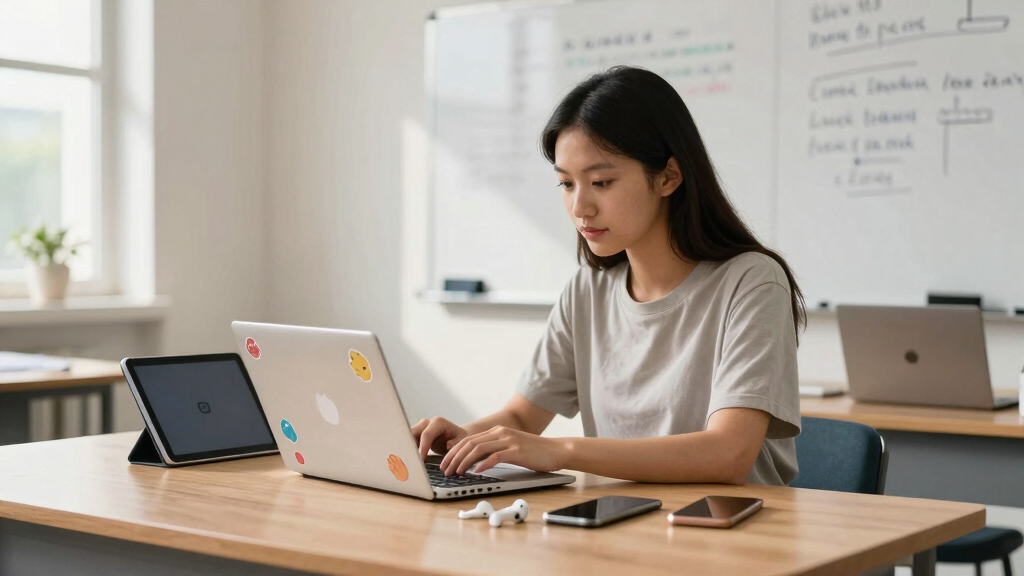
For example, a student I know carries a lightweight Chromebook paired with a wireless mouse and noise-canceling headphones. During lectures or study sessions, the mouse speeds up note-taking, headphones block distractions, and the sleeve keeps everything safe. These accessories may seem small, but they significantly enhance your ability to stay focused and productive, especially during intensive study periods or long commutes.
How Recent Tech Developments Make Studying Easier
New processors like Intel’s Alder Lake or Apple’s M2 chips have revolutionized performance, enabling devices to handle intensive tasks like video editing or multitasking without draining your battery rapidly. These chips optimize power consumption, so your device runs efficiently while conserving energy, which is crucial for students on the go. Additionally, the integration of touchscreen technology with traditional laptops—creating 2-in-1 devices—offers flexibility that caters to different learning styles, whether sketching ideas or taking notes quickly.
Affordable Chromebooks have also seen significant improvements. They now boast faster processors, longer battery life, and broader app support, making them suitable for a wide range of academic activities. Cloud services like Google Drive or OneDrive further enhance workflow by allowing seamless syncing and access to files across multiple devices, ensuring your work is always accessible, regardless of where you are. These advancements mean students can choose more versatile, powerful, and budget-friendly devices that adapt to their evolving needs, ultimately making studying more efficient and less frustrating.
Imagine opening your laptop, quickly jotting notes with a stylus, and knowing everything is saved automatically in the cloud. That seamless integration and performance boost are now within reach, transforming how students learn and work daily.
Frequently Asked Questions
What is the best laptop for college students on a budget?
Chromebooks like the Acer Chromebook Spin or entry-level Windows laptops such as the ASUS VivoBook offer great value. They handle everyday tasks well and are light on the wallet, making them perfect for students who need reliable, affordable devices.
Should I get a MacBook or a Windows laptop?
It depends on your software needs and budget. MacBooks excel for creative work and integrate seamlessly with other Apple devices. Windows laptops offer a wider range of prices, features, and compatibility with educational software.
How much RAM and storage do I need?
At least 8GB RAM and 256GB SSD are recommended for most students. This setup ensures smooth multitasking and enough space for documents, coursework, and media.
Are tablets with keyboards a good alternative?
Yes, especially for note-taking and light tasks. Devices like the iPad with a keyboard or Microsoft Surface can be versatile companions, offering portability and quick access to apps.
What accessories are essential for students?
External mouse, portable charger, protective case, and headphones top the list. They boost comfort, convenience, and focus during long study sessions or commutes.
Conclusion
Choosing the right electronics isn’t about having the latest gadget — it’s about finding what works for you. A lightweight, long-lasting device can make all the difference in your daily studies. Think of it as arming yourself with a reliable tool that keeps you moving forward.
Remember, tech should serve your goals, not complicate them. Invest in what truly enhances your learning, and your future self will thank you.