
TL;DR
Building your own AI workstation no longer guarantees savings — due to component shortages and rising prices. Prebuilt systems often save time, come tested, and include support, making them a strong option for many users today.
Imagine slicing through the noise of endless hardware specs and pricing. You’re eyeing an AI workstation, but the decision isn’t as simple as it used to be. Building your own used to be cheaper, but today, the landscape has flipped. You can explore the build vs buy debate to see which option suits your needs better. With chip shortages driving up prices and prebuilt vendors buying in bulk, buying might actually save you money and time. This isn’t just about dollars; it’s about control, speed, and risk. Whether you’re a hobbyist or a professional, understanding these tradeoffs will help you get the most bang for your buck—and the fastest route to AI productivity.
Let’s break down what’s really happening behind the scenes. You’ll learn how the heat and noise management game changes depending on whether you build or buy, and how recent market shifts make the decision more nuanced than ever.
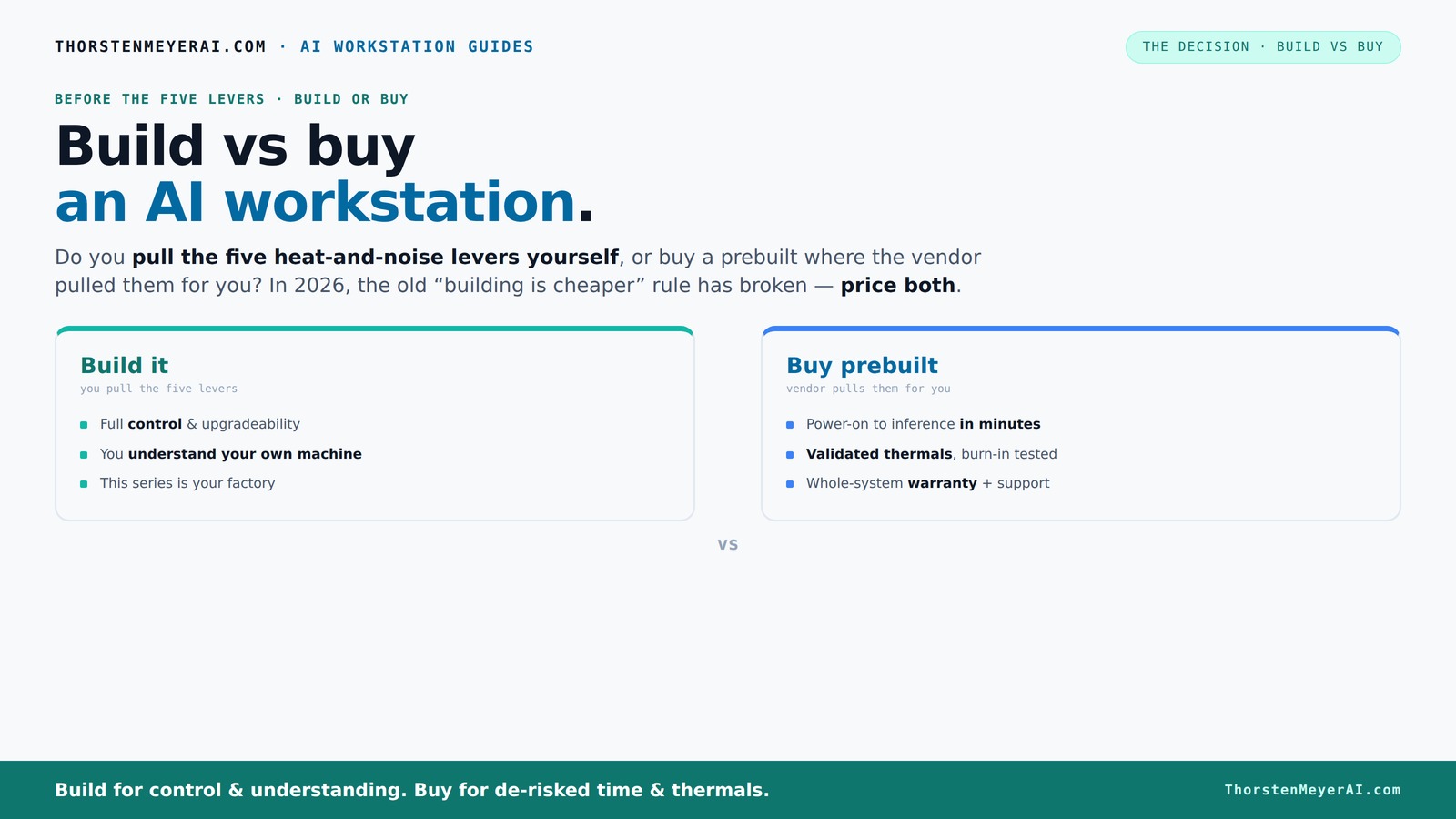
Build vs buy
an AI workstation.
The real question behind this whole series: do you pull the five heat-and-noise levers yourself, or buy a prebuilt where the vendor pulled them for you? And in 2026, the old “building is cheaper” rule has broken. Match your situation in Part 3.
Key Takeaways
- Component shortages and rising prices in 2026 often make prebuilt workstations cheaper or comparable in cost to DIY builds.
- Prebuilts come tested, validated for thermals, and include warranty support, reducing risk and setup time.
- Building offers maximum control over heat, noise, and custom specs but requires technical skill and maintenance effort.
- Total cost of ownership includes hidden costs like downtime, troubleshooting, and upgrades—consider these carefully.
- The best choice depends on your workload, urgency, technical comfort, and future scalability needs.

WIWB Gaming PC Desktop Core I9-14900HX, RTX 5060 Ti 8G, 1TB NVME SSD
- Powerful Processor: Intel Core i9-14900HX with 24 Cores
- High-Performance Graphics: GeForce RTX 5060 Ti 8GB GDDR7
- Fast Memory & Storage: 16GB DDR5 RAM and 1TB NVMe SSD
As an affiliate, we earn on qualifying purchases.
As an affiliate, we earn on qualifying purchases.
Why 2026 Changes Everything for Building vs Buying
Building your AI workstation used to be a no-brainer for savings. Today, component shortages and skyrocketing prices have leveled the playing field. DDR5 RAM, high-end GPUs, and SSDs have surged by 20-50%, pushing DIY builds well over $1,250—sometimes even higher. Meanwhile, big vendors like Lambda and Puget Systems have secured bulk discounts, enabling them to offer systems that match or beat DIY prices.
For example, a DIY build with top-tier GPUs and cooling might cost $2,000 today, but a prebuilt with similar specs can come in around $1,800 due to vendor bulk purchasing. So, the age-old rule—"build cheap, buy fast"—no longer holds without a detailed cost comparison.
This shift means your decision should focus equally on total cost of ownership, time to deployment, and control—not just sticker prices.

GIGABYTE AORUS RTX 5090 AI Box Graphics Card - External GPU (32GB GDDR7, 512-bit, PCIe 5.0, HDMI/DP 2.1b, 240mm Radiator, Silent Fans, Direct-Coverage Copper Plate, Thunderbolt 5™)
- High-Performance GPU: Powered by GeForce RTX 5090 with NVIDIA Blackwell architecture
- Advanced Cooling System: Waterforce all-in-one cooling with copper base and radiator
- Silent Operation: Two 120mm silent fans for quiet thermals
As an affiliate, we earn on qualifying purchases.
As an affiliate, we earn on qualifying purchases.
The Heat and Noise Puzzle: Who Controls the Levers?
Managing heat and noise is critical in high-power AI workstations. For more insights, check out our guide on quiet GPUs and cooling solutions. Building gives you the reins—you select low-noise GPUs, undervolt, and optimize airflow. Want a whisper-quiet rig? You tune it yourself, choosing from options like [quiet GPUs](https://thorstenmeyerai.com/quiet-gpus-local-ai/) and [quiet cooling](https://thorstenmeyerai.com/quiet-cpu-coolers-ai-workstation/). You can even custom-design airflow paths with high-quality case fans.
Prebuilt systems, however, come pre-tuned. Learn more about prebuilt AI workstation options and their benefits. Vendors like BIZON run extensive burn-in testing, optimize fan curves, and sometimes include water-cooling to keep noise down. This means you get a system that’s been validated for thermal performance, saving you the headache—and guesswork—of tuning it yourself.
For example, a prebuilt might run 30% cooler and quieter under load because it’s been fine-tuned in the factory, and you get a warranty to back it up. The tradeoff? Less hands-on control, but less stress.

NOVATECH AI Workstation Desktop PC – Intel Core i9-14900K, Liquid Cooling – Machine Learning, Data Science, 3D Rendering, Video Editing, Simulation (RTX 5080 | 64GB RAM | 2TB)
- High-Performance CPU: Intel Core i9-14900K processor
- Powerful GPU: NVIDIA RTX 5080 with 16GB VRAM
- Advanced Cooling System: Liquid cooling for optimal performance
As an affiliate, we earn on qualifying purchases.
As an affiliate, we earn on qualifying purchases.
Cost Breakdown: Who Really Saves Money?
It’s tempting to think building is always cheaper. But recent data shows that prebuilt systems can be more cost-effective due to component shortages. But recent data shows that component prices for DIY rigs have spiked, often making them more expensive than prebuilt systems. A typical build with a high-end GPU, 64GB RAM, and NVMe SSDs now costs around $1,500–$1,800, depending on parts.
Prebuilt workstations, thanks to bulk purchasing, often come in around $1,700–$2,000 for similar specs. Plus, they include testing, warranty, and support—costs that are often overlooked in DIY. When you factor in labor, troubleshooting, and potential downtime, the total ownership cost narrows further.
Here’s a quick comparison:
| Build | Buy |
|---|---|
| Lower initial cost (sometimes) | Faster deployment, tested, supported |
| Time-consuming setup | Plug-and-play, ready in hours |
| Potential hidden costs (trial & error, downtime) | Included warranty, support |
According to recent market analysis, the true cost difference is often less than expected, especially when support and downtime are factored in.

BOSGAME M5 AI PC MAX+ 395, 128GB LPDDR5x 8000MT/S
- Processor: 16-core Ryzen AI Max+ 395 with NPU
- Memory: 128GB LPDDR5X RAM with VGM technology
- VRAM Allocation: Up to 96GB dedicated VRAM
As an affiliate, we earn on qualifying purchases.
As an affiliate, we earn on qualifying purchases.
Performance, Scalability, and Upgrades: What Matters Most?
Performance isn’t just about raw specs. To ensure your system handles sustained loads well, consider building or buying based on performance needs. It’s how the system handles sustained loads, thermal throttling, and future upgrades. Building gives you the flexibility to choose specific GPUs, like the latest RTX 4090 or AMD MI250X, and tailor cooling solutions for peak performance.
Prebuilt systems, especially from vendors like Lambda, are validated for multi-GPU loads, with proven cooling and power delivery. This means less risk of throttling or overheating during long training runs. Plus, many prebuilt options offer upgrade paths—additional PCIe slots, extra RAM, or more storage—so your workstation can grow with your needs.
For example, a DIY build might let you add another GPU in a year, but you’ll need to reconfigure cooling and power. Prebuilts often come with clear upgrade options, saving time and headache.
Support, Risk, and Reliability: Who Has Your Back?
Support is where prebuilt systems shine. For reliable assistance, see how professional support services can help keep your AI workstation running smoothly. If something fails—say, a GPU dies during a critical training—vendors like Puget Systems offer direct support, replacement, and troubleshooting. You’re covered by a warranty, and the vendor has already tested for compatibility and reliability.
Building your own shifts the responsibility to you—troubleshooting driver conflicts, BIOS updates, or thermal issues. While this can be rewarding, it also risks downtime and unexpected costs. If you’re not comfortable with hardware, a failure can turn into hours of frustration.
For instance, a complex multi-GPU build might require custom water-cooling and specialized power supplies. If a component fails, your entire schedule could be interrupted. Buying reduces this risk significantly, especially with extended warranties and professional support.
The Decision Checklist: When Should You Build or Buy?
Use this quick decision guide to match your needs:
- Time-critical deployment? Buy. Prebuilt systems ship ready to run in hours.
- Need maximum customization or proprietary workflow? Build. You control every component.
- Comfort with hardware troubleshooting? Build. Otherwise, buy for peace of mind.
- Budget constraints on long-term costs? Price both options now, considering support and downtime.
- Planning to scale or upgrade? Prebuilt systems from vendors like Lambda often have upgrade paths built-in.
Final Thoughts: Choose the Path That Fits Your Goals
Building your own AI workstation isn’t dead, but it’s no longer the automatic choice for everyone. Recent market shifts make prebuilt systems a compelling, often smarter, option—especially if you value speed, support, and proven thermal performance. The choice depends on your workload, budget, and comfort level with hardware.
Remember, the best system is the one that gets you training models faster, cheaper, and more reliably. Whether you build or buy, focus on what matters most to your work and your team. When in doubt, lean toward the solution that minimizes downtime and maximizes your productivity.
Frequently Asked Questions
Is it cheaper to build or buy an AI workstation in 2026?
Due to component shortages and rising prices, prebuilt AI workstations often cost as much or less than DIY builds today. Always compare specific configurations—sometimes bulk discounts and vendor support tip the scales in favor of buying.Which option offers better performance for training large models?
Both can deliver excellent performance, but prebuilt systems from vendors like Lambda are validated for sustained multi-GPU loads, reducing thermal throttling and downtime. Building allows you to customize cooling, but requires more tuning and expertise.How much RAM and VRAM do I need for AI workloads?
It depends on your tasks. For training large models, 64GB RAM and 24-48GB VRAM per GPU are common starting points. For inference or content generation, 16-32GB RAM and 8-12GB VRAM might suffice. Check your model requirements to size accordingly.What are the hidden costs of building my own system?
Hidden costs include troubleshooting, potential compatibility issues, downtime during setup or upgrades, and ongoing maintenance. These can add hours and dollars that aren’t immediately obvious in the initial price tag.When is a hybrid approach better than building or buying?
If you need a fast deployment but want some customization, consider starting with a prebuilt and upgrading components over time. Hybrid solutions also include using vendor platforms combined with open-source tools, giving you flexibility without full DIY complexity.Conclusion
In today’s market, the decision between build vs buy is less about savings and more about your specific needs. For most, a prebuilt system offers a faster, supported path to AI productivity, especially given market volatility. But if you crave total control and have the skills, building your own can still be rewarding.
Think about what truly matters—speed, support, customization—and pick the route that aligns with your goals. Either way, focus on getting your AI project off the ground, not just assembling parts.