

Use this guide to compare Cyber Monday smart home deals and buy devices that fit your home, budget, and existing equipment. It is for shoppers with basic smartphone and Wi-Fi skills, whether you are buying your first smart bulb or adding cameras, sensors, plugs, or a hub. The shopping process takes about 45-90 minutes; setup time depends on the products you choose.

Get your next haul delivered free with Prime
- Fast, free delivery on millions of items
- Prime Video, Amazon Music and more included
- Member-only deals all year
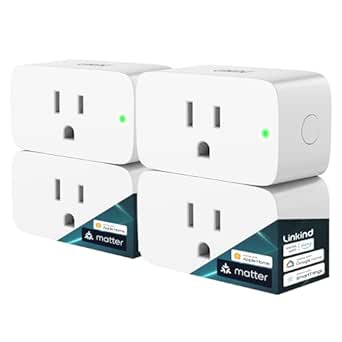
Linkind Matter Smart Plug, 4-Pack
- ✔ Pack size: 4 plugs
- ✔ Connectivity: 2.4 GHz Wi-Fi; IPv6 required
- ✔ Platforms: Apple Home, Alexa, Google Home, SmartThings, AiDot
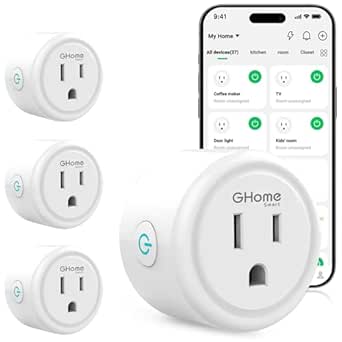
GHome Smart Plug with Wi-Fi, App, and Voice Control (4-Pack)
- ✔ Model: WP3
- ✔ Quantity: 4
- ✔ Connectivity: Wi-Fi and Bluetooth
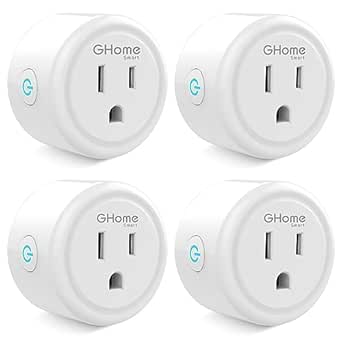
GHome Smart Plug Mini (4-Pack), WiFi Smart Outlet with App Control, Compatible with Alexa and Google Home, 2.4GHz Only, ETL/FCC L…
- ✔ Model: WP3
- ✔ Quantity: 4
- ✔ Dimensions: 2 x 2 x 1 in
Difficulty: Beginner | Time: 45-90 minutes of research, plus delivery time
What You’ll Need
Tools & Materials:
- A phone or computer with internet access
- A written shopping list and budget
- Access to your Wi-Fi router details and any smart home app you already use
Knowledge:
- Basic familiarity with your home Wi-Fi network
- The name of any voice assistant or smart home platform you use, such as Alexa, Google Home, Apple Home, or Matter
Check current prices before Cyber Monday if possible. A sale label alone does not show whether a price is low; record the regular price and, if available, the recent price history. Retailer prices, stock, return periods, and delivery dates can change.
Linkind Matter Smart Plug, 4-Pack
When a household uses more than one smart home ecosystem, Matter compatibility gives this four-pack the broadest role in the lineup. Linkind lists Apple Home, Alexa, Google Home, SmartThings, and AiDot support, whereas both GHome choices focus on Alexa and Google Assistant. That makes Linkind the stronger fit for a home where platform needs may change or differ by room. Its local LAN control can also keep control available during an internet outage, a useful distinction from the GHome descriptions, which emphasize internet-connected app and voice features.There are setup conditions to account for. Linkind requires 2.4 GHz Wi-Fi and IPv6, and some platforms need a compatible Matter hub or controller. Buyers wanting the least complicated path to Alexa or Google control may find the standard GHome plug more direct. Linkind’s stated 1800 W capacity exceeds the 1200 W listed for either GHome pack, but buyers still need to check that a particular appliance is suitable. The compact Type A design and overload and short-circuit protection add practical appeal; the network requirements make it less plug-and-go than its wide compatibility may suggest.
Pros:
- Supports Apple Home, Alexa, Google Home, SmartThings, and AiDot
- Offers local LAN control during internet outages
- Rated for 1800 W with overload and short-circuit protection
- Includes scheduling, timers, voice commands, and remote app control
Cons:
- Requires 2.4 GHz Wi-Fi and IPv6
- Some platforms require a compatible Matter hub or controller
- Broader platform support may involve more setup than the GHome options
Best for: Households that use or expect to use several Matter-compatible platforms and want local network control.
Not ideal for: Buyers who do not have IPv6 or a compatible hub where required, or who only need basic Alexa or Google Assistant control.
Bottom line: We rank Linkind first for its broad Matter platform support and local control, provided its network and hub requirements fit your home.
“We rank Linkind first for its broad Matter platform support and local control, provided its network and hub requirements fit your home.”
GHome Smart Plug with Wi-Fi, App, and Voice Control (4-Pack)
For buyers who want a familiar way to automate lamps or other compatible appliances, this GHome four-pack covers the everyday basics without requiring a hub. We get remote and voice control, schedules, timers, group control, and family sharing through the listed GHome, Smart Life, or Tuya apps. Compared with Linkind, it gives up Matter’s wider platform reach and local LAN control during internet outages, but keeps the choice focused on Alexa and Google Assistant.Setup is the tradeoff: each plug must first connect to a 2.4 GHz network through the GHome app before voice assistant setup. That sequence may be an extra step for someone expecting to add a plug directly inside a voice assistant app. Its listed 1200 W rating is also lower than Linkind’s 1800 W, so it is best matched to devices within that capacity. Compared with the GHome Mini, this model’s listed dimensions are slightly larger, and the product description does not call out the Mini’s compact fit as a central advantage. It makes most sense for Alexa or Google households that want a flexible app and family sharing, not Matter-based control.
Pros:
- Works with Alexa and Google Assistant
- Supports schedules, timers, and group control
- Allows family access sharing
- Offers GHome, Smart Life, and Tuya app options without a hub
Cons:
- Requires 2.4 GHz Wi-Fi
- Must be set up in the GHome app before voice assistant linking
- 1200 W rating is below Linkind’s stated 1800 W capacity
Best for: Alexa or Google Assistant users looking for a hub-free pack with scheduling, group control, and shared access.
Not ideal for: Households seeking Matter compatibility, local control during internet outages, or a higher listed power capacity.
Bottom line: We recommend this as the practical Alexa and Google option when app scheduling and shared control matter more than Matter support.
“We recommend this as the practical Alexa and Google option when app scheduling and shared control matter more than Matter support.”
GHome Smart Plug Mini (4-Pack), WiFi Smart Outlet with App Control, Compatible with Alexa and Google Home, 2.4GHz Only, ETL/FCC L…
When outlet space is the deciding factor, the GHome Mini is the most targeted pick in this group. Its listed 2 x 2 x 1 inch dimensions are smaller than the dimensions provided for the other GHome pack, which may help when adjacent sockets or power strips are crowded. It still provides the core conveniences—app control, Alexa and Google Home voice commands, timers, scheduling, and group control—so choosing the smaller model does not mean giving up those basics.Its role is narrower than Linkind’s: the Mini does not list Matter support, Apple Home, SmartThings, or local LAN control during internet outages. Like the standard GHome plug, it is limited to 2.4 GHz Wi-Fi and requires initial setup through the GHome app before voice linking. Its 1200 W, 10 A rating is also below Linkind’s 1800 W and 15 A rating. We would choose it for compact placement and common Alexa or Google routines, while buyers with mixed platforms or higher-capacity needs should compare Linkind first. The description also specifies an internet connection for remote features, so it is not the choice for maintaining remote access through connectivity interruptions.
Pros:
- Compact listed dimensions suit crowded outlets
- Supports Alexa and Google Home voice control
- Includes scheduling, timers, and group control
- Uses polycarbonate construction and is ETL and FCC listed
Cons:
- Supports 2.4 GHz Wi-Fi only
- Requires GHome app setup before voice assistant linking
- Remote features rely on a stable internet connection
Best for: Alexa or Google households fitting smart plugs into tight outlet spaces or crowded power strips.
Not ideal for: Buyers who need Matter support, Apple Home or SmartThings compatibility, local outage control, or more than 1200 W capacity.
Bottom line: We place the Mini third because compact sizing is useful in tight spaces, but its platform and power limits are narrower than Linkind’s.
“We place the Mini third because compact sizing is useful in tight spaces, but its platform and power limits are narrower than Linkind’s.”
As an Amazon Associate we earn from qualifying purchases.
Before You Start
Decide what problem you want a device to solve before browsing. Examples include automating a lamp, monitoring an entryway, or adjusting a thermostat remotely. Check whether your home has the required Wi-Fi band, wiring, outlet type, or hub. For cameras and microphones, review where recordings are stored and how long they are kept. Avoid buying a product until you know it can connect to your home network and platform.
Step-by-Step Instructions
Step 1: Set your budget and priorities
Write down the rooms or tasks you want to address, then assign a spending limit for each item and for the whole order. Rank the items as must-have, useful, or optional. Include likely extras such as a hub, batteries, a memory card, or a subscription in the total.
Tip:Start with one device category if you are new to smart home products. A smart plug or bulb is usually a simpler first purchase than a full camera system.
Check: Your list names a specific use for each device and has a maximum total price.
Step 2: Check compatibility at home
Open the product details for each planned device and check its supported Wi-Fi bands, app, voice assistants, and smart home standards. Compare these with your router and the apps or platforms you already use. For a thermostat, lock, doorbell, or wired switch, check the installation requirements and your existing wiring or hardware before ordering.
Tip:“Works with Matter” does not automatically mean every feature works in every app. Check the feature list for the platform you plan to use.
Check: You can name the app or hub that will control each device, and you have confirmed any physical installation requirements.
Step 3: Choose the features you actually need
For each item, list two or three required features. For a camera, these might be indoor use, night vision, and local recording. For a bulb, they might be the right socket, dimming, and color temperature. Compare products against those requirements instead of relying on a long feature list or a discount percentage.
Tip:Check whether core features require a paid plan. Include any recurring fee in your comparison.
Check: Each planned product meets your required features without relying on an unplanned subscription or accessory.
Step 4: Compare the deal with other prices
Search for the exact model number at more than one reputable retailer. Compare the final price after shipping, taxes where shown, and any required accessories. Check price-history information if available, and confirm the product is new, the correct model, and sold by a retailer you trust.
Tip:Product names can be nearly identical across generations. Match the model number and included components before comparing prices.
Check: You have a written comparison showing the model, total cost, seller, and return terms for the best options.
Step 5: Review privacy, security, and support
Read the privacy and security details for devices with cameras, microphones, locks, or occupancy sensors. Check whether the manufacturer offers app updates, account protection such as two-factor authentication, and a clear support period. Look at the return window and warranty, especially for products that need installation.
Tip:For a device that records video or audio, identify how to disable recording or notifications when you want privacy.
Check: You know where the device’s data is handled, how to secure its account, and how long you have to return it.
Step 6: Buy the selected items carefully
Open the retailer’s product page from your comparison, confirm the model number and seller, and review the cart before paying. Remove duplicate accessories or unwanted plans. Check the shipping address, delivery estimate, and total cost, then save the order confirmation and return details.
Tip:Do not rush because a countdown timer is displayed. If the listing does not clearly identify the model or seller, choose another listing.
Check: The confirmation lists the intended products and quantities, with the expected price and delivery information.
Step 7: Set up and test each device
When a device arrives, install its official app, update the device firmware, and connect it using the manufacturer’s instructions. Use a unique password and turn on available account security. Test the functions you bought it for, such as a scheduled light, live camera view, or remote plug control. Keep packaging until the device works and the return period has passed.
Tip:Set up one device at a time. This makes it easier to identify whether a connection or account issue affects a particular product.
Check: Each device appears in the intended app, responds to basic commands, and performs its main task reliably.
Common Mistakes to Avoid
- Buying based on the discount percentage alone. — Compare the exact model number, recent pricing where available, total cost, and return terms before deciding.
- Assuming a device works with an existing hub or voice assistant. — Check supported platforms and features on the manufacturer’s product page before ordering.
- Missing subscription or accessory costs. — Check which features need a plan and add required hubs, cards, batteries, or mounting parts to the budget.
- Buying a device that cannot be installed in the home. — Confirm Wi-Fi requirements, outlet or socket type, wiring, and mounting needs before checkout.
Troubleshooting
Problem: The device will not connect to Wi-Fi.
Solution: Check the device’s supported Wi-Fi band and setup instructions. Move it closer to the router during setup, verify the network password, and restart the router and device. If the router combines bands under one network name, consult the manufacturer’s instructions for setup.
Problem: The device appears in its own app but not in the smart home platform.
Solution: Confirm that the product supports the platform and that both accounts are linked in the relevant app. Update both apps, then follow the manufacturer’s integration steps. Some features may remain available only in the device’s own app.
Problem: A promised feature requires an unexpected subscription.
Solution: Check the plan terms and trial end date in the manufacturer’s app. Cancel the trial before renewal if you do not want the fee, or return the device within the retailer’s return period if the feature was a purchase requirement.
Problem: The item arrives with the wrong model or missing parts.
Solution: Compare the packaging and contents with the order confirmation, take photos, and contact the seller promptly through the retailer’s order page. Keep the packaging and follow the seller’s return or replacement instructions.
What Success Looks Like
Your Cyber Monday purchases fit the planned budget, match the model and features you selected, and work with your home’s network and smart home platform. After setup, each device performs its intended task, its account is secured, and you know how to manage any subscription, privacy controls, warranty, and return deadline.
Next Steps
Save receipts, model numbers, setup instructions, and warranty details in one place. Review subscription trials and return deadlines on your calendar. After a few days of use, check whether the devices solve the problems you listed and remove any unused app permissions or notifications. Add more devices only after confirming that the first ones work well in your home.
Frequently Asked Questions
How can I tell whether a Cyber Monday smart home deal is good?
Compare the exact model’s price at several reputable sellers, review recent price history when available, and include shipping, accessories, and subscription fees. Check return terms before placing the order.
Should I choose a Matter-compatible device?
Matter can help devices work across supported smart home platforms, but platform support and features vary. Check the device maker’s compatibility list and confirm the features you need work with your hub or app.
Do smart home cameras usually require a subscription?
Some offer basic live viewing without a plan, while cloud recording, longer video history, or advanced alerts may require payment. Read the current plan details for the specific model before buying.
What should I buy first for a beginner smart home?
Choose a device that solves one clear problem and has simple installation, such as a compatible smart plug or bulb. Confirm the network and app requirements, then test it before adding more devices.