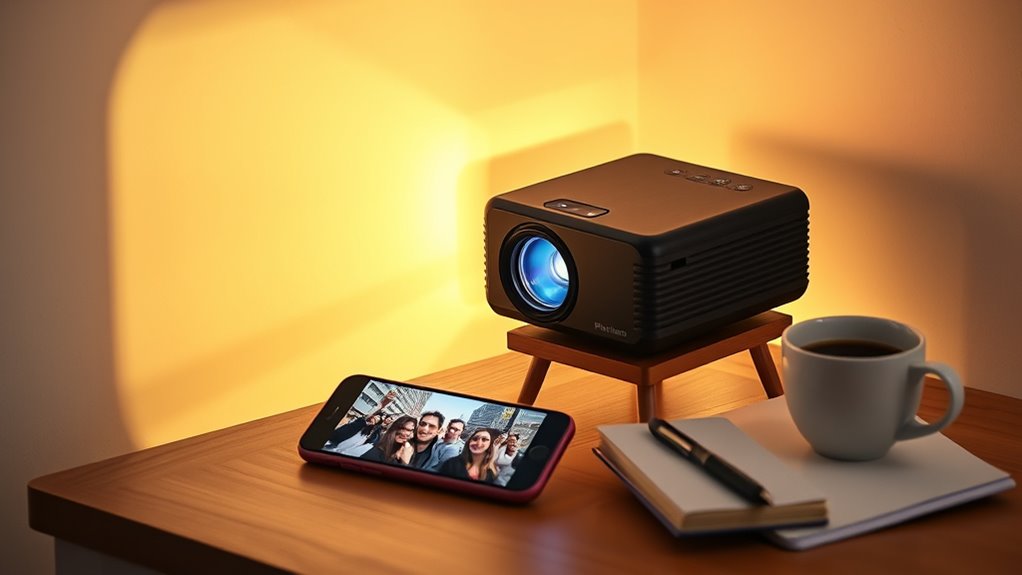

For most smartphone owners, the Aurzen Roku TV E1R is the best overall pick in this lineup because its Roku TV platform offers a clear route to streaming without relying on phone mirroring. The Philoent Mini Projector stands out for built-in apps and newer wireless specifications, while the WISHOLY Mini Projector pairs a rotatable stand with auto vertical keystone for flexible placement. The main tradeoffs are whether you want native streaming or phone-based playback, how much setup adjustment you can tolerate, and whether a projector’s listed resolution is native or supported. Smartphone compatibility also depends on the phone, connection method, and content-service restrictions—not just the projector’s Wi-Fi or Bluetooth claims. Read on for the full comparison and guidance on choosing a model that suits your phone and viewing habits.

Get your next haul delivered free with Prime
- Fast, free delivery on millions of items
- Prime Video, Amazon Music and more included
- Member-only deals all year
Key Takeaways
- Phone convenience depends on the playback route: The Aurzen Roku TV E1R’s Roku platform can reduce reliance on screen mirroring, while built-in-app models such as the Philoent and Android 14 projector offer other ways to play content directly.
- Supported 1080p is not the same as native 1080p: The HAPPRUN H1 and TMY specify native 1080p, while several other listings describe 1080p or 4K support; buyers should check native resolution before choosing for fine detail.
- Placement features matter in small rooms: The WISHOLY’s 180-degree rotatable stand and auto vertical keystone are aimed at flexible positioning, a different priority from the PANSEBA and TMY bundles that include a screen.
- Wireless labels do not guarantee universal phone mirroring: Wi-Fi and Bluetooth versions vary across the lineup, but compatibility still depends on the phone, app, and connection method; verify supported protocols before purchase.
- The best fit varies by setup: The AuKing emphasizes broad device connections, the HAPPRUN and TMY offer native 1080p, and models with built-in apps suit viewers who prefer playback on the projector rather than from a phone.
| Mini Smart Projector, 1080p, Portable |  | Best Overall for Flexible Smartphone Setup | Resolution: 1080p | Wi-Fi: Wi-Fi 6, 2.4 GHz and 5 GHz | Bluetooth: 5.4 | VIEW ON AMAZON | See Our Full Breakdown |
| Mini Projector with WiFi and Bluetooth, 1080P/4K Support, Portable Home Theater |  | Best for Direct Streaming in Small Rooms | Native resolution: 1280 x 720 | Maximum display resolution: 1920 x 1080 | Brightness: 15,000 lumens (as listed) | VIEW ON AMAZON | See Our Full Breakdown |
| Mini Portable Projector with WiFi, Bluetooth, and Built-in Apps |  | Best for Travel and Ceiling Viewing | Connectivity: Dual-band Wi-Fi (2.4 GHz and 5 GHz), Bluetooth 5.2 | Video support: 4K playback via USB | Weight: 0.77 lb (0.35 kg) | VIEW ON AMAZON | See Our Full Breakdown |
| PANSEBA 1080P Mini Projector with Screen |  | Best for Wired Smartphone Connections | Resolution: 1080p | Contrast ratio: 8000:1 | Maximum screen size: 200 inches | VIEW ON AMAZON | See Our Full Breakdown |
| Philoent Mini Projector with WiFi 6, Bluetooth 5.4, and Built-In Apps |  | Best Compact Pick for Built-In Streaming | Native resolution: 1280 x 720 | Maximum display resolution: 1920 x 1080 | Supported content: 4K | VIEW ON AMAZON | See Our Full Breakdown |
| Portable 1080p Mini Projector with Wi-Fi 6, Bluetooth 5.2, and Rotatable Stand |  | Best for Flexible Smartphone Setup | Native resolution: 1920 x 1080 | Maximum display resolution: 1280 x 720 | Connectivity: HDMI, USB Type-A, Wi-Fi 6, Bluetooth 5.2 | VIEW ON AMAZON | See Our Full Breakdown |
| Mini Projector with WiFi and Bluetooth, Built-in Apps |  | Best for App-Based Streaming | Resolution: Native 1080p; compatible with 4K | Brightness: 300 ANSI lumens | Wireless: Wi-Fi 6 (5G/2.4G), Bluetooth 5.3 for audio devices | VIEW ON AMAZON | See Our Full Breakdown |
| AuKing 2026 Upgraded Mini Projector, Full HD 1080P Home Theater Video Projector, Compatible with HDMI/USB/Smartphone/TV Box/Laptop |  | Best for Wired Smartphone Viewing | Native resolution: 1920 x 1080 | Brightness: 9500 lumens | Projection size: 35–200 inches | VIEW ON AMAZON | See Our Full Breakdown |
| Aurzen Roku TV E1R Smart Portable Mini Projector |  | Best for Roku and AirPlay Users | Streaming platform: Built-in Roku TV | Wireless connectivity: Wi-Fi 2.4G/5G, Bluetooth 5.2, Apple AirPlay | Weight: Under 1 lb | VIEW ON AMAZON | See Our Full Breakdown |
| Q100 Portable Mini Projector with 1080p Support |  | Best for Wired Placement Flexibility | Native resolution: 1080p support | Maximum display resolution: 1980 x 1080 pixels | Connectivity: HDMI, USB, 3.5mm AUX | VIEW ON AMAZON | See Our Full Breakdown |
| WISHOLY Mini Projector with WiFi and Bluetooth, Portable 1080P HD Movie Projector with 180° Rotatable Stand and Auto Vertical Keystone |  | Best for Flexible Smartphone Setup | Native resolution: 1920 x 1080 | Connectivity: 2.4G/5G WiFi, Bluetooth 5.2, HDMI, USB, 3.5mm audio | Keystone correction: Auto vertical | VIEW ON AMAZON | See Our Full Breakdown |
| HAPPRUN H1 Native 1080P Bluetooth Projector |  | Best for Wired Smartphone Viewing | Native resolution: 1920 x 1080 | Display type: LCD | Brightness: 300 ANSI lumens | VIEW ON AMAZON | See Our Full Breakdown |
| Mini Projector with Android 14, 1080P Support, WiFi 6, Bluetooth 5.4, and Auto Keystone |  | Best for App-Based Streaming | Native resolution: 720P | Input support: 1080P and 4K | Brightness: 350 ANSI lumens | VIEW ON AMAZON | See Our Full Breakdown |
| TMY Native 1080P Mini Portable Projector with 80-inch Foldable Screen |  | Best Bundle for Screen-Based Viewing | Native resolution: 1280 x 720 | Maximum input resolution: 1920 x 1080 | Connectivity: HDMI, USB, Bluetooth, 3.5mm jack | VIEW ON AMAZON | See Our Full Breakdown |
| mini projectors for smartphone | Connectivity | Native resolution |
|---|---|---|
| Mini Smart Projector | — | — |
| Mini Projector with WiFi and B | 3.5 mm jack, Bluetooth, HDMI, Wi-Fi | 1280 x 720 |
| Mini Portable Projector with W | Dual-band Wi-Fi (2.4 GHz and 5 GHz), Bluetooth 5.2 | — |
| PANSEBA 1080P Mini Projector w | HDMI, USB, Bluetooth | — |
| Philoent Mini Projector with W | Wi-Fi 6, Bluetooth 5.4, HDMI, USB | 1280 x 720 |
| Portable 1080p Mini Projector | HDMI, USB Type-A, Wi-Fi 6, Bluetooth 5.2 | 1920 x 1080 |
| Mini Projector with WiFi and B | — | — |
| AuKing 2026 Upgraded Mini Proj | HDMI, USB, 3.5mm jack | 1920 x 1080 |
| Aurzen Roku TV E1R Smart Porta | — | — |
| Q100 Portable Mini Projector w | HDMI, USB, 3.5mm AUX | 1080p support |
| WISHOLY Mini Projector with Wi | 2.4G/5G WiFi, Bluetooth 5.2, HDMI, USB, 3.5mm audio | 1920 x 1080 |
| HAPPRUN H1 Native 1080P Blueto | HDMI, USB, 3.5mm audio, Bluetooth 5.3, IR | 1920 x 1080 |
| Mini Projector with Android 14 | WiFi 6, Bluetooth 5.4, HDMI, USB | 720P |
| TMY Native 1080P Mini Portable | HDMI, USB, Bluetooth, 3.5mm jack | 1280 x 720 |
More Details on Our Top Picks
Mini Smart Projector, 1080p, Portable
I’d put this model first for smartphone owners who want flexible placement and straightforward adjustments rather than relying on a built-in app library. Its electric focus and automatic keystone correction reduce manual setup, while the stand rotates 180 degrees for wall or ceiling viewing. Wi-Fi 6 and Bluetooth 5.4 add wireless options, and HDMI, USB-C, and USB provide wired alternatives when phone mirroring or an app causes trouble. That matters because some streaming apps may block mirrored video or audio; a compatible streaming device or HDMI connection may be needed. Compared with the lighter Philoent, this projector is heavier, but its listed USB-C connection and broader adjustment options make it a more adaptable pick for varied phone setups. I’d skip it if you expect every streaming app to work through wireless mirroring.
Pros:- Electric focus and automatic keystone correction simplify image setup.
- 180-degree rotating stand supports flexible projection angles.
- Wi-Fi 6 and Bluetooth 5.4 provide current wireless connectivity.
- HDMI, USB-C, and USB offer alternatives to phone mirroring.
Cons:- Some streaming apps may not play video or audio through screen mirroring.
- At 0.9 kg, it is heavier than the 0.35 kg travel-focused model in this lineup.
Best for: Smartphone owners who want easy focus and flexible wall or ceiling placement, with the option to switch from mirroring to a wired connection.
Not ideal for: Viewers who rely on wireless mirroring for every streaming app or want a projector with no app-compatibility caveats.
- Resolution:1080p
- Wi-Fi:Wi-Fi 6, 2.4 GHz and 5 GHz
- Bluetooth:5.4
- Connections:HDMI, USB-C, USB
- Focus:Electric
- Keystone correction:Automatic
- Stand rotation:180°
- Dimensions:5.3 x 4.9 x 3.7 inches
- Weight:0.9 kg
Our verdict“Choose this for a flexible smartphone-friendly setup with wired backup options, but not if you need dependable playback from every mirrored app.”
Mini Projector with WiFi and Bluetooth, 1080P/4K Support, Portable Home Theater
For smartphone viewers who would rather open content on the projector than mirror every show from a phone, this model’s built-in streaming apps are its main advantage. The short-throw lens is also a practical fit for a compact room where a longer throw could be awkward, and its 0.67 kg weight makes it easier to move than the PANSEBA. The tradeoff is resolution: despite the 4K support wording, its native resolution is 1280 x 720 and its maximum display resolution is 1920 x 1080, so it is not a native 4K projector. The listed 15,000 lumens figure may appeal on paper, but no ANSI measurement is provided here. I’d choose it over the phone-mirroring-dependent PANSEBA for direct app access, but buyers seeking sharper native detail should look elsewhere.
Pros:- Built-in streaming apps can reduce dependence on phone mirroring.
- Short-throw lens suits rooms with limited space between projector and wall.
- Light 0.67 kg design is convenient to move.
- Wi-Fi 6 and Bluetooth 5.4 support wireless connections.
Cons:- Native resolution is 1280 x 720, below its maximum 1080p display resolution.
- The 4K support refers to playback support, not native 4K projection.
- The listed brightness is not specified in ANSI lumens.
Best for: Smartphone users who want built-in streaming apps and a short-throw option for watching in a small room.
Not ideal for: Buyers who need native 1080p or 4K detail, or who require a clearly specified ANSI brightness figure.
- Native resolution:1280 x 720
- Maximum display resolution:1920 x 1080
- Brightness:15,000 lumens (as listed)
- Contrast ratio:10,000:1
- Projection size:40–130 inches
- Connectivity:3.5 mm jack, Bluetooth, HDMI, Wi-Fi
- Weight:0.67 kg
- Dimensions:14.4 x 9.1 x 10.5 cm
- Light source operating life:50,000 hours
Our verdict“Pick this for built-in app access and short-throw viewing in a small room, not for native high-resolution projection.”
Mini Portable Projector with WiFi, Bluetooth, and Built-in Apps
At just 0.77 lb, this is the lineup’s clearest choice for packing alongside a smartphone for trips, camping, or a bedroom movie. Built-in apps and dual-band Wi-Fi let you stream without making the phone the source for every session, while the 180-degree rotating body supports ceiling projection in a way the PANSEBA’s standard setup does not emphasize. It also offers auto keystone correction and a short 0.9:1 throw ratio, helping in smaller spaces. Its 4K playback is via USB, not evidence of native 4K resolution, and the recommended image size tops out at 100 inches for best results. Compared with the Philoent, it is lighter and lists a larger maximum screen range, but the Philoent specifies autofocus and 200 ANSI lumens. I’d favor this for portability, not maximum image detail.
Pros:- Very light at 0.77 lb, making it easy to pack with a phone.
- Built-in apps and dual-band Wi-Fi support wireless viewing.
- 180-degree rotation enables ceiling projection.
- Auto keystone correction helps with off-center placement.
Cons:- 4K playback is limited to USB and does not specify native 4K projection.
- Recommended screen size is 40–100 inches for optimal quality.
- A TV stick is not included for additional streaming platforms.
Best for: Travelers and bedroom viewers who want a very light projector with built-in apps and the option to project onto the ceiling.
Not ideal for: Buyers prioritizing a stated native resolution, included access to every streaming platform, or consistently sharp images above 100 inches.
- Connectivity:Dual-band Wi-Fi (2.4 GHz and 5 GHz), Bluetooth 5.2
- Video support:4K playback via USB
- Weight:0.77 lb (0.35 kg)
- Dimensions:3.73 x 3.73 x 6.17 inches
- Throw ratio:0.9:1
- Screen size:30–200 inches; recommended 40–100 inches
- Keystone correction:Auto
- Rotation:180°
- Additional feature:Starry Sky Mode
Our verdict“Choose this for lightweight travel and ceiling viewing, but pick the Philoent if autofocus and a stated ANSI brightness figure matter more.”
PANSEBA 1080P Mini Projector with Screen
The PANSEBA is a more connection-dependent choice than the app-equipped models here, but it can suit smartphone owners who are comfortable using an adapter and want a projector that also handles external audio. Its HDMI and USB inputs support a range of sources, while two-way Bluetooth 5.2 lets it connect to speakers or act as a speaker itself. That flexibility is useful, though phone connections are not plug-and-play: smartphone adapters are not included, and iOS users need an official Lightning-to-HDMI adapter. Mirrored Hulu content is also restricted by copyright rules. Compared with the first projector, it lacks the listed automatic keystone and electric focus conveniences; compared with the Philoent, it does not offer built-in apps. I’d choose it for wired versatility and audio options, not for the simplest phone-to-screen setup.
Pros:- HDMI and USB inputs accommodate several wired source devices.
- Two-way Bluetooth can connect external speakers or support speaker use.
- Lists 1080p resolution and an 8000:1 contrast ratio.
- Lamp life is specified at 50,000 hours.
Cons:- Smartphone adapter cables are not included.
- iOS connections require an official Lightning-to-HDMI adapter.
- Mirrored Hulu content is incompatible due to copyright restrictions.
Best for: Smartphone owners willing to use the correct HDMI adapter who also want Bluetooth audio flexibility and multiple wired input options.
Not ideal for: People seeking quick wireless phone mirroring, built-in streaming apps, or an iOS setup without purchasing a separate adapter.
- Resolution:1080p
- Contrast ratio:8000:1
- Maximum screen size:200 inches
- Bluetooth:5.2, two-way
- Lamp life:50,000 hours
- Connectivity:HDMI, USB, Bluetooth
- Color:White
Our verdict“Choose the PANSEBA if you accept adapter-based phone connections and value two-way Bluetooth, but skip it for app-led, wireless smartphone viewing.”
Philoent Mini Projector with WiFi 6, Bluetooth 5.4, and Built-In Apps
The Philoent puts built-in apps and a very light body at the center of its appeal, making it a strong fit for phone owners who want streaming access without routing every video through mirroring. At 0.85 lb, it is easier to carry than the first 1080p model, and its 0.8:1 throw ratio is suited to placing the projector closer to the wall in a smaller room. Autofocus, automatic vertical keystone correction, and 180-degree rotation reduce setup work across different placements. The limit is image performance: its native resolution is 1280 x 720, with 1080p as the maximum display resolution, and 200 ANSI lumens points to dark-room use. Compared with the travel-focused 0.77 lb model, it specifies autofocus and brightness, but is slightly heavier. I’d choose it for compact app-based viewing, not bright-room projection.
Pros:- Built-in apps reduce reliance on smartphone screen mirroring.
- Autofocus and automatic vertical keystone correction ease setup.
- 0.85 lb weight and 180-degree rotation support portable, flexible placement.
- 0.8:1 throw ratio suits smaller rooms.
Cons:- Native resolution is 1280 x 720, with 1080p as the maximum display resolution.
- 200 ANSI lumens makes dark-room viewing the better fit.
- Short-throw placement still has a stated minimum distance of 0.6 m.
Best for: Phone users who want a compact projector with built-in streaming apps, simple setup, and flexible placement in a dark room.
Not ideal for: Viewers who need native 1080p, bright-room performance, or a projector for large images in ambient light.
- Native resolution:1280 x 720
- Maximum display resolution:1920 x 1080
- Supported content:4K
- Brightness:200 ANSI lumens
- Throw ratio:0.8:1
- Projection distance:0.6–3.5 m
- Connectivity:Wi-Fi 6, Bluetooth 5.4, HDMI, USB
- Rotation:Up to 180°
- Weight:0.85 lb (387 g)
Our verdict“Pick the Philoent for compact built-in streaming and easy setup in a dark room, but choose a higher-resolution or brighter option for demanding viewing.”
Portable 1080p Mini Projector with Wi-Fi 6, Bluetooth 5.2, and Rotatable Stand
Flexible placement and connection options make this a practical pick for smartphone owners who want to move between rooms or set up outdoors. Wi-Fi 6 supports wireless streaming, while HDMI and USB offer alternatives when mirroring is awkward. Its 180° rotatable stand and automatic vertical keystone correction can simplify aiming the image compared with the fixed-position approach of the AuKing 2026. There is a resolution caveat: although the listed native resolution is 1920 x 1080, the maximum display resolution is specified as 1280 x 720, so I would not choose it on the assumption that it displays full-HD output. Screen mirroring may also fail with protected content from some apps, and Bluetooth is for audio transmission rather than general phone pairing. It suits casual viewing better than a dependable all-apps smartphone theater.
Pros:- Wi-Fi 6 plus HDMI and USB gives smartphone users several connection routes.
- 180° stand rotation allows projection from more positions.
- Automatic vertical keystone correction reduces manual image adjustment.
- Portable design suits indoor and outdoor setups.
Cons:- Protected content from some streaming apps may not play through screen mirroring.
- Bluetooth is limited to audio transmission.
- Maximum display resolution is listed as 1280 x 720 despite the 1920 x 1080 native-resolution claim.
Best for: Smartphone owners who want wireless streaming, flexible placement, and HDMI or USB as backup connection options.
Not ideal for: Viewers who need dependable playback of protected streaming apps through phone mirroring or want clearly confirmed full-HD display output.
- Native resolution:1920 x 1080
- Maximum display resolution:1280 x 720
- Connectivity:HDMI, USB Type-A, Wi-Fi 6, Bluetooth 5.2
- Maximum image size:200 inches
- Throw distance:3.2–16.4 feet
- Keystone correction:Automatic vertical
- Stand rotation:180°
Our verdict“Choose this for flexible smartphone-friendly connections and positioning, but skip it if protected app mirroring or confirmed full-HD display is a priority.”
Mini Projector with WiFi and Bluetooth, Built-in Apps
Built-in streaming apps give this YGSKK an advantage for smartphone owners who would rather start a show on the projector than rely on screen mirroring. Wi-Fi 6 supports wireless access, and electric focus lets you adjust sharpness from the remote; compared with the Portable 1080p Mini Projector with Wi-Fi 6, Bluetooth 5.2, and Rotatable Stand, it is less dependent on the phone for streaming. Its native 1080p resolution is also more straightforwardly specified than that rival’s conflicting resolution details. The tradeoff is brightness: 300 ANSI lumens is better suited to dim rooms than daylight or strongly lit spaces. Bluetooth connects to audio devices only, not as a general smartphone pairing feature, so the built-in apps—not Bluetooth—are the main reason to choose it for phone-adjacent viewing.
Pros:- Built-in apps can reduce reliance on phone mirroring or a separate streaming device.
- Native 1080p resolution is clearly specified.
- Electric focus makes adjustments easier from the remote.
- 210° swivel base offers flexible positioning.
Cons:- 300 ANSI lumens may not be bright enough for well-lit spaces.
- Bluetooth supports audio devices only, not smartphone pairing.
- The listed screen-size range starts at 50 inches, limiting very small projections.
Best for: Smartphone users who want a portable projector with built-in streaming apps for viewing in a darkened room.
Not ideal for: People who watch in bright rooms or need Bluetooth to connect the projector directly to a smartphone.
- Resolution:Native 1080p; compatible with 4K
- Brightness:300 ANSI lumens
- Wireless:Wi-Fi 6 (5G/2.4G), Bluetooth 5.3 for audio devices
- Screen size range:50–200 inches
- Interfaces:HDMI, USB, 3.5mm audio
- Focus:Electric, remote-controlled
- Base rotation:210°
Our verdict“Pick this if you want built-in streaming apps and native 1080p for dark-room viewing, not if you need strong brightness or phone pairing over Bluetooth.”
AuKing 2026 Upgraded Mini Projector, Full HD 1080P Home Theater Video Projector, Compatible with HDMI/USB/Smartphone/TV Box/Laptop
The AuKing is a straightforward wired choice for smartphone owners willing to use an HDMI adapter, rather than a projector built around wireless phone casting. Its stated native 1920 x 1080 resolution and 35-to-200-inch projection range make it appealing for home viewing, while built-in stereo speakers mean a simple setup does not require separate audio gear. Compared with the Q100 Portable Mini Projector with 1080p Support, the AuKing lists a longer maximum throw distance and a 55,000-hour lamp life, but the Q100 offers electric focus and keystone adjustment for easier repositioning. The AuKing’s phone connection requires an additional HDMI adapter, and the product data advises against PPT or business presentations. Brightness is listed as 9500 lumens without an ANSI figure, so I would not use that number alone to judge performance in a bright room.
Pros:- Listed native 1920 x 1080 resolution suits detailed home video.
- Projection range of 35–200 inches supports different viewing setups.
- Built-in dual stereo speakers avoid requiring separate speakers for basic use.
- 55,000-hour stated lamp life supports extended use.
Cons:- A separate HDMI adapter is needed for smartphone connection.
- No Wi-Fi or Bluetooth connectivity is listed.
- Product data does not recommend it for PPT or business presentations.
Best for: Smartphone owners who mostly watch at home and are comfortable connecting through a separate HDMI adapter.
Not ideal for: Buyers seeking wireless phone mirroring, easy automatic setup, or a projector for business presentations.
- Native resolution:1920 x 1080
- Brightness:9500 lumens
- Projection size:35–200 inches
- Projection distance:3.6–16.4 feet
- Lamp life:55,000 hours
- Connectivity:HDMI, USB, 3.5mm jack
- Built-in speakers:Dual stereo speakers
Our verdict“Choose the AuKing for home video from a smartphone over an HDMI adapter, but favor the Q100 if easier electric adjustments matter more.”
Aurzen Roku TV E1R Smart Portable Mini Projector
Built-in Roku TV and Apple AirPlay make the Aurzen a natural fit for smartphone owners already using Apple devices or Roku’s streaming interface. Instead of making phone mirroring the only route to a show, it can stream through Roku over Wi-Fi; AirPlay provides another option for compatible devices. At under 1 lb, it is easier to carry than the AuKing, and its 180° rotating stand supports flexible wall or ceiling projection. The image-size range tops out at 120 inches, though, well below the 200-inch claims for the AuKing and Q100. Activation requires a Roku account and internet access, and the lens needs regular cleaning to help prevent black spots. I would choose it for convenient app-based viewing and portability, not for the largest image or an account-free setup.
Pros:- Built-in Roku TV allows streaming without a separate stick.
- Apple AirPlay supports compatible smartphone casting.
- Under-1-lb weight makes it easy to carry.
- 180° rotating stand and auto vertical keystone aid flexible placement.
Cons:- Requires a Roku account and internet connection for activation.
- Maximum listed image size is 120 inches, below the AuKing and Q100 limits.
- Lens requires regular cleaning to help prevent black spots.
Best for: Roku households and Apple smartphone users who want a lightweight projector with built-in streaming and AirPlay.
Not ideal for: Buyers who want projections larger than 120 inches, avoid streaming accounts, or prefer minimal lens maintenance.
- Streaming platform:Built-in Roku TV
- Wireless connectivity:Wi-Fi 2.4G/5G, Bluetooth 5.2, Apple AirPlay
- Weight:Under 1 lb
- Image size:20–120 inches
- Throw ratio:1.12:1
- Stand:180° rotating built-in stand
- Keystone correction:Automatic vertical
Our verdict“Choose the Aurzen for lightweight Roku streaming and AirPlay from a compatible phone, but look elsewhere for a larger image or account-free activation.”
Q100 Portable Mini Projector with 1080p Support
Electric adjustments and a 270° stand set the Q100 apart for smartphone owners who expect to move the projector around and want easier aiming than a basic wired model. It accepts HDMI, USB, and AUX connections, but has no Wi-Fi, Bluetooth, or built-in apps; smartphone mirroring therefore requires a wired USB connection. That makes it less convenient for casual wireless viewing than the YGSKK Mini Projector with WiFi and Bluetooth, Built-in Apps, while the Q100’s 30-to-200-inch image range and 2.5-foot minimum throw distance offer more placement options than the Aurzen Roku TV E1R. Electric focus and keystone correction can help when the projector is repositioned, but the supplied details do not resolve how each phone connects over USB. Buyers should also note the stated Dolby sound-effect setting issue.
Pros:- 270° rotatable stand and ±60° angle adjustment support varied placement.
- Electric focus and keystone correction simplify image adjustment.
- Projects from a listed minimum distance of 2.5 feet.
- HDMI, USB, and AUX provide multiple wired connection options.
Cons:- No Wi-Fi, Bluetooth, or built-in apps for wireless streaming.
- Phone mirroring requires a wired USB connection, with connection details not specified.
- Normal audio playback may require turning off Dolby sound effects.
Best for: Smartphone owners who prefer a wired connection and want electric image adjustments for flexible room placement.
Not ideal for: People who want wireless phone casting, built-in streaming apps, or plug-and-play audio without changing sound settings.
- Native resolution:1080p support
- Maximum display resolution:1980 x 1080 pixels
- Connectivity:HDMI, USB, 3.5mm AUX
- Image size:30–200 inches
- Throw distance:2.5–16.5 feet
- Stand rotation:270°
- Focus and keystone:Electric focus and electric keystone correction
Our verdict“Pick the Q100 for wired smartphone viewing and flexible electric setup, but choose the YGSKK if wireless streaming and built-in apps matter more.”
WISHOLY Mini Projector with WiFi and Bluetooth, Portable 1080P HD Movie Projector with 180° Rotatable Stand and Auto Vertical Keystone
The WISHOLY is the strongest fit here for phone owners who want to mirror wirelessly and change projection angles without adding a mount. Its dual-band WiFi supports screen mirroring, while the 180° rotatable stand makes ceiling or wall viewing easier than with the HAPPRUN H1, which offers more conventional placement options. Auto vertical keystone also reduces manual alignment when the projector is moved between rooms. The tradeoff is that its Bluetooth connection is for audio, not smartphone video, so Bluetooth alone cannot mirror your screen. Streaming apps may also require a separate TV stick, and the listing gives conflicting brightness figures. I’d pick it for flexible placement, not for a guaranteed all-in-one streaming setup.
Pros:- Dual-band 2.4G/5G WiFi supports wireless smartphone screen mirroring
- 180° rotating stand allows projection toward ceilings and walls without a separate mount
- Auto vertical keystone simplifies image alignment after repositioning
- Compact 2.3-pound design is practical for travel and outdoor use
Cons:- Bluetooth is for audio devices and does not mirror smartphone video
- A TV stick is not included for direct access to streaming services
- Brightness claims are inconsistent, making real-world viewing conditions harder to judge
Best for: Smartphone owners who want wireless screen mirroring and easy ceiling or wall projection in a bedroom or on a trip
Not ideal for: Buyers who want built-in streaming apps or expect Bluetooth to carry phone video; a separate TV stick or WiFi mirroring setup may be needed
- Native resolution:1920 x 1080
- Connectivity:2.4G/5G WiFi, Bluetooth 5.2, HDMI, USB, 3.5mm audio
- Keystone correction:Auto vertical
- Stand rotation:180° adjustable
- Image size:40–200 inches
- Dimensions:4.72 x 5.2 x 7.28 inches
- Weight:2.3 lbs
Our verdict“Choose the WISHOLY if flexible placement and WiFi-based smartphone mirroring matter more than built-in apps or Bluetooth video.”
HAPPRUN H1 Native 1080P Bluetooth Projector
The HAPPRUN H1 is a straightforward choice for phone users who are comfortable adding an adapter and want native 1080P detail without relying on wireless mirroring. Unlike the WISHOLY, it has no listed WiFi, so phone video needs a compatible phone-to-HDMI adapter; its Bluetooth 5.3 is for audio, not picture. That makes it less convenient for casual casting, but the connection method is clear and it can also take HDMI from a laptop or streaming stick. Its 300 ANSI lumens point toward dark-room use rather than daytime viewing, even though it supports screens up to 200 inches. Compared with the Android 14 projector in this lineup, the H1 gives up built-in apps but offers full native 1080P rather than 720P native resolution.
Pros:- Native 1920 x 1080 resolution preserves fine image detail
- Bluetooth 5.3 can send audio to compatible speakers or headphones
- HDMI and USB connections support phones through an adapter as well as laptops and TV sticks
- Desktop, tripod, and ceiling mounting options allow several placement styles
Cons:- No WiFi is listed, and a separate phone-to-HDMI adapter is needed
- 300 ANSI lumens makes dark-room viewing the safer expectation
- Bluetooth carries audio only, not smartphone video
Best for: Phone users with a compatible HDMI adapter who watch in a dark bedroom, tent, or other controlled-light space
Not ideal for: Buyers who want direct WiFi casting, built-in streaming apps, or bright-room viewing without extra devices
- Native resolution:1920 x 1080
- Display type:LCD
- Brightness:300 ANSI lumens
- Connectivity:HDMI, USB, 3.5mm audio, Bluetooth 5.3, IR
- Image size:40–200 inches
- Throw distance:1.2–7 meters
- Mounting options:Desktop, tripod, ceiling
Our verdict“Pick the HAPPRUN H1 if you can connect your phone by HDMI and value native 1080P more than wireless casting or built-in apps.”
Mini Projector with Android 14, 1080P Support, WiFi 6, Bluetooth 5.4, and Auto Keystone
This Android 14 model suits smartphone users who would rather open streaming apps on the projector than cast every show from a phone. Built-in Android 14 and Google Play access reduce the need for a separate TV stick, while WiFi 6 supports app-based streaming when the network is reliable. Its short-throw design and 210° rotation make it easier to place in tight spaces than the HAPPRUN H1, and auto keystone helps correct the image after setup. The main compromise is 720P native resolution: 1080P and 4K input support do not mean the projected image is natively that detailed. At 350 ANSI lumens, it also suits dim rooms better than bright daytime use. I’d favor it for app convenience, not maximum sharpness.
Pros:- Android 14 and Google Play access allow app-based viewing without a separate TV stick
- WiFi 6 supports wireless network connectivity for streaming
- Short-throw design and 210° rotation help fit compact rooms and varied projection angles
- Auto keystone correction reduces manual setup adjustments
Cons:- 720P native resolution falls short of the HAPPRUN H1’s native 1080P detail
- 350 ANSI lumens favors dim environments over daytime viewing
- Streaming depends on a stable WiFi connection
Best for: Smartphone owners who want a compact projector with its own streaming apps for bedroom or small-room viewing
Not ideal for: Viewers who prioritize native Full HD detail, bright-room use, or app streaming without a dependable WiFi connection
- Native resolution:720P
- Input support:1080P and 4K
- Brightness:350 ANSI lumens
- Operating system:Android 14
- Connectivity:WiFi 6, Bluetooth 5.4, HDMI, USB
- Projection size:40–100 inches
- Rotation:210° adjustable
Our verdict“Choose this model if built-in apps and flexible short-throw placement matter more than native 1080P sharpness.”
TMY Native 1080P Mini Portable Projector with 80-inch Foldable Screen
The TMY stands out for buyers who want a screen included rather than relying on a blank wall: its foldable 80-inch screen gives a phone-based setup a ready projection surface. But smartphone connection is less convenient than on the WISHOLY, which supports WiFi mirroring; the TMY needs a separate HDMI adapter, and some protected streaming apps may block direct mirroring. Its two-way Bluetooth is useful for audio or speaker use, but it does not carry phone video. There is also an important resolution distinction: the specs list 1280 x 720 native resolution, with 1920 x 1080 as the maximum input resolution. Compared with the HAPPRUN H1, the TMY trades native Full HD for an included screen and a broader stated projection-size range.
Pros:- Included 80-inch foldable screen provides a ready projection surface
- HDMI and USB support connections to compatible adapters, laptops, consoles, and streaming sticks
- Two-way Bluetooth supports audio connections and standalone speaker use
- Stated projection-size range runs from 32 to 220 inches
Cons:- Native resolution is 1280 x 720, despite accepting up to 1920 x 1080 input
- Smartphone connection requires a separate HDMI adapter cable
- HDCP restrictions can prevent direct mirroring from some streaming apps
Best for: Phone users who already have a compatible HDMI adapter and want an included screen for home movie nights or presentations
Not ideal for: Buyers who expect wireless smartphone mirroring, native 1080P output, or dependable playback from protected streaming apps
- Native resolution:1280 x 720
- Maximum input resolution:1920 x 1080
- Connectivity:HDMI, USB, Bluetooth, 3.5mm jack
- Projection size:32–220 inches
- Included accessories:80-inch foldable screen, HDMI cable
- Aspect ratio:16:9
- Lamp lifetime:10,000 hours
Our verdict“Choose the TMY if an included screen matters more than wireless phone casting and native Full HD resolution.”

How We Picked
I ranked these projectors around the needs behind the search for mini projectors for smartphones: straightforward phone playback, dependable ways to access video, manageable setup, and portability. I gave more weight to clearly described features that affect everyday use, such as built-in apps, a named streaming platform, native resolution, wireless connectivity, adjustable positioning, and included accessories. I also separated native 1080p claims from models that only state 1080p or 4K support, since those descriptions do not promise the same image detail.
The order reflects how well each option appears to serve a phone-centered buyer, not a claim that every model has been tested or that every phone will connect the same way. Options with a more direct viewing path or useful setup features rank ahead of models with less specific phone-use details; narrower strengths, such as a bundled screen or broad input compatibility, still earn a place for the right buyer. I treat missing specifications as unknown rather than assuming performance, and I weigh tradeoffs such as dependence on mirroring, setup flexibility, and how much a buyer needs to supply separately.
Factors to Consider When Choosing Mini Projectors For Smartphones
Choosing a smartphone projector is less about one headline spec and more about the full route from phone to projected video. I’d check how content will play, what resolution is native, and whether the projector can sit where your room requires before treating wireless features or bundled extras as deciding factors.
Choose the playback route before comparing wireless specs
First decide whether you want to mirror your phone, connect it by cable, or run a streaming app directly on the projector. These routes solve different problems: mirroring is convenient for photos and compatible video, while a projector with its own apps can keep playback independent of the phone. Bluetooth usually handles audio devices, not the video connection, so Bluetooth support alone does not mean a phone can send a picture wirelessly. Some streaming services restrict screen mirroring, and a successful connection for a home screen does not prove every app will play. Check the projector’s supported protocols and your phone model, then confirm that the services you use work through your preferred route. If you mainly watch subscription video, direct app access or a compatible external streaming device may be more reliable than assuming mirroring will work.
Read resolution claims as two different specifications
Native resolution describes the pixels the projector can display, while “supports” or “compatible with” a resolution often refers to the input signal it can accept. A projector that accepts a 1080p source may still display it at a lower native resolution. This distinction matters most for subtitles, small text, and detailed phone photos, where softness is easier to notice. Native 1080p models such as the HAPPRUN H1 and TMY make that claim directly; do not assume the same from every product with 1080p in its title. Also remember that a phone’s high-resolution screen does not make a projector’s image sharper. Compare native resolution alongside the distance and image size you plan to use, rather than choosing by the largest resolution number in a listing.
Plan for room light, screen size, and throw distance together
A larger projected image spreads the available light over more area, so a picture that looks acceptable on a small wall may appear dim when enlarged. Darkening the room is often a more practical fix than expecting a compact projector to overpower daylight. Before buying, measure the distance available between the projector and wall and check the model’s projection ratio or placement guidance where available. A bundled screen can make setup easier, but it does not remove the need to choose a suitable image size or control ambient light. Avoid treating brightness figures as directly comparable unless they use the same measurement standard. For casual phone viewing, a smaller image in a dim room may give a better result than maximizing screen size.
Match correction and mounting features to your room
Keystone correction can square an image when the projector sits off-center, but heavy correction may reduce usable image detail or make focusing uneven. A rotatable stand helps aim the projector toward a wall or ceiling, yet it cannot replace a stable surface or guarantee a perfectly rectangular picture. Consider where the device can safely sit and whether you can position it close to the center of the screen. Auto vertical correction can save adjustment time when the projector is tilted up or down, but it may not correct horizontal skew. If you move the projector between rooms, prioritize easy physical alignment and a steady base; if it will stay in one place, a simpler model may be adequate. Think of automatic correction as a convenience, not a substitute for placement.
Decide whether a built-in screen or apps solve a real need
Bundled screens, like those listed with the PANSEBA and TMY, can help buyers who do not already have a blank wall or suitable surface. They also add an item to store and set up, and the included size may not fit every room. Built-in apps can reduce the number of devices and cables, but app availability, updates, and service support can vary over time. A streaming platform or app-equipped projector may be a better everyday choice than phone mirroring if you mostly watch online video. If your phone is the main source for family clips, presentations, or locally stored media, extra app features may add little value. Choose these additions for a problem you actually have, rather than treating every bundle or software label as an automatic upgrade.
Check connections and power needs for the way you travel
Portability is not only about a compact body: you also need to carry its power supply, phone adapter or cable, and any streaming device the setup requires. Check the available inputs against your phone and accessories, especially if you want a wired connection or plan to use a laptop as a backup source. The AuKing listing emphasizes compatibility with several device types, which may suit a mixed-device household, but buyers should still verify the exact ports and any required adapters. Wireless playback cuts cable clutter, though it can depend on the local network and phone settings. For travel, check whether the projector needs a wall outlet and how much space its stand and screen accessories take up. A simple connection plan often matters more than a long feature list.
Frequently Asked Questions
Can I stream video from my phone to any of these projectors without an adapter?
No single wireless label guarantees that every phone and video app will connect without extra hardware. The phone and projector need a compatible mirroring or casting method, and some subscription services restrict playback through screen mirroring. Models with built-in apps or a platform such as Roku may let you play supported services without using the phone as the video source. Before buying, check compatibility for your phone’s operating system and the specific apps you watch. If a wired connection is your fallback, confirm the projector’s inputs and whether your phone needs a separate adapter.
Should I choose native 1080p or a projector that supports 1080p or 4K?
If sharp detail is a priority, give more weight to a clearly stated native resolution than to an input-support claim. A projector can accept a 1080p or 4K signal and still display fewer pixels than that source contains. Native 1080p models in this roundup include the HAPPRUN H1 and TMY, but image quality also depends on focus, image size, room light, and source material. For casual videos in a dark room, a lower native resolution may be acceptable if the price and setup suit you. Check the manufacturer’s specification wording rather than relying on the product title alone.
Is a built-in streaming platform better than using my smartphone?
It can be more convenient if most of your viewing comes from streaming services supported by the projector’s platform. Playing content directly may avoid phone notifications, battery drain, and some screen-mirroring restrictions. Your phone can still be useful for searching, sharing local media, or playing apps unavailable on the projector. Built-in platforms depend on software and service support, so check the current app selection before treating them as a replacement for your phone. For mixed use, a streaming platform plus compatible phone input offers more flexibility than relying on only one playback route.
Do I need the included screen, or can I project onto a wall?
A smooth, light-colored wall can work well for casual viewing, so a bundled screen is not mandatory. A dedicated screen gives you a more consistent surface and can help if your wall is textured, colored, or interrupted by fixtures. It also takes time and storage space, and the included screen may not match the image size or placement you want. Decide where you will watch and how often you will set up the projector before paying attention to the bundle. The PANSEBA and TMY include screens, which may suit buyers starting from scratch, while an existing suitable wall can make that extra item unnecessary.
What should I prioritize if I plan to move the projector between rooms?
Prioritize a stable, easy-to-aim design, a manageable power setup, and correction features that fit the surfaces in your rooms. A rotatable stand such as the WISHOLY’s can make aiming more flexible, while auto vertical keystone can reduce one part of setup adjustment. Neither feature fixes every placement problem, especially when the projector sits far to one side. Check whether each room has a suitable surface and enough space for the image size you want. Also account for the power cable, phone adapters, and any screen or streaming accessory you would need to carry.
Conclusion
For most phone-centered buyers, I’d start with the Aurzen Roku TV E1R as best overall, since its Roku platform offers a convenient alternative to relying entirely on smartphone mirroring. The Philoent is my pick for built-in-app flexibility and newer wireless specifications, while the AuKing makes more sense for buyers who want compatibility across phones, laptops, and other listed sources. For native 1080p, look at the HAPPRUN H1 or TMY; the TMY also includes a screen for buyers setting up from scratch. Beginners who want guided streaming may prefer the Roku model, while buyers who move their projector often should compare the WISHOLY’s stand and correction features with their room layout. Before choosing, verify phone compatibility and your preferred apps’ playback rules; the best fit is the model whose connection path and setup match how you actually watch.
Halloween Picks
halloween
As an affiliate, we earn on qualifying purchases.