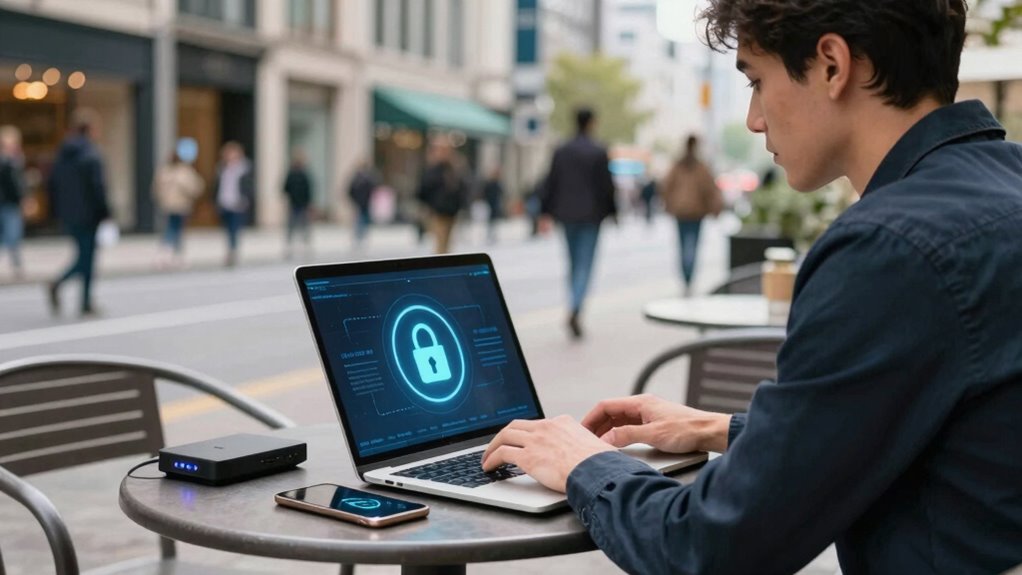

When using public Wi-Fi for work, you should always use a VPN to encrypt your internet traffic and prevent data interception by hackers. Enable device encryption to protect sensitive files if your device gets stolen. Avoid sharing files or connecting to unsecured networks. Keep your software updated and be cautious about which websites you visit. Using personal hotspots offers extra security. Staying aware of potential threats helps you stay safe—discover more tips below to strengthen your protection.

Get your next haul delivered free — and shop member deals
- Fast, free delivery on millions of items
- Access to Prime Big Deal Days deals on October 6–7
- Prime Video, Amazon Music and more included
Key Takeaways
- Always connect through a trusted VPN to encrypt your internet traffic on public Wi-Fi.
- Enable device encryption to protect data if your device is stolen or accessed physically.
- Avoid accessing sensitive accounts or conducting financial transactions without a VPN on public networks.
- Keep software and security patches up to date to minimize vulnerabilities.
- Disable file sharing and use secure, password-protected networks whenever possible.

Public Wi-Fi networks are convenient, but they also pose vital security risks if you’re not careful. When you’re traveling for work, you often rely on these networks to check emails, access files, or join virtual meetings. However, without proper precautions, your sensitive information can become vulnerable to hackers or eavesdroppers. One of the most effective ways to protect yourself is by using a Virtual Private Network (VPN). VPN usage encrypts your internet traffic, creating a secure tunnel between your device and the websites or services you’re accessing. This encryption prevents anyone on the same public network from intercepting your data, making it much harder for malicious actors to steal passwords, financial information, or confidential work documents.
Using a VPN protects your data from hackers on public Wi-Fi networks during work travel.
In addition to VPNs, device encryption plays a vital role in safeguarding your data. Encryption transforms your files and communications into an unreadable format that can only be decrypted with your password or encryption key. When your device is encrypted, even if someone gains physical access to it or manages to steal it, they won’t be able to access your information without the necessary credentials. Many modern smartphones and laptops come with built-in encryption features that you should activate before you travel. Making sure your device is encrypted provides an extra layer of protection, especially if you lose your device or it gets stolen. Ensuring your encryption settings are properly configured is essential for maintaining privacy. Additionally, being aware of potential data interception tactics can help you recognize suspicious activity on public networks.
Beyond VPN usage and device encryption, you should also be mindful of other security practices. Avoid accessing sensitive accounts or conducting financial transactions over public Wi-Fi unless you’re using a VPN with strong encryption. Disable file sharing and AirDrop features that could expose your files to others on the network. Always connect to secured Wi-Fi networks that require a password, and avoid open, unsecured networks whenever possible. If you must use an open network, consider setting up a personal hotspot from your mobile device instead, which typically offers more security. Also, it’s helpful to familiarize yourself with public Wi-Fi security risks to better understand how attackers might attempt to compromise your connection. Understanding public Wi-Fi security risks can help you make more informed decisions about where and how to connect safely.
Keep your software and security patches up to date. Hackers often exploit vulnerabilities in outdated systems, so regular updates help close these gaps. Also, be cautious about the websites you visit and avoid clicking on suspicious links or downloading attachments from unknown sources. Regularly reviewing your device’s security settings can further enhance your protection. By combining VPN usage, device encryption, and good security habits, you considerably reduce your risk when using public Wi-Fi on your work travels. Staying vigilant ensures your sensitive data remains protected, allowing you to focus on your tasks without worry.
best VPN for public Wi-Fi security
As an affiliate, we earn on qualifying purchases.
As an affiliate, we earn on qualifying purchases.
Frequently Asked Questions
Can Public Wi-Fi Hack My Device Without My Knowledge?
Public Wi-Fi risks do exist, and hackers can sometimes access your device without your knowledge if you’re not careful. They might use techniques like man-in-the-middle attacks to intercept data. To protect yourself, follow device security tips such as using a VPN, avoiding sensitive transactions, and disabling file sharing. Staying vigilant and secure helps prevent unauthorized access and keeps your information safe while on public networks.
Are VPNS Legal to Use on Public Wi-Fi Networks?
VPN legality generally isn’t an issue, and using a VPN on public Wi-Fi networks is legal in most countries. However, you should check local public Wi-Fi regulations, as some places restrict or prohibit certain online activities even with a VPN. Using a VPN enhances your security by encrypting data, protecting your information from hackers. Always make certain your VPN complies with local laws to stay within legal boundaries while traveling.
How Do I Recognize a Fake or Malicious Wi-Fi Hotspot?
A fake Wi-Fi hotspot can be as sneaky as a chameleon blending into its surroundings. To recognize it, look for suspicious names or misspellings that mimic legitimate networks. Use hotspot detection tools or ask staff for the official Wi-Fi details. Always prioritize Wi-Fi security by verifying the network’s authenticity before connecting. Staying alert helps you dodge malicious hotspots that could compromise your data and privacy.
What Should I Do if I Suspect My Device Is Compromised?
If you suspect your device is compromised, take immediate action. Run an antivirus update to guarantee your security software is current, then perform a full device scan to detect malware. Disconnect from all networks, avoid entering sensitive information, and back up important data. Consider resetting your device to factory settings if necessary. Always stay vigilant and regularly update your security tools to prevent future breaches.
Is It Safe to Access Sensitive Work Documents on Public Wi-Fi?
Accessing sensitive work documents on public Wi-Fi isn’t entirely safe unless you take precautions. You should guarantee your device uses data encryption and that your files are protected with strong password protection. Avoid logging into unsecured or unfamiliar networks, and consider using a virtual private network (VPN) for extra security. Always log out after accessing sensitive data, and avoid sharing confidential information over public connections.
device encryption software for laptops
As an affiliate, we earn on qualifying purchases.
As an affiliate, we earn on qualifying purchases.
Conclusion
Staying secure on public Wi-Fi isn’t just about protecting your data—it’s about safeguarding your peace of mind. Think of it as locking your door in a busy city; a simple step can keep unwanted visitors out. So, always use a VPN, avoid sensitive transactions, and turn off sharing. Remember, a little caution today keeps the cybercriminals at bay tomorrow. Stay vigilant, stay safe, and enjoy your travels without worry!
As an affiliate, we earn on qualifying purchases.
secure Wi-Fi router with password protection
As an affiliate, we earn on qualifying purchases.
As an affiliate, we earn on qualifying purchases.
Fall Picks
fall essentials
As an affiliate, we earn on qualifying purchases.